Table of Contents
- What is Purchase Order Management Software?
- Benefits of Purchase Order Software for Small Businesses
- Core Features of the Best Purchase Order System for Small Business
- Top Purchase Order Systems for Small Businesses
- How to Choose the Best Purchase Order System for Your Small Business
- Frequently Asked Questions about Purchase Order Systems
Best purchase order system for small business—that’s what you’re searching for, right? Finding the perfect match can transform how your business handles purchasing. With the right purchase order (PO) software, you can streamline procurement, eliminate manual errors, and save time. Here are some standout options you might consider:
- ProcureDesk: User-friendly and scalable, offering comprehensive procurement management.
- QuickBooks Purchase Order: Well-integrated with accounting solutions, ideal for cost-conscious small businesses.
- Coupa Procurement: Known for handling everything from requisitions to full purchase order processes.
In today’s competitive business environment, purchase order software is not just a luxury—it’s a necessity. For small businesses, which often juggle limited resources, this technology can be a game-changer. It ensures accuracy, improves supplier relationships, and provides greater operational visibility. All of which supports more informed decision-making.
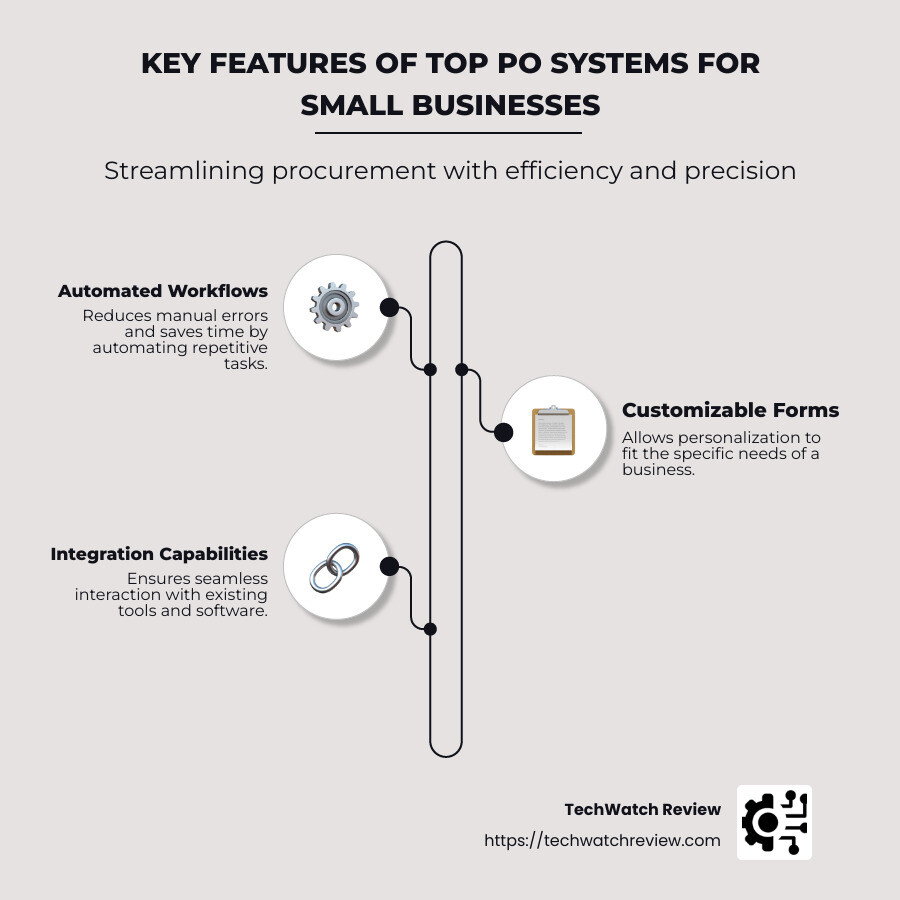
If you’re looking for a system to grow alongside your business, consider focusing on features like automated workflows, customizable forms, and easy integration with existing tools. These features ensure the system can expand with your needs, providing a solid foundation for sustainable growth.
For more insights, check out our articles on best ticketing system for small business, accounts payable automation for small business, and cheap accounting software.

Ready to dive in? Let’s explore the benefits and features that make these choices stand out:
What is Purchase Order Management Software?
Purchase Order Management Software is a tool that helps businesses manage their buying process more efficiently. It handles everything from creating and sending purchase orders to tracking and managing them until the order is fulfilled.
Definition and Purpose
A purchase order (PO) is a document that a buyer sends to a supplier to request goods or services. This document includes details like the items needed, quantity, price, and delivery terms.
The purpose of purchase order management software is to automate and streamline this process. By doing so, businesses can reduce errors, save time, and improve their purchasing efficiency. Automation helps replace manual tasks, reducing the risk of mistakes and freeing up time for more important work.
Key Components
Purchase order management software typically includes the following components:
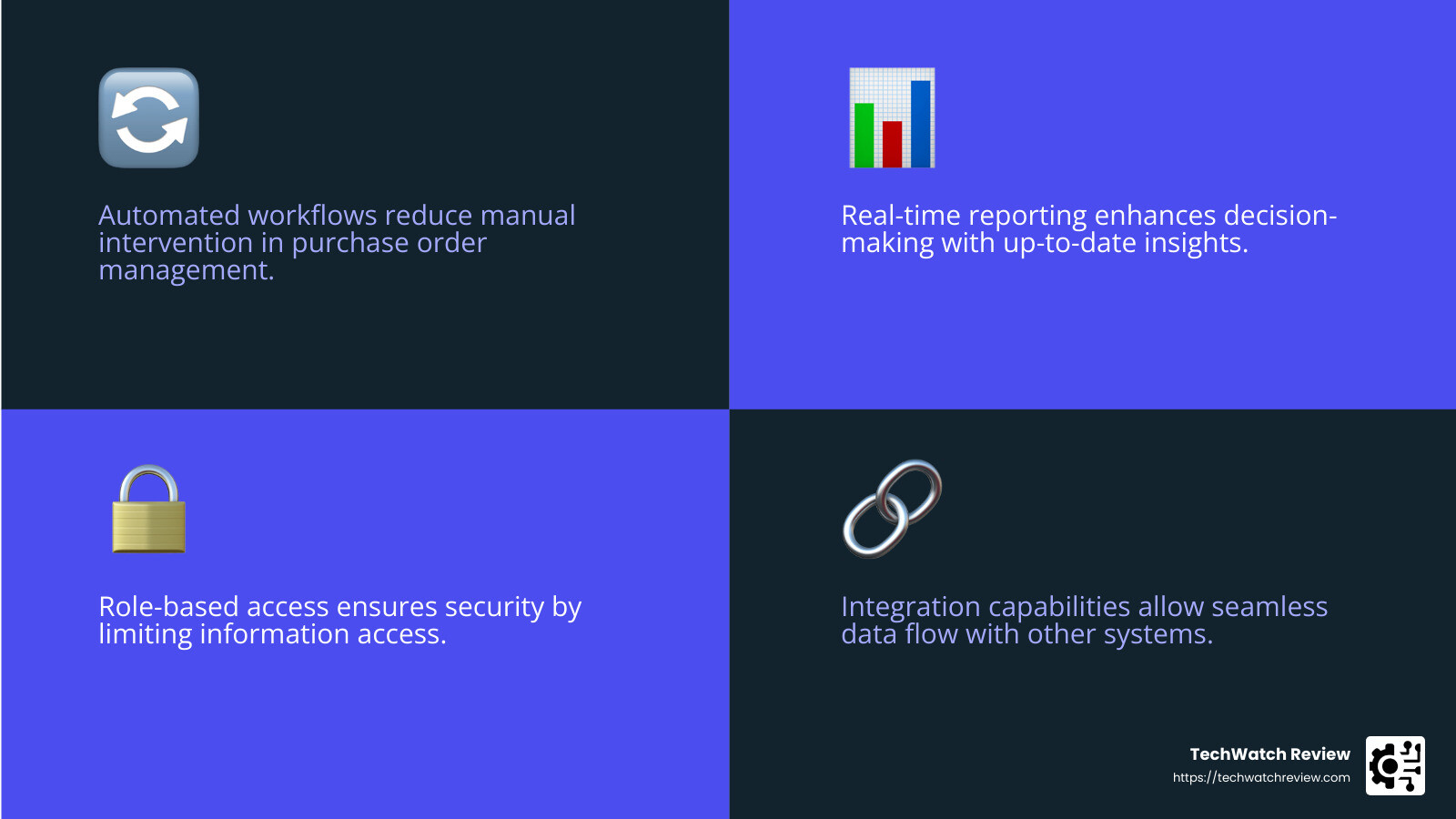
- Automated Workflows: These help in automatically routing purchase orders for approval, reducing manual intervention.
- Customizable Forms: Businesses can tailor forms to fit their specific needs, ensuring all necessary information is captured.
- Real-Time Reporting: This feature provides insights into purchasing activities, helping businesses make informed decisions.
- Role-Based Access: Ensures that only authorized personnel can access certain information, enhancing security.
- Integration Capabilities: Allows the software to connect with other systems like accounting or inventory management, ensuring seamless data flow.
Who Uses It?
This software is used by a wide range of organizations:
- Small Businesses: They benefit from improved efficiency and cost savings, crucial for businesses with limited resources.
- Medium to Large Enterprises: These businesses use purchase order software to manage complex procurement processes and maintain supplier relationships.
- Non-Profit Organizations: They use it to ensure transparency and accountability in their purchasing activities.
- Government Agencies: For them, purchase order software helps maintain compliance with regulatory requirements.
For more insights on how purchase order management software can benefit small businesses, you can explore this article on TechWatch Review.
Purchase order management software is a valuable tool for any business looking to improve its procurement process. Whether you’re a small business owner or part of a larger organization, investing in the right software can lead to significant benefits.
Next, we’ll dive into the benefits of purchase order software for small businesses and how it can transform your procurement processes.
Benefits of Purchase Order Software for Small Businesses
Using purchase order software can revolutionize how small businesses handle procurement. Here’s how:
Improved Accuracy
Manual purchase order processes are prone to errors. Mistakes in data entry and miscommunication can lead to incorrect orders and wasted resources. With automated purchase order software, you can ensure every order is accurate. The software cross-checks details automatically, reducing human error. For more insights on reducing errors in procurement, check out this article.
Improved Tracking
Tracking orders manually is like trying to find a needle in a haystack. Purchase order software provides real-time tracking, allowing you to monitor every stage of the order process. This means you know exactly when an order is dispatched, in transit, or delivered, which helps in planning and inventory management. Learn more about effective tracking methods here.
Better Supplier Management
Maintaining good relationships with suppliers is crucial. Purchase order software centralizes all supplier information and interactions, making it easier to manage relationships and negotiate better terms. You can store contact details, track performance, and even evaluate suppliers based on past transactions. For tips on supplier management, visit this page.
Increased Visibility
Transparency is key in procurement. With purchase order software, all purchase orders and related documents are stored in one place, accessible to authorized personnel. This visibility ensures everyone is on the same page, reducing the chances of miscommunication and errors. Discover more about enhancing visibility in procurement here.
Streamlined Processes
Automation is a game-changer. Purchase order software automates routine tasks like sending purchase orders, receiving confirmations, and processing invoices. This streamlining saves time, allowing your team to focus on more strategic tasks. For more on process automation, see this article.
Reduced Costs
Cost savings are a direct benefit of using purchase order software. By automating processes, you reduce the need for paper, postage, and manual labor. Additionally, improved accuracy and tracking help prevent costly errors and overordering. Explore cost-saving strategies here.
Better Decision-Making
Data is powerful when used correctly. Purchase order software provides detailed reports and analytics, giving you insights into spending patterns and supplier performance. This information helps you make informed decisions, negotiate better deals, and plan future purchases effectively. For more on data-driven decision-making, check out this resource.
In summary, the best purchase order system for small business is more than just a tool—it’s a strategic asset. By improving accuracy, tracking, supplier management, visibility, and decision-making, it can significantly improve your procurement process.
Next, let’s explore the core features that make these systems essential for small businesses.
Core Features of the Best Purchase Order System for Small Business
When it comes to choosing the best purchase order system for small business, understanding the core features is crucial. These systems are designed to simplify and improve the procurement process. Let’s dive into the essential features that make these systems indispensable.
Automated Workflows
Automation is at the heart of modern purchase order systems. Automated workflows eliminate repetitive tasks, such as sending approvals or notifications. This not only speeds up the procurement process but also reduces the risk of human error. For instance, systems like ProcureDesk allow procurement teams to create a controlled shopping environment, ensuring all steps from request to order are seamless and efficient.
Customizable Forms
Every business has unique needs, and customizable forms allow you to tailor the purchase order process to fit those specific requirements. This flexibility ensures that all necessary information is captured accurately, reducing the need for back-and-forth communication. For example, Kissflow Procurement Cloud offers a fully customizable platform where you can design workflows to suit your business operations.
Automated Cross-Checking
Cross-checking purchase orders with inventory and supplier data manually can be time-consuming and prone to errors. Automated cross-checking ensures that all details align before an order is placed. This feature helps in maintaining accurate inventory levels and prevents overordering. Systems like Precoro excel in automating these checks, ensuring consistency and accuracy in every order.
Role-Based Access
Security and confidentiality are paramount, especially when dealing with procurement data. Role-based access ensures that only authorized personnel can view or edit specific information. This feature helps maintain data integrity and accountability. For example, managers might have approval capabilities, while procurement staff can create and track orders. This structured access is a key component of robust systems like SAP Ariba.
Real-Time Reporting
Informed decision-making relies on timely and accurate data. Real-time reporting provides insights into the procurement process, allowing businesses to track spending, identify trends, and make data-driven decisions. This feature is essential for managing budgets and forecasting future needs. Systems like Beanworks offer detailed reporting tools that help businesses stay on top of their procurement activities.
Incorporating these features into your procurement process can transform how your business operates. By leveraging automation, customization, and real-time data, you can streamline operations, reduce costs, and improve decision-making. These core features ensure that the best purchase order system for small business is not just a tool, but a strategic partner in achieving operational excellence.
Next, we’ll explore the top purchase order systems that embody these features and more.
Top Purchase Order Systems for Small Businesses
When it comes to finding the best purchase order system for small business, there are several standout options that cater to various needs. Let’s explore some of the top systems available, each with unique features and benefits.
QuickBooks Purchase Order
QuickBooks is a well-known name in accounting software, and its purchase order feature integrates seamlessly with its accounting tools. This integration simplifies the procurement process, making it easier to track spending and manage budgets. QuickBooks is praised for its ease of use and cost-effectiveness, making it a popular choice for small businesses.
Coupa Procurement
Coupa Procurement offers a comprehensive suite of tools for managing the entire purchase order process. From requisitions and budgeting software to inventory and contract management, Coupa provides robust features that help businesses control spending. Its user-friendly interface and full-featured platform make it ideal for businesses seeking a complete procurement solution.
Spendwise
Spendwise is a web-based application designed to streamline the creation and approval of purchase orders. It also offers tools for managing bills and running spending reports. Spendwise stands out for its ability to eliminate manual work, making it easier for small businesses to manage their procurement tasks efficiently. Its affordability and ease of use are major draws for users.
Precoro
Precoro is known for its ability to eliminate manual procurement tasks through customizable workflows and e-catalogs. It offers comprehensive invoice management and integrates with various accounting systems. Precoro’s focus on automation and flexibility makes it a strong contender for businesses looking to improve their purchasing processes.
Xero
Xero is a holistic accounting software that includes a straightforward purchase order feature. It allows for custom numbering, templates, and PDFs, all integrated with its accounting system. Xero is praised for its intuitive interface and seamless integration, making it a great choice for small businesses that need basic purchase order capabilities.
Procurify
Procurify provides real-time data and purchasing workflows that can be accessed via a mobile app, offering flexibility and convenience. It emphasizes spend management and offers detailed reporting tools. Procurify is perfect for businesses that require mobility and real-time insights into their procurement processes.
Beanworks
Beanworks specializes in purchase order matching and automation, integrating smoothly with popular accounting systems. Its detailed reporting capabilities provide valuable insights into procurement activities, helping businesses make informed decisions. Beanworks is ideal for businesses looking to automate their accounts payable processes.
SAP Ariba
SAP Ariba is a powerful tool for sourcing, contract management, and supplier management. It offers advanced procurement management and analytics, making it suitable for businesses that need a high level of control and visibility over their procurement processes. SAP Ariba is a comprehensive solution for those seeking in-depth analytics and reporting capabilities.
Each of these systems offers unique features that cater to different business needs. Whether you’re looking for seamless integration, ease of use, or comprehensive procurement capabilities, there’s a purchase order system out there to fit your small business requirements.
How to Choose the Best Purchase Order System for Your Small Business
Selecting the right purchase order system can make a significant difference in how efficiently your small business operates. Here’s a step-by-step guide to help you make an informed decision.
Identify Your Needs
Start by determining what you need from a purchase order system. Are you looking to automate manual processes, improve accuracy, or improve supplier management? Consider the specific workflows you want to streamline. This will help you focus on systems that align with your business objectives.
Evaluate Vendors
Research different vendors and their offerings. Look for vendors with a solid reputation and positive user reviews. You might find it helpful to reach out to other small business owners or industry experts for recommendations. Check if the vendors offer free trials or demos so you can test the software before committing.
Assess Features
Different systems offer various features. Focus on those that align with your needs. Key features to consider include automated workflows, customizable forms, and real-time reporting. Some systems, like Coupa Procurement, offer full purchase order processes and budgeting tools, while others, like Spendwise, are more focused on ease of use and cost-effectiveness.
Consider Integrations
Ensure the system integrates well with your existing software, especially your accounting tools. Integration can save time and reduce errors by allowing seamless data flow across platforms. For instance, QuickBooks Purchase Order integrates directly with its accounting features, simplifying financial management.
Security
Security is crucial, especially when dealing with sensitive financial data. Verify that the vendor has robust security measures in place. Look for compliance with industry standards and regulations to protect your business information.
User Experience
A system that’s difficult to use can slow down adoption and lead to frustration. Look for a user-friendly interface that’s easy to steer. Systems like Procurify are praised for their intuitive design and real-time data access, making them appealing for teams that need quick insights.
Customer Support
Reliable customer support is essential, especially during the initial setup and training phases. Check if the vendor offers comprehensive support services, such as live chat, phone support, and online resources. Some vendors, like ProcureDesk, offer free onboarding to help you get started smoothly.
Cost
Finally, consider your budget. Compare the pricing models of different systems. Some, like Spendwise, offer affordable plans starting at $9/month, while others might have more complex pricing structures. Remember to factor in the total cost of ownership, including any additional fees for upgrades or extra features.
By following these steps, you can choose a purchase order system that not only meets your current needs but also supports your business as it grows.
Frequently Asked Questions about Purchase Order Systems
What is the best software for purchase orders?
Choosing the best purchase order system for small business depends on your specific needs. However, several options stand out for their features and usability:
-
QuickBooks Purchase Order: Known for its seamless integration with QuickBooks accounting, making it a great choice for businesses already using QuickBooks for financial management. It simplifies the purchase order process and helps keep financial records in sync. Learn more about QuickBooks Purchase Order.
-
Coupa Procurement: Offers a comprehensive suite with requisitions, budgeting, and inventory management. It’s ideal for businesses looking for a full-featured solution to manage procurement processes. Explore Coupa Procurement.
-
Spendwise: A web-based application that is easy to use and cost-effective. It allows you to create and approve purchase orders efficiently and manage bills and spending reports. Discover Spendwise.
-
Precoro: Eliminates manual work with customizable workflows and e-catalogs. It also offers robust invoice management, making it a good fit for businesses seeking automation. Check out Precoro.
-
Xero: Provides holistic accounting capabilities with custom numbering, templates, and PDFs. It integrates well with other accounting tools, offering a seamless experience for managing purchase orders. Visit Xero.
-
Procurify: Known for its real-time data and purchasing workflows. It also includes a mobile app for on-the-go management, appealing to businesses needing flexibility. Learn about Procurify.
-
Beanworks: Offers purchase order matching and automation, with strong integration options for accounting systems. It’s beneficial for businesses looking to streamline their financial processes. Explore Beanworks.
-
SAP Ariba: A powerful tool for sourcing, contract management, and supplier management. It offers comprehensive analytics and reporting, suitable for businesses with complex procurement needs. Discover SAP Ariba.
These systems provide a range of features, from basic purchase order creation to advanced procurement management, catering to various business sizes and needs.
Do small businesses use purchase orders?
Yes, small businesses often use purchase orders to streamline their procurement processes. Purchase orders help in formalizing agreements with suppliers, ensuring clarity and reducing the risk of disputes. They also aid in tracking expenses and managing inventory, which is crucial for maintaining cash flow in small businesses. By implementing a purchase order system, small businesses can improve accuracy, improve tracking, and ensure better supplier management.
What are the types of purchase orders?
Purchase orders come in several types, each serving different purposes:
-
Standard Purchase Order: The most common type, used for one-time purchases with specific items, quantities, and delivery dates.
-
Planned Purchase Order: Similar to standard POs but with estimated delivery dates. It’s used when the timing of deliveries is uncertain.
-
Blanket Purchase Order: Used for recurring purchases of the same items over a period, allowing for multiple delivery dates. It’s beneficial for businesses with ongoing supplier relationships.
-
Contract Purchase Order: Establishes terms and conditions for future orders but doesn’t specify items or quantities. It’s a framework for long-term supplier agreements.
Understanding these types helps businesses choose the appropriate purchase order method for their procurement needs, facilitating better planning and supplier relationships.
Choosing the right purchase order (PO) system is crucial for small businesses aiming to streamline their procurement processes. The best purchase order system for small business should not only fit the current operational needs but also be scalable to accommodate future growth. By automating workflows, enhancing accuracy, and improving supplier management, a well-chosen PO system can significantly boost efficiency and reduce costs.
With so many options available, evaluate your business needs and compare features, pricing, and integrations of different systems. Whether you opt for the seamless accounting integration of QuickBooks, the comprehensive suite of Coupa Procurement, or the user-friendly interface of Spendwise, each system has unique strengths that can cater to different business requirements.
At TechWatch Review, we provide expert reviews and insights to help you make informed decisions about technology products, including PO systems. Our detailed analysis and up-to-date information aim to guide small business owners in selecting the best software solutions. For more insights, check out our Small Business Software page or explore our article on procurement software.
Choosing the right PO system is not just about managing purchase orders—it’s about empowering your business with tools that improve decision-making and drive growth. With the right system in place, you can focus on what truly matters: growing your business and serving your customers effectively.