Working with virtual assistants can really help streamline your business, but you need the right setup. It’s not just about finding someone capable; it’s about giving them the tools to do their best work remotely. Think of it like giving a chef the best knives and pans – it makes all the difference. We’ve put together a list of some top tools for virtual assistants that can help keep things organized and make sure everyone’s on the same page, no matter where they are.
Table of Contents
Key Takeaways
- Communication is key: Tools like Slack, Zoom, and Google Meet help keep you and your virtual assistant connected and talking regularly.
- Project management keeps things on track: Asana and ClickUp are great for assigning tasks, setting deadlines, and seeing how projects are moving along.
- Scheduling made easy: Google Calendar and Calendly take the headache out of booking meetings and managing appointments.
- Time tracking and billing are simpler: Toggl Track helps you see where time is spent, and FreshBooks handles the invoicing.
- Email and document management are vital: Gmail/G Suite provides a solid foundation for everyday communication and file handling.
1. Slack
When you’re working remotely, keeping everyone on the same page can feel like a juggling act. That’s where Slack comes in. It’s basically a digital office space where all your team’s conversations, files, and tools can live. Think of it as the central nervous system for your remote workflow.
Slack uses channels to keep things organized. You can have a channel for a specific project, a client, or even just for general team chat. This means you’re not digging through endless email chains trying to find that one piece of information. It makes communication much more focused and efficient.


Here’s a quick look at how channels help:
- Project Channels: Keep all discussions, updates, and files related to a specific project in one place.
- Client Channels: Dedicated spaces for communicating with clients, ensuring all correspondence is logged and accessible.
- Team Channels: For general announcements, water cooler chat, and building team camaraderie.
- Huddles: Quick, informal audio chats that are great for spontaneous brainstorming or quick questions, much like popping over to someone’s desk.
Beyond just chat, Slack integrates with a ton of other apps you probably already use, like Google Drive or Asana. This means you can get notifications and take action right from Slack without switching windows. It really helps to keep everything consolidated. For a tool that unifies people and projects, Slack is a solid choice for any remote team looking for a work operating system.
While Slack is fantastic for real-time messaging and keeping conversations organized, it’s worth noting that its built-in video conferencing features might not be the strongest for very large or complex meetings. For those scenarios, you might want to pair it with a dedicated video conferencing tool.
2. Zoom
Zoom has really made a name for itself, hasn’t it? It’s pretty much the go-to for video calls these days, and for good reason. It handles everything from quick team check-ins to larger webinars and presentations without breaking a sweat. For virtual assistants working remotely, Zoom provides a solid virtual space to connect with clients and colleagues. You can host meetings, run webinars, and even have team discussions.
One feature that’s particularly handy is the breakout rooms. This lets you split larger groups into smaller ones for more focused discussions or activities, which is great for training sessions or brainstorming.
People often mention how good the audio and video quality is, which is a big deal when you’re trying to communicate clearly across different locations. It just makes those virtual interactions feel a lot more natural.
Zoom offers a reliable way to bridge the physical distance, making remote collaboration feel more present and less like a chore. It’s built for clear communication.
It also has some neat extras like screen sharing, which is super useful for showing documents or walking someone through a process. Plus, the chat function means you can quickly share links or jot down notes during a call without interrupting the flow.
3. Google Meet
Google Meet is another solid option for video calls, especially if you’re already using other Google tools. It’s pretty straightforward to use, which is a big plus when you’re juggling a lot of tasks. You can jump into a meeting with just a few clicks, and it integrates nicely with Google Calendar, making scheduling super easy.
One of the things I like about Meet is its live captioning feature. It’s not perfect, but it can really help when you’re in a noisy environment or if someone has trouble hearing. Plus, the screen sharing works well for presentations or walking someone through a document. It handles both small team check-ins and larger client calls without much fuss.
Key Features:
- High-quality video and audio
- Screen sharing
- Live captioning
- Integration with Google Workspace (Calendar, Gmail)
- Secure and reliable connections
While it might not have all the bells and whistles of some other platforms, Google Meet’s simplicity and integration make it a go-to for many virtual assistants who need a reliable way to connect face-to-face without a steep learning curve. It just works, and that’s often what you need most when you’re working remotely.
4. Asana
When you’re juggling multiple projects and clients as a virtual assistant, keeping everything organized can feel like a circus act. That’s where Asana comes in. It’s a project management tool that really helps you break down big, messy projects into smaller, manageable tasks. Think of it as your digital command center for all things work-related.
Asana is great for visualizing your workflow. You can create projects, add tasks, assign them to yourself or team members, and set due dates. It’s pretty straightforward to get started, and the interface is clean, which is a big plus when you’re trying to focus.
Here are some ways Asana can help streamline your work:
- Task Management: Assign tasks, set priorities, and add details like subtasks and dependencies.
- Project Visualization: Use different views like lists, boards, or timelines to see your projects in a way that makes sense to you.
- Collaboration: Share projects with clients or team members, leave comments, and track progress together.
- Automation: Set up rules to automate repetitive tasks, like moving a task to the next stage when it’s completed.
It’s particularly useful for managing creative and marketing workflows, where you often have many steps and need to keep track of approvals and feedback. The ability to see who is doing what and when it’s due really cuts down on confusion. If you’re looking for a solid way to manage your workload and keep clients happy with timely delivery, Asana is definitely worth checking out. You can get a good overview of how Asana helps organize work here.
Asana helps make sure that no task falls through the cracks. It provides a clear overview of what needs to be done, who is responsible, and when it’s expected to be finished. This transparency is key for remote teams.
5. ClickUp
ClickUp is a pretty powerful tool that aims to be an all-in-one solution for managing your work. It’s not just about tasks; it bundles in features for communication, document creation, and even time tracking, which is super handy for virtual assistants.
It’s highly flexible and can be customized to fit almost any workflow. You can set it up to look and feel exactly how you want, which is great because everyone works a little differently. It offers a bunch of different views for your tasks, like lists, boards, calendars, and even Gantt charts, so you can see your projects in a way that makes sense to you.
Here are some of the things you can do with ClickUp:
- Create and assign tasks with detailed descriptions and subtasks.
- Set priorities, due dates, and dependencies for tasks.
- Use custom fields to track specific information relevant to your projects.
- Collaborate with team members directly within tasks.
- Build out wikis and documentation to keep important information organized.
ClickUp’s dashboard can feel a bit dense at first because it packs in so many features. But once you get the hang of it, you can really tailor it to see all the key metrics and project statuses at a glance. It’s great for getting a big picture view of everything you’re working on.
It also has integrations with other popular tools, so you can connect it to your existing software. For virtual assistants juggling multiple clients and projects, ClickUp’s ability to centralize everything is a big win. It helps keep things organized and makes sure nothing falls through the cracks.
6. Google Calendar
When you’re juggling multiple clients and projects, keeping track of who needs what and when can feel like a circus act. That’s where Google Calendar really shines for virtual assistants. It’s not just about blocking out time for meetings; it’s your central hub for managing your entire schedule. You can color-code different clients or project types, making it super easy to see at a glance where your day is going. Plus, setting up recurring appointments or tasks is a breeze, saving you from having to input the same information over and over.
The real magic happens with its integration capabilities. Think about syncing it with your email, your project management tools, or even scheduling apps like Calendly. This means that when a new meeting is booked through another platform, it automatically pops into your Google Calendar without you lifting a finger. It also plays nicely with other Google services, so if you’re using Google Meet for calls, the meeting links can be added directly to the event.
Here are a few ways VAs can make the most of it:
- Client Time Blocking: Dedicate specific blocks of time for each client to ensure focused work and avoid overbooking.
- Task Reminders: Set reminders not just for meetings, but for important deadlines or follow-ups.
- Availability Sharing: Easily share your availability with clients or collaborators without revealing your entire schedule.
- Integration Hub: Connect it with other tools to automate scheduling and reduce manual data entry.
Google Calendar acts as the backbone for a VA’s time management. Its ability to sync across devices and integrate with a wide array of other productivity tools means less time spent on administrative tasks and more time focused on client work. It’s a simple, yet powerful, tool that helps maintain order in a busy remote workflow.
7. Calendly
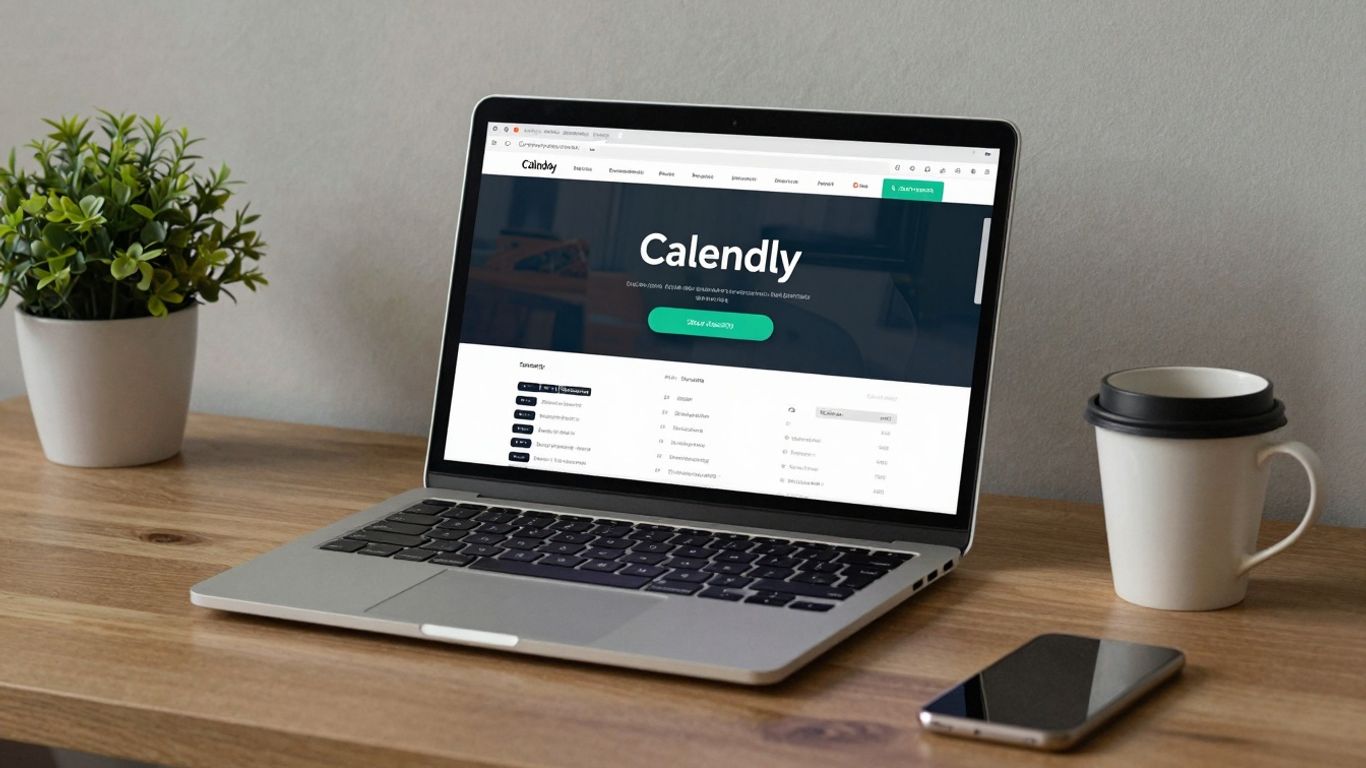
Okay, let’s talk about Calendly. If you’ve ever spent way too much time emailing back and forth trying to find a meeting time that works for everyone, you know the pain. Calendly basically takes that whole headache away. You set up your availability, share a link, and people can just pick a slot that works for them. It’s a real game-changer for scheduling.
Think about it: no more
8. Toggl Track
When you’re running a remote operation, keeping tabs on where the time goes can feel like a guessing game. That’s where Toggl Track comes in handy. It’s a straightforward tool that lets you, or your virtual assistant, clock in and out of tasks with just a click. No more manual logging or trying to remember what you did three hours ago.
Toggl Track provides a clear breakdown of time spent across different projects and tasks. This is super useful for a few reasons. For one, if you bill clients by the hour, it makes invoicing a breeze. You’ve got exact figures, no guesswork involved. It also helps you see where your time is actually going, which can be eye-opening. Maybe you’re spending more time on administrative tasks than you thought, or perhaps a particular client project is taking longer than expected.
Here’s a quick look at what Toggl Track offers:
- Simple Time Tracking: Start and stop timers with a single click.
- Project Categorization: Assign time entries to specific projects or clients.
- Detailed Reports: Generate reports showing time spent on tasks, projects, and by team members.
- Integrations: Connects with over 100 other apps you might already be using.
Understanding your time usage is key to improving efficiency. Toggl Track helps you reflect on your work habits, identify time sinks, and ultimately become more productive by making you more aware of how you spend your working hours.
9. FreshBooks
When it comes to keeping your freelance business finances in order, FreshBooks really shines. It’s a cloud-based accounting platform that’s built to make things simple, especially for service-based professionals like virtual assistants. Forget wrestling with complicated spreadsheets; FreshBooks offers a straightforward way to handle your invoicing and expense tracking.
The real magic is in its user-friendly design and features that automate common tasks. You can create professional-looking invoices in a snap, set up payment reminders so you don’t have to chase clients, and easily log your expenses. This means less time spent on bookkeeping and more time actually working for your clients.
Here’s a quick look at what makes it stand out:
- Invoicing: Customizable templates that look great and can be sent out quickly.
- Expense Tracking: Snap photos of receipts and log expenses on the go.
- Time Tracking: If you bill by the hour, you can track your time directly within the platform.
- Client Management: Keep all your client contact information and project history in one place.
- Reporting: Get a clear picture of your business’s financial health with easy-to-understand reports.
FreshBooks is designed to take the headache out of accounting. It helps you manage your money, get paid faster, and understand your business’s performance without needing an accounting degree. It’s a solid choice for VAs who want to keep their financial house in order without it becoming a second job.
Plus, it handles things like multi-currency billing, which is a big plus if you work with international clients. It’s not just about tracking numbers; it’s about making your financial processes smoother so you can focus on growing your business.
10. Gmail / G Suite
When you’re running a remote operation, having a solid communication and organization hub is pretty much non-negotiable. That’s where Gmail and the whole Google Workspace suite come in. It’s more than just email; it’s a whole ecosystem for getting things done. Think about it: you’ve got your email, sure, but also cloud storage with Google Drive, document creation with Docs, Sheets, and Slides, and scheduling all tied together.
For a virtual assistant, this means you can easily manage client communications, share project files, and even collaborate on documents in real-time without jumping between a million different apps. It keeps everything in one place, which honestly makes life so much simpler.
Here’s a quick look at what makes it so useful:
- Gmail: Your primary inbox, but with smart features like labels, filters, and snooze to keep things tidy. Plus, it integrates directly with other Workspace tools.
- Google Drive: Cloud storage for all your files. You can access them from anywhere, and sharing with clients or team members is a breeze.
- Google Docs, Sheets, Slides: For creating and editing documents, spreadsheets, and presentations. Collaboration is built-in, so multiple people can work on the same file at once.
- Google Calendar: Essential for scheduling meetings, setting reminders, and keeping track of your appointments. It syncs across all your devices.
The real win here is the integration. Everything talks to everything else. Need to send a file from Drive in an email? Easy. Want to schedule a meeting based on an email? Done. It cuts down on a lot of the busywork that can eat up your day.
It’s a pretty robust package, and for many VAs, it forms the backbone of their daily workflow. You can even set up custom email addresses for your business, which looks way more professional than a generic Gmail account.
Wrapping It Up
So, we’ve gone over a bunch of tools that can really help make working with virtual assistants smoother. It’s not just about finding someone to do the work, but setting them up for success. Using the right apps for talking, managing projects, and keeping track of time means fewer mix-ups and more getting done. Think of it like giving your VA a good toolbox – it makes their job easier and yours too. Plus, with new AI stuff coming out, things are only going to get more interesting. Picking the right tools now is a smart move for anyone looking to get the most out of their remote team.
Frequently Asked Questions
What are virtual assistants and why are they important?
Virtual assistants, or VAs, are remote workers who help with various tasks like managing emails, scheduling, or social media. They are super helpful because they can take on jobs you don’t have time for, helping your business run smoother and grow.
Why do virtual assistants need specific tools?
Just like any job, VAs need the right tools to do their best work. These tools help them communicate easily, keep track of tasks, manage their time, and share files, making sure everything gets done efficiently, even when working from different places.
What’s the difference between Slack, Zoom, and Google Meet?
Slack is mostly for quick chats and organizing conversations by topic. Zoom and Google Meet are for video calls. Zoom is known for its many features, while Google Meet is simple and works well if you already use Google tools.
How do tools like Asana and ClickUp help with tasks?
Asana and ClickUp are like digital to-do lists for teams. They let you assign tasks, set deadlines, and see how projects are progressing. This helps everyone stay organized and makes sure important jobs don’t get forgotten.
Why is a calendar tool like Google Calendar or Calendly important for a VA?
Google Calendar helps VAs keep track of all their appointments and deadlines in one place. Calendly takes it a step further by letting clients book meetings automatically, saving the VA from lots of back-and-forth emails.
What is the purpose of time-tracking tools like Toggl Track?
Toggl Track helps VAs record the exact time they spend on different tasks. This is useful for billing clients accurately and for understanding how long certain jobs take, which can help improve efficiency over time.
How does FreshBooks help virtual assistants?
FreshBooks is a tool that makes managing money easier for VAs. It helps them create invoices for clients, track payments they receive, and keep an eye on their expenses, simplifying the financial side of their work.
What makes Gmail / G Suite a good choice for virtual assistants?
Gmail and the rest of the G Suite (like Google Drive and Calendar) offer a complete package. VAs can use Gmail for emails, Google Drive for storing and sharing files, and Google Calendar for scheduling, all working together smoothly.