Table of Contents
The Rise of No-Code Web Apps
In the past, building an app required knowing how to code. But with the rise of no-code web apps, anyone can create powerful applications without typing a single line of code.
Key Takeaways:
– No-code web apps allow both beginners and pros to build applications quickly and easily.
– These platforms use visual programming: drag-and-drop interfaces that are easy to use.
– They save time and lower costs, democratizing technology for all.
The no-code revolution has taken the tech world by storm. As the need for custom applications grows but the supply of developers remains limited, no-code tools have stepped in to fill the gap. These tools simplify the app-building process into three main steps:
- Structuring the Database: Organizing the information your app will handle.
- Composing the User Interface: Designing how your app looks and how users will interact with it.
- Building the Logic: Setting up rules that determine what happens when users interact with your app.
Platforms like Bubble, Glide, and Adalo are leading the way in no-code app development, offering everything you need to turn an idea into a functional app.

Here at TechWatch Review, we spent countless hours exploring over 60 no-code platforms to bring you the best recommendations. Whether you’re a business professional or an aspiring entrepreneur, these tools can help you launch your web app in weeks, if not days.
Take the leap into the future of app development with no-code platforms. Read on to find how you can build your own web app with ease.
What Are No-Code Web Apps?
No-code web apps are applications built without writing any code. Instead of traditional coding, these platforms use visual programming and drag-and-drop interfaces to let anyone create functional apps. This means you don’t need to be a developer to bring your ideas to life.
Definition
No-code web apps are software applications developed using platforms that require no programming skills. These platforms provide a user-friendly interface where you can create apps by simply dragging and dropping elements. This approach has democratized app development, making it accessible to business professionals, entrepreneurs, and anyone with an idea.
Visual Programming
Visual programming is at the heart of no-code platforms. It involves creating applications through graphical elements rather than writing lines of code. Think of it as building a Lego set: you piece together pre-built blocks to form a complete structure. This method simplifies the development process and allows for rapid prototyping.
Drag-and-Drop Interface
The drag-and-drop interface is another key feature of no-code platforms. It allows you to select elements like buttons, forms, and images from a toolbar and place them onto your app’s canvas. This intuitive interface makes it easy to see how your app will look and function as you build it.
No Coding Skills Required
One of the biggest advantages of no-code web apps is that they require no coding skills. This opens up app development to a wider audience. Whether you’re a small business owner looking to streamline operations or a creative professional with a new idea, you can build an app without needing to learn programming languages.
Real-World Examples
Many businesses have already leveraged no-code tools to solve real problems. This project was completed without traditional coding, showcasing the power and flexibility of no-code platforms.
In summary, no-code web apps are changing the way we think about app development. With visual programming, drag-and-drop interfaces, and no coding skills required, anyone can now create powerful, functional apps. Dive into no-code and see how you can bring your ideas to life.
Benefits of No-Code Web Apps
No-code platforms are changing the game for app development. They offer several compelling benefits, making them an attractive option for businesses and individuals alike.
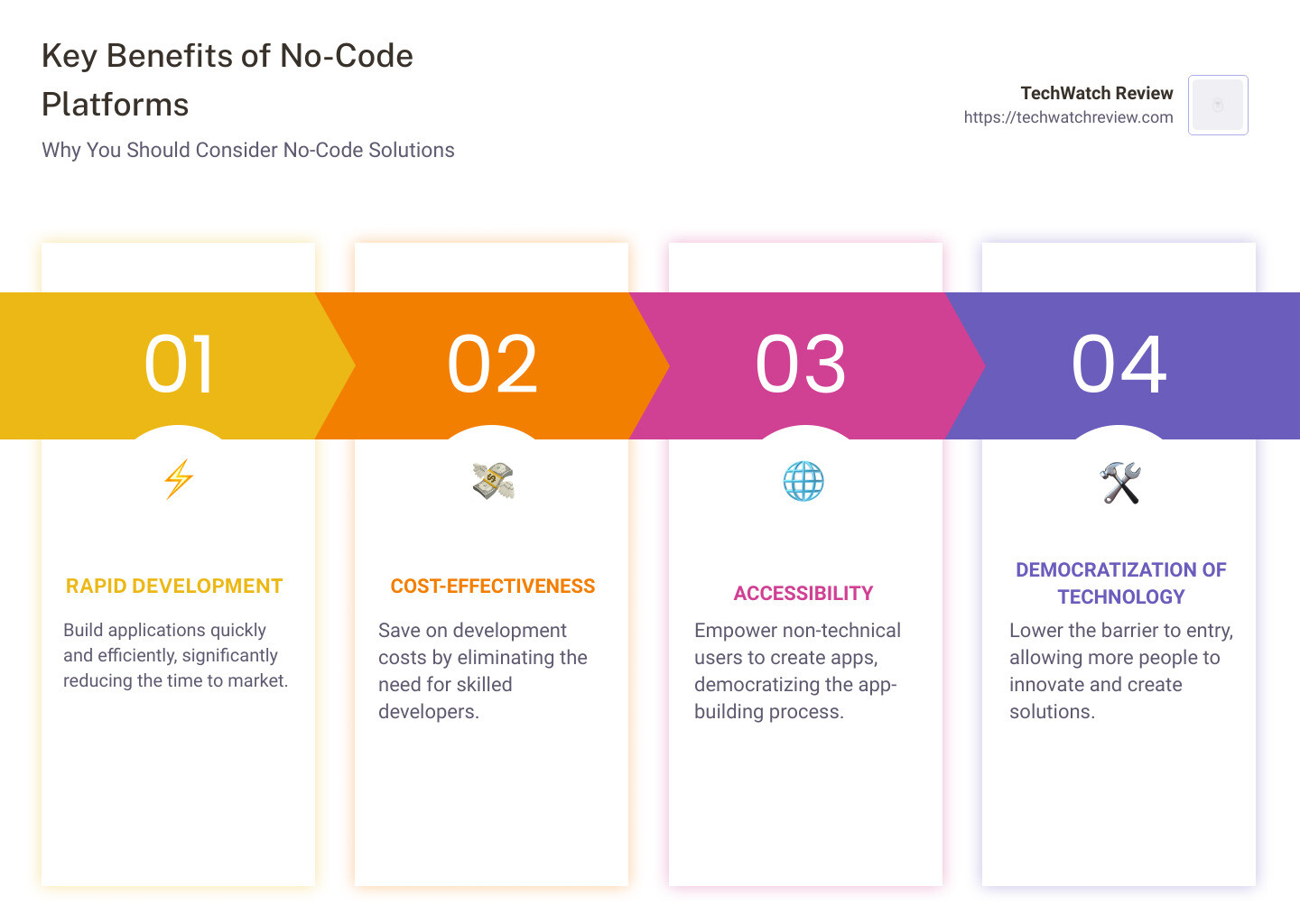
Rapid Development
One of the most significant advantages of no-code web apps is rapid development. Traditional coding can take months or even years to bring an app from concept to market. No-code platforms drastically cut down this timeline. With drag-and-drop interfaces and pre-built templates, you can create a functional app in days or even hours.
Cost-Effective
Building apps traditionally requires hiring skilled developers, which can be expensive. No-code platforms eliminate this need, making app development much more cost-effective. Small businesses and startups, often with limited budgets, can now create professional-grade apps without breaking the bank.
Accessibility
No-code platforms democratize app development by making it accessible to everyone, regardless of technical skills. Whether you’re a marketer, designer, or entrepreneur, you can bring your ideas to life without needing to learn complex programming languages.
Democratization of Technology
The democratization of technology is perhaps the most transformative benefit of no-code platforms. By lowering the barriers to entry, no-code tools empower underrepresented groups and individuals to create and innovate. This leads to a more diverse range of apps and solutions that better reflect the needs and experiences of different communities.
How to Create a No-Code Web App
Creating a no-code web app may seem daunting, but it’s easier than you think. Follow these steps to bring your idea to life.
Define Scope
First, clearly define what your app will do. Ask yourself:
- What problem does it solve?
- Who is the target audience?
- What features are essential?
Write down your goals and requirements. This will guide your project and keep you focused.
Talk to Users
Before you start building, talk to potential users. Gather feedback on your idea. This helps you understand their needs and refine your app’s features.
“You don’t build it for yourself. You know what the people want and you build it for them.” – Walt Disney
Wireframes
Create wireframes to visualize your app. These are simple sketches that show the layout and flow of your app. Tools like Figma or Adobe XD are great for this.

Start Building
Choose a no-code platform that fits your needs. Here are some popular options:
- Bubble: Great for visual programming and customization.
- Glide: Ideal for integrating with spreadsheets.
- Webflow: Perfect for responsive design and visual canvas.
- Airtable: Combines spreadsheets and databases.
- Softr: Easy to use, perfect for membership sites.
Use the platform’s drag-and-drop interface to start building your app. Add elements like buttons, forms, and images.
Customize
Customize the look and feel of your app. Most platforms offer templates and design tools. Adjust colors, fonts, and layouts to match your brand.
“Design is not just what it looks like and feels like. Design is how it works.” – Steve Jobs
Launch and Test
Before going live, test your app thoroughly. Share it with a small group of users and gather feedback. Make necessary adjustments.
Once you’re confident, launch your app. Most platforms let you publish directly to the web or app stores.
Tip: Create two projects—one for your main app and another for testing. This helps you brainstorm and solve issues without affecting your main project.

Now that you know how to create a no-code web app, let’s explore the top platforms available. We’ll cover everything from visual programming to spreadsheet integration.
Top No-Code Web App Platforms
Bubble
Bubble is a powerful no-code platform known for its extensive customization options and visual programming capabilities. With Bubble, you can build almost any type of web app, from marketplaces to CRMs.
Key Features:
- Visual Programming: Assemble your app using a visual set of components.
- Customization: Tailor every aspect of your app, from design to functionality.
- Prototyping: Quickly create MVPs to test your ideas.
Bubble is excellent for startups and freelancers looking to build complex web applications without writing code. Its workload-based pricing model ensures you only pay for what you use.
Glide
Glide transforms your spreadsheets into powerful web apps. Ideal for business tools like inventory management or sales pipelines, Glide is perfect for those comfortable with Excel or Google Sheets.
Key Features:
- Spreadsheet Integration: Pull data directly from Excel files or Google Sheets.
- Business Tools: Create apps for managing inventory, sales pipelines, or employee directories.
- Automation: Simplify workflows and automate repetitive tasks.
Glide’s drag-and-drop interface and variety of templates make it accessible even for those with zero coding experience.
Webflow
Webflow is a no-code platform that excels in building visually stunning websites. Whether you’re creating a SaaS site or an e-commerce store, Webflow offers a high degree of customization.
Key Features:
- Templates: Start with responsive templates or build from scratch.
- Visual Canvas: Design your site in an intuitive visual editor.
- Responsive Design: Ensure your site looks great on any device.
Webflow is perfect for designers and developers who want to create professional websites quickly. It also allows you to peek at the code behind the design, making it a low-code platform for those who have some coding skills.
Airtable
Airtable combines the functionality of spreadsheets with the power of databases. It’s a versatile tool for organizing and collaborating on various types of information.
Key Features:
- Spreadsheets: Easy to use like Excel but much more powerful.
- Databases: Customize tables to meet your specific needs.
- Collaboration: Work with your team in real-time.
Airtable is ideal for organizing project deliverables, compiling customer lists, or managing any other type of data. Its modular system allows for high customization.
Softr
Softr is known for its ease of use and is perfect for beginners. It allows you to create web apps and membership sites quickly by connecting to Airtable data.
Key Features:
- Ease of Use: Very beginner-friendly with a simple interface.
- Membership Sites: Build simple membership sites and apps.
- Airtable Integration: Easily connect to Airtable for data management.
Softr offers a range of templates that make it easy to get started. The user interface is intuitive, allowing you to build functional apps without needing to refer to documentation constantly.
Best No-Code Web Apps for Specific Needs
No-code web apps can serve various purposes, from building marketplaces to creating mobile apps and automating workflows. Here’s a look at the best platforms for each specific need.
Marketplaces
Sharetribe
Sharetribe is a popular choice for building online marketplaces. Whether you want to create a peer-to-peer marketplace, a product rental site, or a service-based platform, Sharetribe provides the tools you need.
- Ease of Use: Sharetribe offers a straightforward setup process, making it easy for anyone to get started quickly.
- Customization: While it offers a range of templates, you can also customize your marketplace to fit your brand.
- Monetization: Sharetribe allows you to set up various payment models, including transaction fees and subscription plans.
FlutterFlow
FlutterFlow is ideal for mobile-first marketplaces. It allows you to create visually stunning and highly functional mobile apps without writing a single line of code.
- Native Apps: Build native apps for iOS and Android.
- Design Freedom: Convert your designs from Figma directly into functional apps.
- Backend Integration: Connect to various databases and APIs to power your marketplace.
Softr
Softr is great for quickly building simple marketplaces. Its integration with Airtable makes it particularly useful for managing listings and user data.
- Templates: Start with pre-designed templates custom for marketplaces.
- Airtable Integration: Easily manage your data and listings through Airtable.
- User-Friendly: The drag-and-drop interface makes building and customizing your marketplace straightforward.
Mobile Apps
Thunkable
Thunkable is a robust platform for creating mobile apps. It’s known for its simplicity and powerful features, making it a favorite among beginners and experienced builders alike.
- Drag-and-Drop: Use a visual interface to build your app.
- Cross-Platform: Create apps for both iOS and Android.
- Functionality: Add features like GPS, camera access, and real-time updates.
Bravo
Bravo stands out for its ability to convert Figma or Adobe XD designs into native mobile apps. It’s a top choice for designers who want to see their creations come to life.
- Design Integration: Import designs directly from Figma or Adobe XD.
- Testing: Test your app within the Bravo interface and share it with colleagues.
- Publishing: Publish directly to the Apple and Google Play app stores.
Adalo
Adalo is perfect for those looking to build both web and mobile apps. It offers a range of templates and components to get you started.
- Component Marketplace: Extend your app’s functionality with additional components.
- Device Variables: Manage user settings and leverage mobile-specific features.
- Publishing: Easily deploy your app to app stores.
Workflow Automation
Zapier
Zapier is a powerful tool for automating workflows. It connects various apps and services, allowing you to automate repetitive tasks without any coding.
- Integrations: Connects with over 2,000 apps, including Gmail, Slack, and Salesforce.
- Triggers and Actions: Set up triggers and actions to automate workflows.
- User-Friendly: The interface is intuitive, making it easy to set up automation.
Parabola
Parabola is designed for more complex workflows and data manipulation. It’s ideal for businesses that need to automate data-heavy processes.
- Data Handling: Import, transform, and export data from various sources.
- Visual Interface: Use a drag-and-drop interface to build complex workflows.
- Scalability: Handle large datasets and automate intricate processes.
Voiceflow
Voiceflow is specialized for building voice apps and chatbots. It’s perfect for creating conversational interfaces for platforms like Alexa and Google Assistant.
- Voice Apps: Design and build voice apps without coding.
- Integration: Connect to APIs and databases to add functionality.
- User Experience: Create conversational flows that feel natural and intuitive.
For more information on these platforms, check out their respective websites, YouTube tutorials, and community forums.
With these platforms, you can build specialized no-code web apps custom to your needs. Next, let’s explore the future of no-code platforms and what trends are emerging in this exciting field.
The Future of No-Code Platforms
The future of no-code web apps is bright, with significant growth and exciting trends on the horizon.
Market Growth
The demand for no-code platforms is skyrocketing. As businesses seek faster, more cost-effective ways to develop applications, no-code solutions are stepping up. According to Forbes, no-code platforms are catching up with traditional development methods. This growth is driven by the need for rapid development and the democratization of technology, making it accessible to non-developers.
Low-Code vs. No-Code
It’s important to distinguish between low-code and no-code platforms. While both aim to simplify app development, they serve different purposes.
- No-code platforms are designed for users with no coding experience. They use visual programming and drag-and-drop interfaces to build applications quickly.
- Low-code platforms offer more customization and flexibility, allowing users to add custom code if needed. This hybrid approach is beneficial for more complex projects that require specific functionalities.
Emerging Trends
Several trends are shaping the future of no-code platforms:
-
Integration with AI: No-code platforms are starting to integrate AI capabilities. For example, TechTarget mentions how AI can improve low-code/no-code platforms, making them smarter and more efficient.
-
Advanced Customization: As no-code tools evolve, they’re offering more advanced customization options. Platforms like Plasmic are not only user-friendly but also allow integration with traditional codebases like React, providing scalability and flexibility.
-
Voice and Conversational Apps: The rise of voice assistants like Alexa and Google Assistant is driving the development of no-code platforms for voice apps. Voiceflow is a great example, allowing users to create voice apps without writing code.
-
Increased Security: As no-code platforms become more prevalent, security is a growing concern. Ensuring that applications are secure is paramount, and future no-code tools will likely offer improved security features.
-
Community and Support: The no-code community is thriving, with platforms like Bubble and Adalo offering extensive resources and support. This community-driven approach helps users learn and grow together.
The future of no-code platforms is promising, with ongoing advancements and a growing user base. These tools are not just a trend; they’re a revolution in how we build and deploy web apps.
Next, we’ll address some frequently asked questions about no-code web apps to help you get started on your journey.
Frequently Asked Questions about No-Code Web Apps
How to create a web app with no-code?
Creating a no-code web app is easier than ever. Here’s a simple step-by-step guide:
-
Define Scope: Start by clearly defining what your app will do. Identify the core features and functionalities you need.
-
Talk to Users: Engage with potential users to understand their needs and pain points. This will help you build an app that truly serves its purpose.
-
Wireframes: Sketch out the layout of your app. Tools like Figma or Adobe XD can help you create wireframes and visualize your app’s design.
-
Start Building: Choose a no-code platform that suits your needs. For example, Bubble is great for visual programming and customization, while Glide integrates well with spreadsheets for simple mobile apps.
-
Customize: Use the platform’s drag-and-drop interface to customize your app. No coding skills are required, making it accessible for everyone.
-
Launch and Test: Once your app is built, launch it in a test environment. Gather feedback from users and make necessary adjustments before going live.
What is a no-code website?
A no-code website is a website built using visual programming tools and a drag-and-drop interface, eliminating the need for coding skills. Platforms like Webflow and Softr allow you to create professional websites quickly and easily.
- Visual Programming: Use a visual interface to design and build your website. You can see changes in real-time.
- Drag-and-Drop Interface: Simply drag elements like text, images, and buttons into place.
- No Coding Skills Required: Anyone can create a website without needing to write a single line of code.
Is NoCode the future?
The future of no-code development looks bright. Here’s why:
-
Market Growth: Demand for no-code tools is skyrocketing. Businesses of all sizes are adopting these platforms to speed up development and reduce costs.
-
Low-Code vs. No-Code: While low-code platforms require some coding, no-code platforms don’t. This makes no-code tools more accessible to non-developers, democratizing technology.
-
Emerging Trends: Expect to see more advanced features, better integrations, and increased support for complex applications. The lines between low-code and no-code are blurring, offering more flexibility and power to users.
The no-code revolution is here to stay, empowering everyone from startups to large enterprises to build and innovate without the need for extensive coding knowledge.
Conclusion
The no-code revolution is changing the way we build applications, making it possible for anyone to create powerful web apps without writing a single line of code.
Summary
No-code web apps leverage visual programming and drag-and-drop interfaces to democratize technology. They offer rapid development, cost-effectiveness, and accessibility, allowing even those without technical backgrounds to bring their ideas to life. Platforms like Bubble, Glide, and Softr are leading the way by providing tools that balance power and ease of use.
TechWatch Review
At TechWatch Review, we aim to keep you updated on the latest technology trends and tools. Our comprehensive guides and reviews provide you with the information you need to make informed decisions. Whether you’re a beginner or a seasoned developer, our resources are designed to help you steer the changing landscape of no-code web apps.
Explore more about no-code platforms on our website.
Empowering Creators
No-code tools are not just for non-developers; they also empower professional developers by speeding up the development process. This allows them to focus on more complex coding challenges. The simplicity and efficiency of no-code platforms mean that anyone with a vision can build, prototype, and launch their app in a fraction of the time it used to take.
Future Outlook
The future of no-code platforms looks promising. As these tools continue to evolve, we can expect more advanced features, better integrations, and increased support for complex applications. The lines between low-code and no-code are blurring, offering users more flexibility and power.
In summary, no-code web apps are here to stay, revolutionizing the way we create and innovate. At TechWatch Review, we’re excited to see how these tools will continue to empower creators and shape the future of technology.
For more insights and updates on no-code platforms, visit TechWatch Review.