Freelancing offers a lot of freedom, but it can also get pretty messy trying to keep everything straight. You’ve got clients, projects, deadlines, and payments all swirling around. If you’re still using sticky notes or a bunch of spreadsheets, it’s probably time to think about something a bit more organized. That’s where a client database, or CRM, comes in. It’s not just for big companies; a good client database for freelancers can seriously simplify your life and make you look more professional.
Table of Contents
- Streamline Your Freelance Business With A Client Database
- Choosing The Right Client Database For Your Freelance Needs
- Top Client Database Tools For Freelancers
- Bonsai: Freelancer Focused On Contracts And Financials
- Taskip: Simplify Client Management and Project Workflows
- Monday.com: Customizable Work Management For Freelancers
- ThriveDesk: Client Support And Communication Hub
- HoneyBook: Clientflow, Contracts, And Billing Automation
- Moxie: All-In-One CRM With Project Workflows
- Benefits Of Using A Client Database For Freelancers
- Wrapping Up: Tools to Keep Your Freelance Business Running Smoothly
- Frequently Asked Questions
Key Takeaways
- A client database helps you keep all your client information, project details, and deadlines in one easy-to-access place, cutting down on clutter and stress.
- Using a CRM makes you look more professional to clients by helping you remember details, follow up on time, and respond quickly.
- Automating tasks like sending reminders or creating invoices with a client database can save you many hours each week, freeing you up for more important work.
- Tracking payments and sending invoices through a CRM makes getting paid much smoother and less awkward than chasing people down.
- A good client database for freelancers supports business growth by handling repetitive tasks, allowing you to take on more clients or projects without getting overwhelmed.
Streamline Your Freelance Business With A Client Database
Freelancing seems straightforward—until you’re buried under emails, chasing payments, and trying to remember who wanted what. Most freelancers hit that wall sooner or later. Honestly, I tried to run my business with color-coded sticky notes and a dozen spreadsheets, but that lasted about a week. There’s a better way: a client database.
Organize Contacts and Projects Seamlessly
A solid client database brings every detail—contacts, project notes, deadlines—into one place. No more digging for a client’s email or scrambling to find old project files. Set up categories for each client, track progress, and keep things tidy. Here’s what happens when everything is organized:

- You reply to clients faster—because their info is right there.
- Project details don’t go missing in a sea of emails.
- You spot upcoming deadlines without panicking last minute.
When you aren’t hunting for information, you feel way more in control (and your clients will notice the difference, too).

Track Revenue and Invoices Effortlessly
Let’s be real: chasing money is awkward, but forgetting to send an invoice is worse. A good database makes tracking revenue and outstanding payments actually doable. Many tools even let you auto-generate invoices and reminders. Key perks:
- See unpaid bills at a glance
- Automated reminders save you those “Just checking in…” emails
- Quick reports show your monthly income—no math required
| Month | Invoices Sent | Paid On Time | Overdue |
|---|---|---|---|
| October | 12 | 10 | 2 |
| November | 15 | 14 | 1 |
| December | 10 | 10 | 0 |
Improve Customer Relationships and Professionalism
Ever forgotten a client’s request or sent two different quotes by accident? With a database tracking history, preferences, and conversation logs, those mistakes disappear.
- Remember birthdays, preferences, and past projects
- Respond faster to questions about older work
- Look more reliable—clients trust you with repeat business
Save Time and Reduce Errors with Automation
Automation is where things really get easier. From sending out regular invoices to following up on projects, your database tool can handle the boring stuff. Here’s what you can automate:
- Invoice creation and reminders
- Recurring tasks (like monthly check-ins or reports)
- Simple client updates and follow-ups
That’s hours every week back in your pocket—and fewer slip-ups because you forgot something.
Set it up right, and your client database doesn’t just save time; it keeps your business humming along on autopilot most days.
Choosing The Right Client Database For Your Freelance Needs
So, you’ve decided a client database is the way to go. Awesome! But now comes the big question: which one? It feels like there are a million options out there, and honestly, it can be a bit overwhelming. Don’t worry, though. We’re going to break down how to pick the tool that actually fits your freelance life, not just some generic business model.
Assess Your Budget: Free vs. Paid Options
First things first, let’s talk money. You don’t need to spend a fortune to get organized. Many fantastic tools offer free versions that are perfect for freelancers just starting out. These usually cover the basics: contact management, maybe some project tracking, and basic invoicing. Think of them as a great way to dip your toes in the water. As your business grows and your needs get more complex, you might find yourself needing to upgrade to a paid plan. Paid options often come with more advanced features like automation, detailed reporting, and better integration capabilities. It’s a good idea to see what free options are available before committing to a monthly fee. You might be surprised at how much you can do without spending a dime.
Identify Must-Have Features for Your Workflow
What do you actually do all day? Think about your daily grind. Are you constantly sending proposals? Do you spend hours invoicing? Or is your biggest headache keeping track of project deadlines? Your client database should make these tasks easier, not harder. Some tools are built for heavy-duty project management, while others shine when it comes to financial tracking. You’ll want to list out the 3-5 things you absolutely need a tool to do. Maybe it’s just keeping client contact info organized and sending follow-up reminders. Or perhaps you need something that can handle complex invoicing and track payments across multiple projects. Focus on features that solve your biggest pain points.
Evaluate Integration Options with Existing Tools
Chances are, you’re already using a few tools to run your business. Maybe it’s an email client, a calendar app, or even accounting software. The last thing you want is a new system that doesn’t talk to your old ones. Look for CRMs that can connect with the tools you already rely on. This could mean syncing your contacts, automatically adding calendar events, or passing financial data between systems. Integrations can save you a ton of time by preventing you from having to manually enter the same information multiple times. It’s worth checking out cost-effective CRM tools that offer good integration options.
Utilize Free Trials to Test Functionality
This is probably the most important step. Don’t just take a company’s word for it. Most paid tools offer free trials, usually for 14 or 30 days. Use this time wisely! Try to do your actual work within the trial period. Send a few invoices, add some projects, and see how it feels. Does it make sense? Is it easy to find what you need? A tool might look great on paper, but if it’s clunky or confusing to use, it’s not going to help you in the long run. Test out a couple of different options to get a feel for what works best for your specific freelance setup.
Top Client Database Tools For Freelancers
Okay, so you’re a freelancer, and you’re probably juggling a million things. Clients, projects, invoices, emails – it’s a lot. Trying to keep all that straight in spreadsheets or a messy inbox just doesn’t cut it anymore. That’s where a good client database, or CRM, comes in. It’s not just for big companies; these tools can seriously change the game for us solo pros. They help you stay organized, look more professional, and honestly, save a ton of time.
We looked at a bunch of options, focusing on what actually matters to freelancers: ease of use, fair pricing, and features that do the job without being overly complicated. We wanted tools that grow with you, not ones you’ll outgrow in six months. Plus, integrations are key – nobody wants another tool that doesn’t talk to anything else they use.
Here are some of the standouts that freelancers are actually using:
WP ERP: An All-In-One WordPress Solution
If you’re already using WordPress for your website, WP ERP is worth a look. It’s designed to be a do-it-all plugin, meaning you can manage clients, projects, HR stuff (if you ever hire anyone), and more, all from your WordPress dashboard. It cuts down on the need for separate software, which is a big win for keeping things simple and cost-effective.
- Handles contacts, projects, and even basic HR.
- Integrates directly into your WordPress site.
- Offers a free version to get started.
This tool aims to consolidate many of the administrative tasks freelancers face, keeping everything within the familiar WordPress environment. It’s about reducing the number of different apps you need to manage.
Jetpack CRM: Robust Features for Growing Businesses
Jetpack CRM is another solid option, especially if you want something that feels a bit more dedicated to CRM tasks than a general WordPress plugin. It’s got a good range of features for tracking leads, managing client interactions, and keeping an eye on your sales pipeline. It’s built to scale, so as your freelance business picks up steam, this tool can keep up.
- Detailed contact and lead management.
- Customizable fields to track specific client info.
- Add-ons available for more advanced features.
HubSpot CRM: Powerful Free CRM for Lead Management
HubSpot is a big name in the CRM world, and their free version is surprisingly powerful. If you’re focused on bringing in new clients and managing those relationships from the very first contact, HubSpot is excellent. It’s great for tracking where leads come from, what stage they’re in, and making sure you follow up effectively. It might have more features than a beginner needs, but the free tier is a fantastic place to start.
- Excellent for tracking leads and sales pipelines.
- User-friendly interface, even for beginners.
- Generous free plan with core CRM functionalities.
FluentCRM: Streamlined Client Management for WordPress
FluentCRM is designed to work smoothly within WordPress, focusing on making client management and email marketing easier. It’s great for freelancers who want to keep their client data and communication tools all in one place, without leaving their WordPress site. Think of it as a way to manage your client list and send out targeted emails without a separate, complex email marketing platform.
- Combines CRM with email marketing capabilities.
- Easy to use within the WordPress dashboard.
- Good for automating follow-ups and client communication.
Bonsai: Freelancer Focused On Contracts And Financials
When you’re a freelancer, the business side of things can sometimes feel like a whole other job. You’ve got contracts to draft, invoices to send, and payments to chase. It’s a lot. That’s where tools like Bonsai come in. They’re built specifically for freelancers, aiming to make the administrative stuff less of a headache.
Contract Management Capabilities
Bonsai really shines when it comes to handling contracts. Instead of trying to cobble something together from random templates you find online, Bonsai offers a library of professional contract templates. You can customize these to fit your specific projects and client agreements. This means you’re less likely to miss important clauses or legal jargon. Having solid, legally sound contracts in place from the start builds trust with your clients and protects you. It’s all about setting clear expectations for both parties.
Invoicing and Time-Tracking Tools
Let’s talk money. Bonsai makes invoicing pretty straightforward. You can create professional-looking invoices directly within the platform. Plus, if you bill by the hour, their integrated time-tracking feature is a lifesaver. You just start the timer when you begin working on a task, and it automatically logs the time. When it’s time to invoice, that tracked time can be easily added to your invoice. No more trying to remember exactly how many hours you spent on a project at the end of the week!
Proposal Templates for Professional Outreach
Getting a new client often starts with a proposal. Bonsai provides templates for these too, helping you present your services and pricing in a clear, organized way. This makes your outreach look polished and professional. It’s one less thing to worry about when you’re trying to land that next gig.
The goal here is to take the administrative burden off your shoulders so you can focus more on the actual work you do for your clients. It’s about making the business side of freelancing feel less like a chore and more like a well-oiled machine.
Taskip: Simplify Client Management and Project Workflows
If you’re anything like me, you’ve probably juggled client information in sticky notes, random email threads, or even just your memory. That works—right up until it doesn’t. Taskip stands out because it wraps together client details, projects, communication, and even income tracking in one tidy spot. Taskip actually feels like it was made for freelancers who need to keep things straightforward and accessible.
Integrated Project and Task Management
Every freelancer has been there: a project due, five emails open, and no idea where the latest update is. With Taskip, putting all your projects and related tasks under each client helps you:
- Assign deadlines and priorities with a click.
- Break down big projects into manageable steps.
- View progress instantly, cutting back on status update emails.
| Feature | Benefit |
|---|---|
| Project list by client | No more hunting through files |
| Due dates & reminders | Fewer missed deadlines |
| Task breakdowns | Clarity on what’s been done, and what’s not |
When everything is in one place and easy to update, managing client projects doesn’t feel so overwhelming or scattered. It’s almost like having an extra hand in your business.
Easy Client Communication Features
Instead of tracking conversations in five apps, Taskip puts all your client chats, feedback, and shared docs together. You’re always up to speed on what was said, what needs a reply, and what files have changed. For true peace of mind, you can:
- See your whole chat history with a client, anytime.
- Share feedback and documents securely.
- Catch up on what you missed in one place, not piecemeal.
This means fewer "Did I reply to that?" or "Where’s that file?" moments. Consistency makes you look more professional, without extra effort.
Income Management in One Place
Getting paid can sometimes feel like it takes more work than the projects themselves. Taskip offers a simple hub for:
- Tracking which invoices are out and which are overdue
- Recording real-time income
- Comparing monthly numbers without opening a spreadsheet
| Month | Clients Paid | Income (9) |
|---|---|---|
| January | 5 | 3,200 |
| February | 4 | 2,850 |
| March | 6 | 4,050 |
You get an at-a-glance view, meaning taxes, fees, and financial check-ins are way less of a slog.
To sum it up, Taskip does the trick for folks who want to worry less about juggling tools and more about their actual work. With everything filed under one digital roof, there’s less dread about missing details or deadlines, and more time for doing what you do best.
Monday.com: Customizable Work Management For Freelancers
If you’re a freelancer, you know how easy it is for things to get messy. Emails get lost, deadlines sneak up on you, and keeping track of client details can feel like a full-time job on its own. That’s where a tool like Monday.com can really make a difference. It’s not just another project manager; it’s a super flexible work operating system that you can mold to fit exactly how you work.
Think of it like a digital whiteboard that you can customize endlessly. You can build boards for anything – tracking client projects, managing leads, scheduling your work, or even just keeping your personal to-dos in order. The visual aspect is a big plus; seeing your projects laid out with colors and different views makes it way easier to get a handle on what’s happening.
Highly Customizable Workflows
This is where Monday.com really shines. You’re not stuck with a rigid system. You can create your own workflows from scratch or adapt templates to match your specific freelance business. Need a board to track a client’s project from initial contact to final delivery? Easy. Want to set up automated reminders for invoices or follow-ups? You can do that too. It adapts to you, not the other way around.
Visual Dashboards for Project Overview
Forget digging through spreadsheets or endless email chains. Monday.com lets you see everything at a glance. You can switch between different views – like a Kanban board for task progression, a calendar for deadlines, or a timeline for project phases. Color-coding and status updates mean you can quickly spot what needs attention, what’s on track, and what’s completed. It’s like having a bird’s-eye view of your entire freelance operation.
Automation for Repetitive Tasks
Let’s be honest, some freelance tasks are just plain repetitive. Sending out the same welcome email to new clients, updating project statuses, or reminding yourself to follow up on an invoice – these things eat up valuable time. Monday.com’s automation features can handle a lot of that for you. You can set up rules like ‘when a task is marked complete, notify the client’ or ‘if an invoice is overdue, send an automatic reminder.’ This frees you up to focus on the actual creative or strategic work that clients pay you for.
The real power of Monday.com for freelancers lies in its adaptability. It doesn’t force you into a box; instead, it gives you the building blocks to create a system that perfectly supports your unique way of working. This means less time spent managing the management tool and more time doing the work you love.
ThriveDesk: Client Support And Communication Hub
When you’re juggling multiple clients and projects, keeping communication clear and support responsive can feel like a full-time job in itself. ThriveDesk steps in as a pretty straightforward tool designed specifically for freelancers and small teams to handle client support and communication without all the usual fuss. It pulls together your emails, live chat, and support tickets into one dashboard, so you’re not constantly switching between different apps. This means you can actually reply to clients and sort out their issues without getting lost in a sea of tabs.
Shared Inbox for Emails and Tickets
This is where ThriveDesk really shines for freelancers. Instead of having client emails scattered across your personal inbox and maybe a separate support email, everything lands in one shared inbox. You can see all incoming messages, assign them to yourself or a colleague if you have one, and track their status. It’s like having a central command center for all your client communications. This makes it way easier to keep track of who’s asking what and what needs to be done. You can even set up canned responses for common questions, saving you a ton of typing.
Live Chat for Real-Time Engagement
Need to help a visitor on your website right now? ThriveDesk’s live chat feature lets you do just that. It’s a simple way to connect with potential or existing clients when they’re browsing your site. You can answer quick questions, guide them to the right information, or even capture leads. Having this immediate connection can make a big difference in how clients perceive your responsiveness and professionalism. It’s a great way to offer instant help and show you’re available.
WordPress Helpdesk Plugin Integration
If your freelance business is built on WordPress, ThriveDesk offers a dedicated plugin. This integration means you can manage your entire client support system directly from your WordPress dashboard. It’s built to be fast and keep your site running smoothly, which is always a plus. This setup is particularly handy for freelancers who want a unified system that works within their existing website infrastructure. You can even build out a knowledge base, which is a fantastic way to let clients help themselves and reduce the number of support tickets you receive. Check out how a self-service hub can reduce tickets and boost satisfaction.
Managing client communication effectively is key to building trust and ensuring repeat business. Tools like ThriveDesk simplify this process, allowing freelancers to focus more on their actual work and less on the administrative overhead of staying connected.
HoneyBook: Clientflow, Contracts, And Billing Automation
If you’re a freelancer, especially in creative fields like design or event planning, you know how much juggling is involved. HoneyBook aims to be your central hub for all things client-related. It’s designed to help you manage everything from that first inquiry all the way through to getting paid, all without needing a bunch of different apps. Think of it as your business’s command center.
Client Portal for Seamless Interaction
HoneyBook gives your clients their own space to interact with you. This portal is where they can view proposals, sign contracts, see invoices, and even make payments. It makes things super clear for them and keeps all communication in one spot. No more digging through emails to find that one important detail. This makes the whole client experience feel more professional and organized.
Automated Invoicing and Payment Processing
Let’s be honest, chasing payments is nobody’s favorite part of freelancing. HoneyBook helps automate this. You can create and send invoices easily, and set up automatic reminders for clients. They can pay directly through the portal, which speeds things up considerably. This system helps keep your cash flow steady and reduces the time you spend on administrative tasks. You can get started with their flexible pricing plans that are made to grow with your business.
Streamlined Proposal and Contract Generation
Creating professional proposals and contracts can take a lot of time. HoneyBook offers templates that you can customize to fit your services. Once you’ve sent them out, clients can review and sign them right within the platform using e-signatures. This whole process is much faster than traditional methods and adds a layer of legitimacy to your agreements. It really helps in getting things moving quickly with new clients.
Moxie: All-In-One CRM With Project Workflows
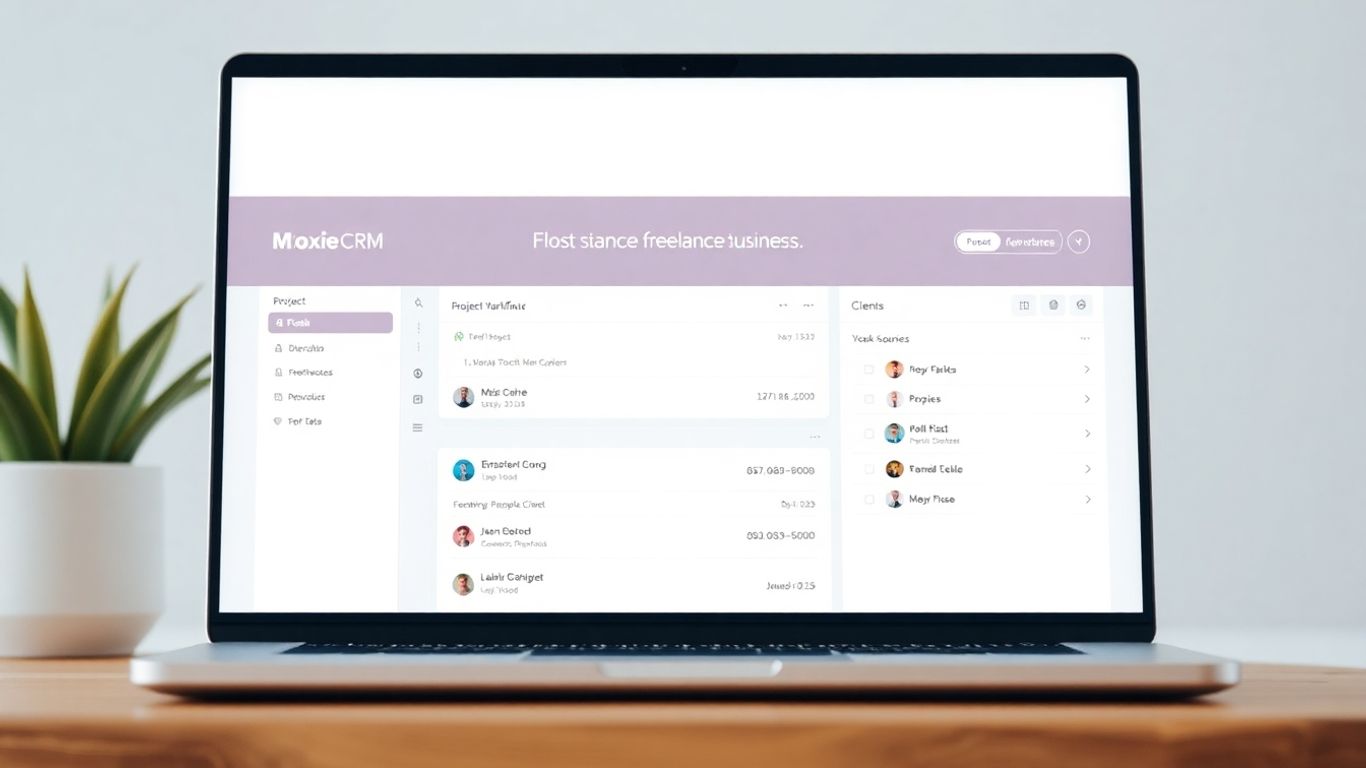
Moxie is a pretty neat tool that freelancers can use to keep their whole business in one place. It’s not just about contacts; it really tries to cover the whole client journey, from the first hello to getting paid. Think of it as your digital assistant that’s always on, helping you manage projects, send out invoices, and keep clients happy.
Comprehensive Client Relationship Management
Moxie helps you keep track of everyone you work with. You can see all your client interactions, notes, and project history in one spot. This means no more digging through old emails or trying to remember what you discussed last week. It’s all there, ready when you need it. This makes it easier to pick up where you left off, especially if you have a lot of clients or projects going on at once. Having all this information readily available really helps you look professional and stay organized.
Integrated Invoicing and Billing
Getting paid is, you know, important. Moxie makes invoicing pretty straightforward. You can create and send invoices directly from the platform, and it even has features for setting up recurring invoices if you have clients on retainer. Plus, it tracks payments, so you always know who’s paid up and who’s a little behind. This part alone can save a ton of time and reduce those awkward follow-up conversations.
Efficient Project Workflow Tools
Beyond just managing contacts and money, Moxie helps you manage the actual work. You can set up projects, assign tasks, and track progress. It’s designed to help you see what needs to be done, who’s doing it, and when it’s due. This visual approach to project management can really help keep things on track and prevent tasks from slipping through the cracks. It’s a good way to keep your projects moving forward without feeling overwhelmed. You can even use it to schedule meetings with clients, which is handy.
Moxie aims to be the central hub for your freelance business, connecting client management, project execution, and financial tracking into a single, easy-to-use system. It’s built to simplify the day-to-day operations so you can focus more on doing the work you love and less on the administrative side of things.
Benefits Of Using A Client Database For Freelancers
Look, freelancing is great. You get to call the shots, pick your projects, and set your own schedule. But let’s be real, it can also get pretty messy. Juggling clients, deadlines, invoices, and all those little details can feel like you’re constantly trying to keep too many plates spinning. That’s where a client database, or CRM, really shines. It’s not just some fancy corporate tool; it’s a practical way to keep your freelance business from going off the rails.
Enhanced Organization and Reduced Overload
Remember digging through a mountain of emails just to find that one client’s phone number or a specific project note? Yeah, me neither, because I stopped doing that. A client database puts everything in one spot. Think of it as your digital filing cabinet, but way smarter. You can log contact info, project details, past conversations, and even upcoming tasks. This means less time searching and more time doing the work you actually get paid for. It really cuts down on that feeling of being completely swamped.
Improved Professionalism and Client Trust
When you can quickly recall a client’s preferences, follow up on time, or send a perfectly formatted invoice without a second thought, clients notice. It makes you look like you’ve got it all together. A good CRM helps you remember the little things that make a big difference. This consistent, organized approach builds trust. Clients feel like you’re really paying attention to their needs, which is huge for repeat business and referrals. You can even give clients access to a client portal so they can see project updates themselves.
Significant Time Savings Weekly
Let’s talk about the admin grind. Sending reminders, creating invoices, following up on leads – it all adds up. A client database can automate a lot of these repetitive tasks. Imagine setting up automatic invoice reminders or having client information pre-filled on proposals. That’s hours saved every single week. More time for creative work, more time for client calls, or honestly, just more time for a coffee break. It’s about working smarter, not just harder.
Stress-Free Payment Tracking and Invoicing
Chasing payments can be awkward, right? A client database often includes invoicing and payment tracking features. You can see at a glance who’s paid, who’s late, and send out polite reminders without the personal discomfort. Some tools even integrate with payment processors, making the whole process smoother for both you and your client. It takes a big chunk of financial stress off your plate.
Wrapping Up: Tools to Keep Your Freelance Business Running Smoothly
Look, freelancing is great, but it can get messy fast. Juggling clients, projects, and payments can feel like a circus act. That’s why having a good system, like a client management tool or CRM, isn’t just a nice-to-have, it’s pretty much a must. These tools help you keep everything in one place, so you’re not digging through emails or spreadsheets. Plus, they make you look way more professional to your clients. Whether you’re just starting out or have a full client list, finding the right tool can save you hours and stop you from feeling totally overwhelmed. It’s about working smarter, not harder, so you can focus on the actual work you love doing.
Frequently Asked Questions
What exactly is a client database tool?
Think of a client database as your digital address book and project planner all rolled into one. It’s a special software that helps you keep track of all your clients’ information, like their contact details and past projects. It also helps you manage ongoing projects and deadlines, making sure nothing gets forgotten.
Why should I use a client database if I only have a few clients?
Even with just a handful of clients, a database keeps you super organized from the start. It helps you look professional, remember important details about each client, and sets up good habits for when your business grows. It’s like building a strong foundation so things don’t get messy later.
Can I find a client database tool that doesn’t cost money?
Absolutely! Many great tools offer free versions that are perfect for freelancers just starting out. These usually include the basic features you need, like contact management and project tracking. You can always upgrade to a paid version later if you need more advanced features.
What are the most important things to look for in a client database?
Focus on what you need most! This could be easy ways to track projects and deadlines, tools for sending invoices and getting paid, or simple ways to communicate with clients. It’s also smart to pick a tool that works well with other apps you already use, and definitely try out free trials to see how it feels.
How can a client database help me make more money?
By keeping everything organized, you’ll spend less time on boring paperwork and more time on billable work. Plus, tools that help with invoicing and payment reminders mean you get paid faster and more reliably. Good client relationships built through organized communication also lead to repeat business.
Will using a client database make me look more professional?
Definitely! When you can quickly recall client details, respond promptly to inquiries, and manage projects without missing a beat, clients see you as reliable and organized. This professionalism builds trust and makes them more likely to hire you again or recommend you to others.
How much time can I actually save with a client database?
You can save a surprising amount of time each week! Imagine not having to search through endless emails for contact info or manually track invoice payments. Many tools automate these tasks, freeing up hours that you can use for creative work, client calls, or even just taking a well-deserved break.
What if I’m not very tech-savvy? Are these tools hard to learn?
Most modern client database tools are designed to be user-friendly, even for beginners. They often have simple layouts and clear instructions. Plus, taking advantage of free trials lets you test them out to see if they feel intuitive and easy for you to use before committing.