Table of Contents
Best construction gantt chart software is crucial for construction professionals aiming to enhance project management and boost efficiency. Gantt charts offer a visual timeline for project tasks, aiding managers in resource allocation and deadline adherence. Here are the top picks for Gantt chart software in the construction industry:
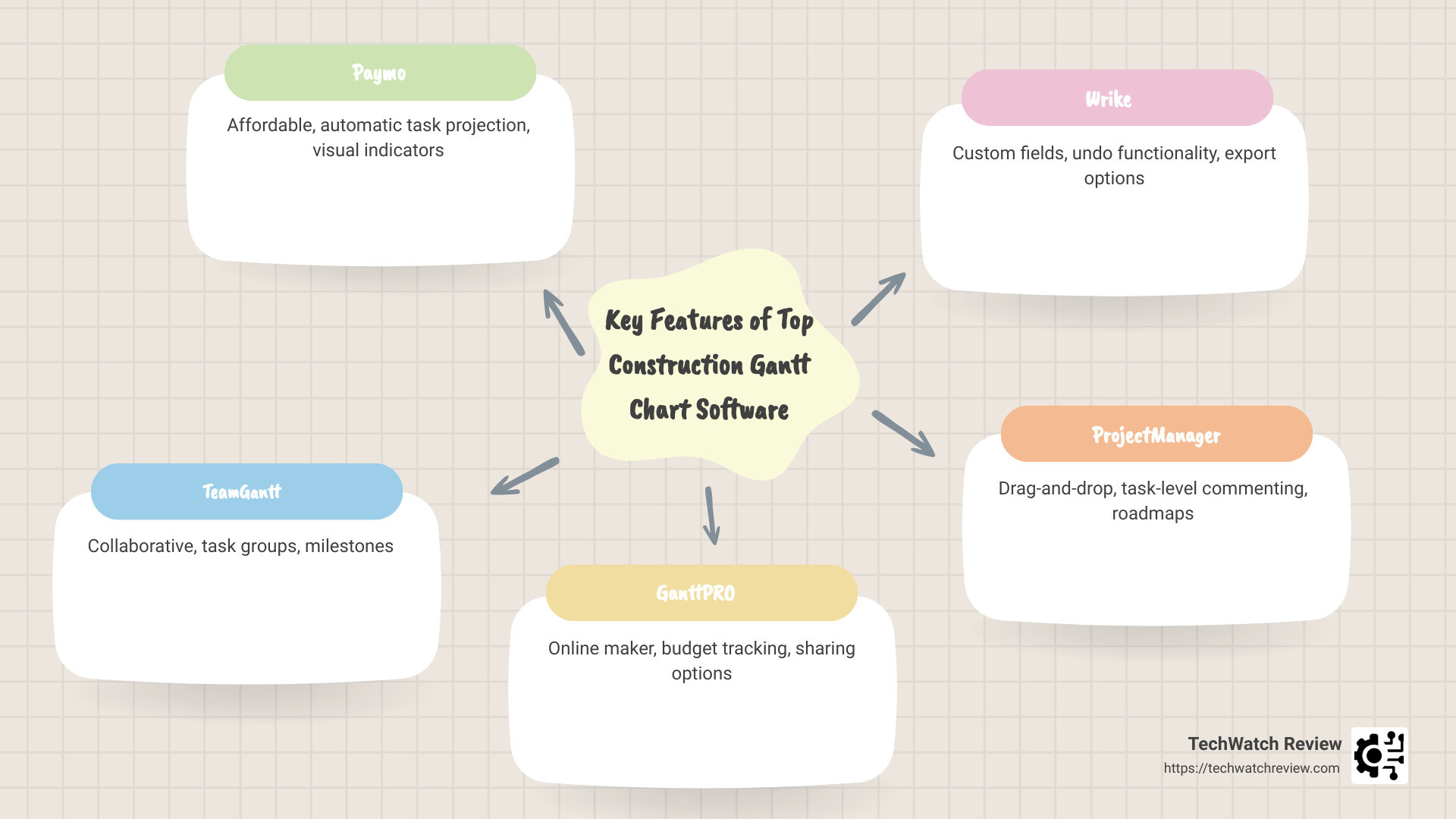
- Paymo: Affordable and ideal for small teams with features like automatic task projection and visual indicators. Learn more about Paymo’s features.
- TeamGantt: Known for its collaborative nature, it offers task groups, milestones, and easy baselining. Discover more about TeamGantt.
- GanttPRO: An online Gantt chart maker with strong import options and budget tracking. Explore GanttPRO’s capabilities.
- Wrike: Offers advanced features like custom fields and undo functionality. Check out Wrike’s offerings.
- ProjectManager: Powerful tools for business excellence with drag-and-drop scheduling. Visit ProjectManager for more details.
- Toggl Plan: Simplified planning with a colorful design, perfect for quick visualization. Find out more about Toggl Plan.
- Agantty: A free option with task details and a clean interface. Learn about Agantty.
- nTask: Includes issue management and risk management alongside Gantt chart functionality. Discover nTask’s features.
In the world of construction, managing projects efficiently is vital. With numerous moving parts, from materials to manpower, staying organized can determine a project’s success. Gantt chart software provides a comprehensive view of project timelines, facilitating planning, execution, and monitoring of every construction work aspect.
Construction projects often involve complex tasks and dependencies, making project management software essential for smooth operations. By breaking down a project into manageable tasks displayed on a Gantt chart, managers can easily identify potential bottlenecks and allocate resources where they’re needed most. This results in better communication, reduced delays, and ultimately, successful project completion.

Quick look at best construction gantt chart software:
– construction project management platform
– construction project portfolio management software
– bim management platform
Top 8 Best Construction Gantt Chart Software
Paymo
Paymo is a standout choice for small construction teams looking for an affordable project management solution. Its automatic task projection feature saves time by projecting tasks on a timeline automatically. This is particularly useful for teams wanting to move away from Excel. Paymo also offers dependencies, allowing you to link tasks and milestones to visualize the project’s flow.
Visual indicators in Paymo help track progress, with past due dates and broken dependencies highlighted in red. The critical path feature shows the shortest route to project completion, aiding in efficiency. Export options to PDF and PNG make it easy to share project timelines with stakeholders. However, note that Gantt charts are available only in the Business plan, which costs $16.9 per user per month. For more details, visit Paymo’s official site.
TeamGantt
TeamGantt is known for its collaborative environment, making it a great choice for construction teams. It offers task groups, milestones, and dependencies, all displayed in an easy-to-use interface. The software allows guest user access, making it easy to involve external stakeholders. While it lacks export options, TeamGantt provides a public shareable link for project visibility. Pricing starts at $9 per user per month, billed annually. Learn more at TeamGantt’s website.
GanttPRO
As an online Gantt chart maker, GanttPRO excels in project management. It offers robust import options, allowing seamless integration with tools like MS Project. The software supports dependencies and baselining, essential for tracking project progress. With features like cost tracking and budget reports, GanttPRO ensures that financial aspects are in check. Its portfolio Gantt chart provides a comprehensive view of all projects. Pricing begins at $9.99 per user per month. Visit GanttPRO’s site for more information.
Wrike
Wrike offers a comprehensive project management app with features custom for construction projects. It supports automatic task drawing and dependencies, ensuring tasks are lined up correctly. The critical path and baselining features help in planning and tracking. Wrike also allows custom fields and has an undo functionality, which is a lifesaver for correcting mistakes. Export options are available, and pricing starts at $9.80 per user per month. Check out Wrike’s website for further details.
ProjectManager
Known for business excellence, ProjectManager offers powerful Gantt charts with task dependencies and critical path analysis. The software supports baselining and has both import and export capabilities. Its drag-and-drop scheduling and task-level commenting improve usability. The portfolio roadmaps feature provides a strategic view of all projects. Pricing is available upon request. For more, visit ProjectManager’s site.
Toggl Plan
Toggl Plan is a simple planning software with a colorful design that makes it easy to visualize tasks. It offers task lists, milestones, and workload management. While it lacks export options, it provides a public shareable link for project visibility. Pricing starts at $8 per user per month, billed annually. More information can be found on Toggl Plan’s website.
Agantty
Agantty is a free Gantt chart maker with a clean interface. It offers basic task details and prioritizes data security. Export options include G Cal, iCal, and Outlook Cal. Its portfolio Gantt chart is always open, providing a comprehensive project overview. Agantty also has a mobile app for iOS and Android, making it versatile for on-the-go use. Visit Agantty’s site for more details.
nTask
nTask is a versatile project management software that includes floating tasks and task auto-generating features. It offers issue management and risk management, crucial for construction projects. Time tracking is also integrated, helping teams stay on schedule. Pricing starts at $3 per user per month. Learn more at nTask’s website.
In construction, choosing the right Gantt chart software can significantly improve project management efficiency. Whether you need advanced features or a simple, cost-effective solution, these tools offer a range of functionalities to suit various needs.
Key Features to Look for in Construction Gantt Chart Software
When choosing the best construction Gantt chart software, focus on features that will streamline project management and boost team productivity. Here’s a breakdown of key functionalities you should consider:
Task Management
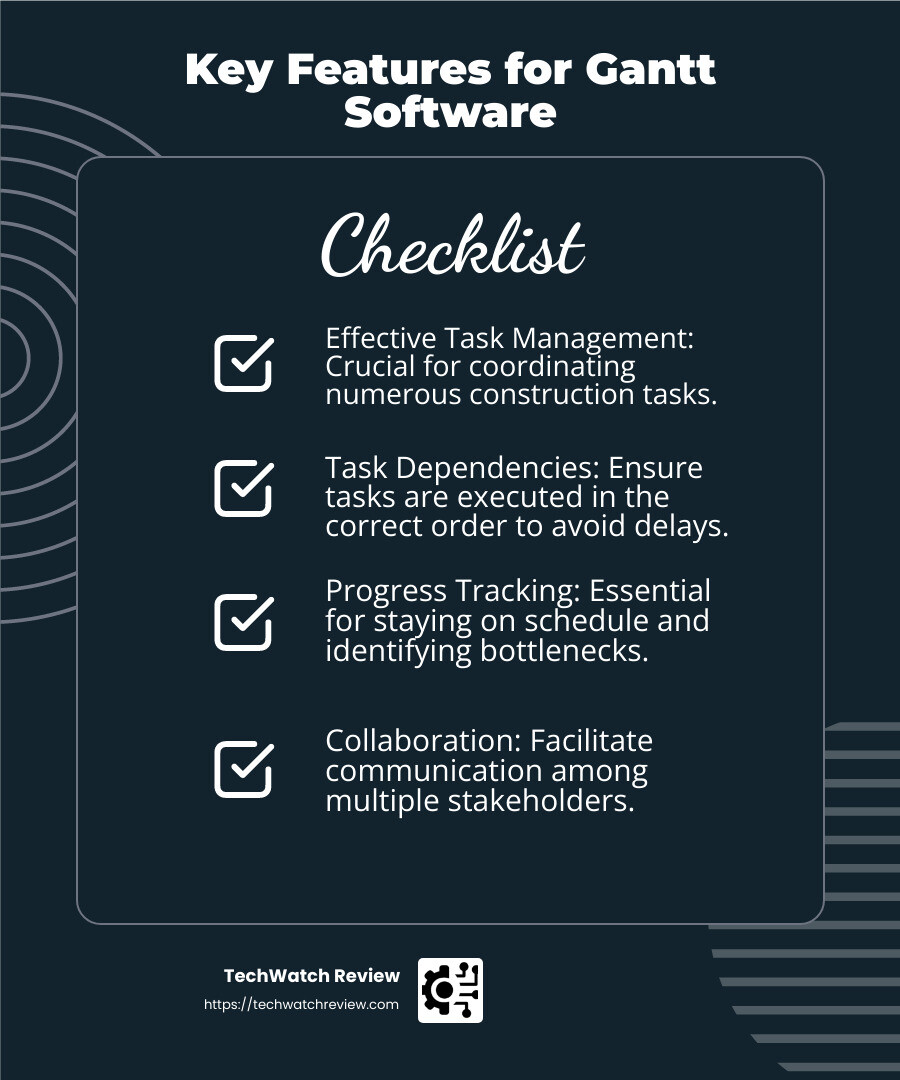
Effective task management is crucial in construction projects, where numerous tasks need coordination. Look for software that allows you to create, prioritize, and break down tasks easily. GanttPRO and Wrike are great examples, providing intuitive interfaces for managing complex task lists. For more insights on task management, check out GanttPRO’s task management features and Wrike’s task management solutions.
Dependencies
Dependencies ensure tasks are performed in the correct order. This feature is essential in construction to avoid delays. For instance, Zoho Projects supports four types of task dependencies, allowing for flexible project scheduling. This helps in visualizing task relationships and ensuring smooth workflow progression. Learn more about Zoho Projects’ dependency management.
Tracking
Tracking progress is vital to ensure projects stay on schedule. Tools like ProjectManager and GanttPRO offer robust tracking features, including baselining and critical path analysis. These help in comparing planned versus actual progress, providing insights into potential delays or resource bottlenecks. Explore ProjectManager’s tracking capabilities and GanttPRO’s tracking features.
Collaboration
Construction projects often involve multiple stakeholders, making collaboration features a must-have. TeamGantt excels here with its collaborative environment, allowing guest user access for stakeholders. Wrike also offers strong collaboration tools, enabling real-time updates and feedback. Discover more about TeamGantt’s collaboration tools and Wrike’s collaboration features.
Workload Management
Balancing team workload prevents burnout and keeps morale high. Software like Toggl Plan offers workload management features, helping you allocate resources efficiently. This ensures that team members are neither overburdened nor underused. Check out Toggl Plan’s workload management.
Budget Control
Keeping projects within budget is a top priority. GanttPRO provides cost tracking and budget reports, allowing for detailed financial oversight. This feature helps in monitoring expenses and ensuring that the project remains financially viable. For more details, visit GanttPRO’s budget control features.
Export/Import Options
Being able to export and import project data is essential for sharing with stakeholders and integrating with other tools. Smartsheet and Agantty offer versatile export options to formats like PDF and Excel, making it easy to share project timelines. Import options ensure seamless integration with tools like MS Project and JIRA. Learn more about Smartsheet’s export/import capabilities and Agantty’s export options.
Selecting a Gantt chart software with these features will improve your project management efficiency, helping you deliver construction projects on time and within budget.
How to Create a Gantt Chart for Construction Projects
Creating a Gantt chart for construction projects involves a series of methodical steps that help organize tasks, resources, and timelines effectively. Let’s break down the process into manageable stages:
1. Scope Baseline
Start by defining the scope baseline. This is essentially the foundation of your project and includes all the necessary information about the project’s objectives and deliverables. It’s like drawing the blueprint before building. This baseline will guide the rest of your planning process.
2. Create Activities
List all the activities required to complete the construction project. This step is about identifying every task, big or small, that needs to be done. For example, tasks might include obtaining permits, site preparation, and installing structural components. GanttPRO offers features to break down these activities into manageable tasks.
3. Sequence Activities
Once you have all your activities, it’s time to sequence them. This means arranging tasks in the order they need to be completed. Some tasks will be dependent on others. For instance, you can’t start roofing until the framework is complete. Tools like Zoho Projects help visualize these dependencies, ensuring a logical flow of activities.
4. Estimate Resources
Determine the resources required for each task. This includes manpower, equipment, and materials. Estimating resources accurately is crucial to avoid delays and cost overruns. Software like Wrike and Toggl Plan offer features to manage and allocate resources efficiently.
5. Estimate Durations
Next, estimate how long each task will take. This involves predicting the time required for each activity, considering the resources available. ProjectManager provides tools for baselining, which helps compare estimated durations with actual progress, adjusting timelines as necessary.
6. Develop a Schedule
Finally, develop a project schedule using the information gathered. This schedule should detail when each task will start and finish. A Gantt chart will visually represent this timeline, showing overlapping tasks and dependencies. Smartsheet and Agantty offer excellent export options, allowing you to share this schedule with stakeholders in formats like PDF or Excel.
By following these steps, you can create a comprehensive Gantt chart that serves as a roadmap for your construction project. This chart not only helps in organizing tasks but also provides a visual representation of the project’s progress, making it easier to manage and communicate with your team and stakeholders.
Frequently Asked Questions about Best Construction Gantt Chart Software
What is the best project management software for Gantt charts?
When it comes to project management software with exceptional Gantt chart capabilities, several platforms stand out. Microsoft Project is a classic choice, known for its robust features and comprehensive project management tools. It’s ideal for complex projects, offering detailed scheduling and resource management.
Smartsheet is another excellent option, combining the familiar feel of spreadsheets with powerful project management capabilities. It offers seamless collaboration and is highly customizable, making it suitable for various project sizes.
ClickUp provides a more modern and user-friendly interface. It’s perfect for teams that need versatility, as it integrates with numerous other tools and offers features like task dependencies and time tracking.
Lastly, TeamGantt is known for its simplicity and ease of use, making it a favorite among smaller teams and those new to Gantt charts. It offers collaborative features and is great for visualizing project timelines.
How do you make a Gantt chart for construction?
Creating a Gantt chart for construction projects involves several steps to ensure all tasks are organized and scheduled efficiently. Start by listing all project tasks, such as site preparation, foundation laying, and roofing. For each task, determine the start and due dates. This helps establish a timeline for the project.
Using a tool like Microsoft Excel, you can create a simple Gantt chart by inserting a bar chart and using stacked bars to represent the tasks over time. However, for more advanced features, consider using dedicated software like Smartsheet or TeamGantt, which offer drag-and-drop functionality and easy visualization of task dependencies.
Which type of software is commonly used to generate Gantt charts?
Gantt charts are a visual tool commonly used by project managers to plan, schedule, and track project progress. They help teams organize tasks, set deadlines, and monitor project milestones. Software like Microsoft Project and Smartsheet are often used for generating detailed Gantt charts, especially for larger projects with complex dependencies.
For those looking for more flexibility and integration options, ClickUp offers a comprehensive suite of project management tools, including Gantt charts. It allows teams to manage tasks, deadlines, and project progress in a visually appealing dashboard.
In summary, whether you’re managing a small team or a large construction project, the right software can make creating and maintaining a Gantt chart much simpler and more efficient.
In construction project management, selecting the right Gantt chart software is crucial for enhancing efficiency and productivity. With numerous options available, it’s important to choose software that aligns with your team’s specific needs and project objectives.
TechWatch Review is dedicated to guiding you through this decision-making process. Our expert reviews and insights provide a detailed examination of the latest technology products, ensuring you have the necessary information to make informed decisions. Our evaluations are based on comprehensive testing and analysis, offering clarity in a crowded marketplace.
Whether you’re overseeing a small renovation or a large-scale construction project, the best Gantt chart software can streamline task management, enhance collaboration, and optimize resource allocation. Tools like Microsoft Project and Smartsheet offer robust features for complex projects, while platforms like ClickUp and TeamGantt provide user-friendly interfaces ideal for smaller teams.
By utilizing our insights, you can make informed decisions that enhance your project’s efficiency and success. For more detailed insights and comparisons, explore our Construction Management Software category page and check out related articles like Top Project Management Tools for 2023 and How to Choose the Right Software for Your Team.
Stay ahead in the evolving tech landscape with TechWatch Review, your trusted source for expert advice and up-to-date information. Serving a global audience, we are committed to helping you make the best choices for your construction projects.