Running a repair shop can get pretty hectic. You’ve got customers calling, parts to track, and a whole lot of work to get done. It’s easy to feel swamped. That’s where ticketing software for repair shops comes in. Think of it as a digital assistant that helps you keep everything organized, so you can focus on fixing things instead of chasing paperwork. This kind of software can really change how your shop operates, making things smoother for everyone involved.
Table of Contents
- Streamlining Repair Operations with Ticketing Software
- Enhancing Customer Service Through Real-Time Updates
- Versatile Ticketing Software for Diverse Repair Shops
- Key Features of Effective Repair Ticketing Systems
- Improving Efficiency and Profitability
- User-Friendly Interfaces for Repair Technicians
- Customization and Integration Capabilities
- Managing Inventory and Parts Effectively
- Building Stronger Customer Relationships
- Scalable Ticketing Software for Business Growth
- Wrapping It Up
- Frequently Asked Questions
Key Takeaways
- Ticketing software for repair shops helps organize customer requests and repair jobs, making the whole process easier to manage.
- Automated updates via text or email keep customers informed, cutting down on phone calls and improving satisfaction.
- These systems work for all sorts of repair businesses, from computers and phones to cars and bikes.
- Key features like web access, parts tracking, and customer management tools boost efficiency.
- Using the right software saves time, reduces errors, and can ultimately make your repair shop more profitable.
Streamlining Repair Operations with Ticketing Software
Running a repair shop can feel like juggling chainsaws sometimes. You’ve got customers calling, parts to order, technicians to manage, and of course, the actual repairs. It’s easy for things to get messy, especially when you’re trying to keep track of everything on paper or in scattered spreadsheets. That’s where simple ticketing software comes in. It’s designed to bring order to the chaos, making your day-to-day operations smoother and, frankly, a lot less stressful.
Efficient Ticket Creation and Management
Forget scribbled notes and lost information. A good ticketing system lets you create a detailed record for every single job that comes in. This isn’t just about noting the customer’s name and the problem; it’s about capturing all the specifics right from the start. Think about what happens when a customer drops off a broken laptop. You need to know the make and model, the serial number, any accessories they brought with it, and a clear description of the issue they’re experiencing. A ticketing system makes this easy.

- Quickly log new repair requests: Enter customer details, device information, and the reported problem in just a few clicks.
- Assign tickets to technicians: Easily route jobs to the right person based on their skills or workload.
- Track ticket status: See at a glance whether a ticket is open, in progress, waiting for parts, or completed.
This structured approach means less chance of errors and a clearer overview of your shop’s workload. Every repair starts with a well-defined ticket.

Step-by-Step Work Log for Technicians
Once a ticket is created, the real work begins. For your technicians, the ticketing software acts as a guide. Instead of relying on memory or separate checklists, they can follow a digital work log directly within the system. This log breaks down the repair process into manageable steps. For example, on a phone repair, the steps might include:
- Initial diagnostic check.
- Disassemble device.
- Replace screen.
- Test functionality.
- Reassemble device.
- Final quality check.
Each step can be marked as completed, and technicians can add notes about what they did, any issues they encountered, or parts used. This detailed record is invaluable for troubleshooting, training, and accountability.
This structured workflow helps ensure that no critical step is missed during the repair process. It standardizes how repairs are handled, leading to more consistent results and fewer mistakes.
Seamless Transition from Ticket to Completion
The journey of a repair ticket doesn’t end with the technician finishing their work. The software helps manage the transition through the rest of the process. Once a repair is marked as complete by the technician, the ticket can move to the next stage, perhaps for a final inspection or to trigger a notification to the customer that their item is ready for pickup. This smooth handoff between different stages and team members prevents bottlenecks and keeps the workflow moving. It’s all about making sure that from the moment a customer walks in to the moment they leave with their repaired item, the process is as efficient and transparent as possible.
Enhancing Customer Service Through Real-Time Updates
Keeping your customers in the loop about their repair status is a big deal. It’s not just about fixing things; it’s about making the whole experience smooth and stress-free for them. When people know what’s happening with their stuff, they tend to be happier and less likely to call you a dozen times a day asking for updates. This is where smart ticketing software really shines.
Automated SMS and Email Notifications
Imagine a system that automatically tells your customer when their repair ticket is created, when a part is ordered, or when the work is finished. That’s exactly what automated notifications do. Instead of someone on your staff manually sending out texts or emails, the software handles it. This saves your team time and makes sure no one forgets to update a customer. It’s like having a personal assistant for customer communication, working 24/7. You can set it up to send messages at key points in the repair process. For example:
- Ticket received and being reviewed.
- Diagnosis complete, and repair estimate approved.
- Parts have arrived.
- Repair is complete and ready for pickup.
This proactive approach means fewer
Versatile Ticketing Software for Diverse Repair Shops

Computer and Mobile Device Repair Solutions
Think about your average computer repair shop. You’ve got folks bringing in everything from a slow laptop to a cracked phone screen. A good ticketing system needs to handle these different types of jobs easily. It should let you quickly log the issue, the customer’s contact info, and maybe even the specific model of the device. For mobile devices, especially phones, it’s common for the customer to need it back ASAP. The software can help track how long each repair is taking and send updates so the customer knows it’s being worked on.
Automotive and Bicycle Service Management
Car and bike shops have their own set of needs. A car might need a new transmission, while a bike needs a tune-up. The software can manage these varied tasks. For auto shops, tracking parts like tires or oil filters is important, and the system can help keep an eye on inventory. For bike shops, maybe it’s about tracking specific parts like derailleurs or brake pads. The key is having a system that can adapt to the specific parts and labor involved in each type of service.
Specialty Shops: Jewelry, Shoe, and More
It’s not just electronics and vehicles. What about a jeweler fixing a broken clasp or a shoe repair shop resoling a favorite pair of boots? These jobs can be very detailed. The ticketing software can help by allowing detailed notes about the specific repair needed, like the type of metal for jewelry or the exact material for a shoe. It helps keep track of these unique items and ensures the customer gets exactly what they asked for.
- Jewelry Repair: Tracking precious metals, gemstones, and intricate work.
- Shoe Repair: Managing different types of leather, soles, and stitching.
- Appliance Repair: Logging model numbers, error codes, and specific part replacements.
- Musical Instrument Repair: Detailing instrument types, brands, and specific repair techniques.
The beauty of flexible ticketing software is its ability to mold to the specific workflow of almost any repair business. It’s not a one-size-fits-all solution, but rather a tool that can be adjusted to fit the unique demands of different trades, from fixing a complex circuit board to polishing a vintage watch.
Key Features of Effective Repair Ticketing Systems
When you’re looking for software to manage your repair shop, it’s easy to get lost in all the options. But really, a good system boils down to a few core things that make your day-to-day operations smoother. You don’t need anything overly complicated, just tools that actually help you get the job done and keep customers happy.
Web-Based Accessibility and No Installation Required
Forget about installing software on every computer or worrying about updates. The best systems are web-based. This means you can log in from any computer with an internet connection – your shop, your home, or even on the go. It’s like having your entire shop management system in the cloud. No more IT headaches or compatibility issues. Just open your web browser, log in, and you’re ready to go.
Comprehensive Parts and Labor Tracking
Knowing exactly what parts you’ve used and how much time you’ve spent on a repair is vital for accurate billing and understanding your profitability. Good ticketing software lets you easily log parts used and track technician time against each ticket. This isn’t just about charging the customer correctly; it helps you see which repairs are most time-consuming or part-intensive.
Here’s a quick look at how it helps:
- Parts: Track inventory levels, cost of parts, and which parts are used on specific jobs.
- Labor: Record time spent by each technician on a ticket, helping with payroll and job costing.
- Profitability: Combine parts and labor data to see the true cost and profit margin of each repair.
Customer Relationship Management Integration
Your customers are the lifeblood of your business, right? So, keeping their information organized and accessible is a big deal. Many ticketing systems come with built-in CRM features. This means you can store customer contact details, repair history, and any notes all in one place. When a customer calls, you can quickly pull up their past tickets, see what work was done, and provide informed service. It makes your shop look professional and helps build loyalty.
Keeping customer data organized means you can offer more personalized service. Knowing a customer’s past issues helps you anticipate future needs and makes them feel valued, not just like another ticket number.
Improving Efficiency and Profitability
Running a repair shop can feel like a constant juggling act, right? You’ve got customers calling, parts to order, and technicians trying to get work done. It’s easy to get bogged down in the day-to-day grind. But what if there was a way to smooth out those rough edges and actually make more money doing it? That’s where smart ticketing software comes in. It’s not just about tracking repairs; it’s about making your whole operation run better.
Saving Time with Automated Processes
Think about all the little tasks that eat up your day. Logging calls, sending appointment reminders, updating customers on progress – these things add up. Ticketing software can take a lot of that off your plate. Automated SMS and email notifications mean customers get updates without you lifting a finger. Scheduling reminders? Done. Sending invoices? A few clicks. This frees up your team to focus on what they do best: fixing things.
Reducing Phone Calls with Proactive Updates
How many times a day do you answer the phone with "Is my repair ready yet?" It’s a common question, but it interrupts workflow. When your ticketing system can automatically send updates via text or email, customers can check the status themselves. This means fewer interruptions for your staff and happier customers who feel informed. It’s a win-win.
Software That Pays for Itself
It might sound like just another expense, but good ticketing software actually makes you money. By saving time, reducing errors, and improving customer satisfaction (which leads to repeat business), the software quickly pays for itself. Some shops even report significant time savings that translate directly into more billable hours. It’s an investment in making your business run smoother and, ultimately, more profitably.
Here’s a quick look at how time can be saved:
- Automated Status Updates: Saves an estimated 2-3 minutes per customer interaction.
- Digital Invoicing: Reduces time spent on paperwork and mailing by up to 5 minutes per invoice.
- Appointment Reminders: Cuts down on no-shows, saving you lost revenue and rescheduling time.
When you automate repetitive tasks, you’re not just saving minutes; you’re reclaiming hours. Those hours can be reinvested into training, improving customer service, or even just giving your team a much-needed break. It’s about working smarter, not harder.
User-Friendly Interfaces for Repair Technicians
Intuitive Design for Quick Learning
When you’re in the middle of a busy day, the last thing you need is software that makes you scratch your head. That’s why a good ticketing system for repair shops needs to be super easy to figure out. Technicians should be able to jump in and start using it without a ton of training. Think about it like using your smartphone – you just pick it up and know what to do, right? The best systems have clear buttons, simple menus, and don’t hide important functions. This means less time spent figuring out the software and more time actually fixing things. It’s all about making the tech’s job smoother, not harder.
Guided Repair Process Through Work Logs
Imagine a checklist that actually helps you through a repair, step-by-step. That’s what a good work log does. Instead of just a blank space to write notes, the software can guide technicians through the specific tasks needed for a particular repair. This is super helpful for complex jobs or when a new person is on the team. It helps make sure nothing gets missed and that every repair is done consistently. It’s like having a seasoned pro looking over your shoulder, but in a good way.
Here’s a basic idea of how a guided work log might look:
- Initial Diagnosis: Record the customer’s reported issue.
- Part Identification: List any parts needed for the repair.
- Repair Steps: Document each action taken (e.g., ‘Replaced screen’, ‘Cleaned carburetor’).
- Testing: Note the results of post-repair testing.
- Completion: Mark the job as finished.
Easy Data Entry and Management
Nobody likes typing a novel into a computer. The software should make it quick and painless to get the necessary information in. This includes things like customer details, the problem description, parts used, and labor time. Features like dropdown menus, auto-fill options, and the ability to quickly add common parts can save a ton of time. Plus, being able to easily find past tickets or customer information is a big win. It helps keep all the repair details organized and accessible, which is great for tracking customer communications and understanding their repair history.
The goal is to reduce the administrative burden on technicians. When the software is simple to use and helps them do their job more efficiently, everyone benefits. It means fewer errors, faster turnaround times, and happier staff.
Customization and Integration Capabilities
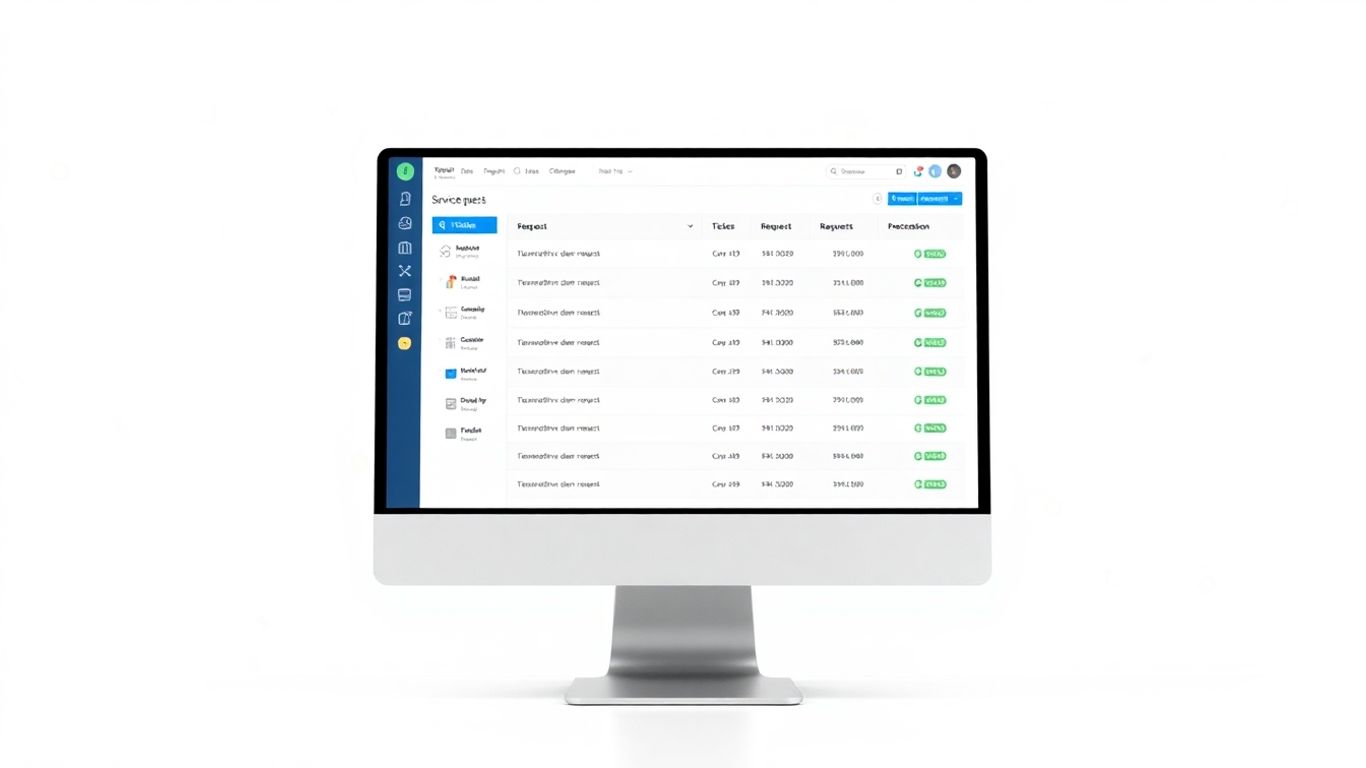
Your repair shop isn’t exactly like any other, right? That’s why having ticketing software that can bend and flex to fit your specific needs is a big deal. It’s not just about having a system; it’s about having your system. This means being able to tweak how things look and how they work, and also connecting it to other tools you already use.
Customizable Printouts and Labels
Think about the paperwork you hand out – repair orders, invoices, customer receipts. You want these to look professional and carry your shop’s branding. Good software lets you change these printouts. You can add your logo, adjust the layout, and decide what information is most important to show. This makes your business look polished and consistent. It’s also super handy for labels, like those you might stick on parts or bags holding customer items. Getting these details right makes a difference.
Integration with Accounting Software
Nobody likes doing double data entry. If your ticketing software can talk to your accounting program, that’s a huge time saver. Imagine finishing a repair ticket and having all that information – parts used, labor costs, customer details – automatically show up in your QuickBooks, Xero, or whatever accounting tool you use. This cuts down on mistakes and frees up your admin staff to do more important things than typing numbers.
Configurable Ticket Numbering Systems
Ticket numbering might sound small, but it matters for organization. Some shops prefer a simple chronological number, while others like numbers that include the date or a specific prefix. The ability to set up your ticket numbering system the way you want makes it easier to track jobs, sort through old tickets, and even integrate with other systems that might expect a certain format. For example, you might want ticket numbers to start from 1000 instead of 1, or use a format like MMDDYY-XXXX.
The flexibility to adjust how your software operates, from the look of your customer-facing documents to how it connects with your financial tools, means the software works for you, not the other way around. It’s about making your daily operations smoother and more efficient.
Managing Inventory and Parts Effectively
Keeping track of the parts you use for repairs is a big deal. It’s not just about knowing what you have on hand; it’s about making sure you can get the right part to the customer without a long wait. Good ticketing software makes this whole process way simpler.
Real-Time Inventory Tracking
Imagine this: a customer brings in a laptop with a broken screen. You check your system, and bam! You know instantly if you have that specific screen model in stock. That’s what real-time inventory tracking does. It updates your stock levels the moment a part is used on a ticket or when new stock comes in. No more guessing or digging through boxes.
Here’s a quick look at how it helps:
- Know what you have: See exact quantities of each part.
- Prevent stockouts: Avoid disappointing customers because a part isn’t available.
- Track usage: Understand which parts are used most often for better purchasing decisions.
Low Stock Notifications for Replenishment
Running out of a common part is a pain. Ticketing software can be set up to alert you when a part’s quantity drops below a certain level. This means you can reorder before you’re completely out, keeping your repair workflow smooth. You can usually set these thresholds yourself, so it fits your shop’s needs.
Streamlining Parts Ordering Processes
When it’s time to order, the software can help there too. Some systems let you generate purchase orders directly from low-stock alerts or even integrate with suppliers. This cuts down on manual data entry and reduces errors. You can often see:
- Parts needed based on current inventory and upcoming jobs.
- Supplier information for easy reordering.
- Cost tracking for each part ordered.
Keeping your parts inventory accurate and up-to-date directly impacts your shop’s efficiency and your bottom line. It means less time spent searching for parts and more time fixing things, which customers appreciate.
Building Stronger Customer Relationships
Tracking Customer Communications
Keeping tabs on every conversation you have with a customer is a big deal. When you use ticketing software, all those details get logged automatically. Think about it: every phone call, every email, every in-person chat about their repair can be attached right to their ticket. This means anyone on your team can pick up where someone else left off, without asking the customer to repeat themselves. It makes the whole process feel smoother for them, and honestly, it saves your staff a lot of time too. No more digging through old notebooks or trying to remember what was said last week.
Personalized Service Through Detailed Records
When you have a clear history of a customer’s past repairs and interactions, you can offer service that feels truly personal. Maybe they always bring in their bike for a specific tune-up every spring, or perhaps they prefer a certain brand of parts for their computer. Your ticketing software can store this info, so you can proactively suggest services or parts they’ll likely need. This level of attention makes customers feel valued and understood. It’s not just about fixing their stuff; it’s about knowing them and their needs.
Encouraging Repeat Business
Happy customers come back, and they tell their friends. Good communication and personalized service, all managed through your ticketing system, are key to making that happen. When a repair is done right, and the customer felt well-informed and cared for throughout the process, they’re much more likely to choose your shop again. You can even use the system to send out follow-up messages or reminders for future maintenance, keeping your business top-of-mind. It’s a simple way to build loyalty and keep your schedule full.
Good customer relationships aren’t built overnight. They’re the result of consistent, positive interactions. Ticketing software provides the framework to make those interactions happen reliably, every single time a customer needs your service.
Scalable Ticketing Software for Business Growth
Supporting Small to Medium-Sized Shops
As your repair shop grows, you need software that can keep up. You don’t want to hit a ceiling where the system you started with suddenly feels too small or too complicated. Ticketing software designed for scalability means it can handle more tickets, more customers, and more technicians without breaking a sweat. It’s about having a system that grows with you, not one you have to outgrow and replace.
Adapting to Multiple Locations
If you’re thinking about opening another shop or already have a few locations, your ticketing software needs to manage them all. Imagine being able to see what’s happening at each branch from one central place. This is super helpful for keeping track of everything, especially if you have customers who visit different locations. Some systems let you share parts lists across stores, which is a big time-saver when prices or descriptions change. You can update it in one spot, and it updates everywhere else. Pretty neat, right?
Continuous Software Enhancements
Technology changes fast, and good software providers know that. They’re always working on making their product better, adding new features, and fixing any little bugs that pop up. This means your software doesn’t just stay the same; it actually improves over time. You get access to these updates, often without much hassle, which keeps your shop running smoothly and efficiently. It’s like getting a free upgrade every now and then, keeping you ahead of the curve.
Wrapping It Up
So, if you’re running a repair shop, whether it’s fixing bikes, computers, or anything in between, getting a handle on your tickets and customer communication is a big deal. Simple ticketing software isn’t just about making things look neat; it actually saves you time and helps keep your customers happy. Think about it – no more lost notes, no more confused customers wondering where their stuff is. It just makes running the shop smoother. There are plenty of options out there, and finding one that fits your shop’s needs is totally doable. It’s really about making your day-to-day work a little less chaotic and a lot more organized.
Frequently Asked Questions
What exactly is ticketing software for repair shops?
Think of it like a digital ticket for every repair job. This software helps shops keep track of everything from when a customer brings in an item to when it’s fixed and ready for pickup. It makes managing repairs much smoother and more organized.
How does this software help my repair technicians?
It gives them a clear, step-by-step guide for each repair. They can easily see what needs to be done, log their progress, and track the parts they use. This means less confusion and more time spent actually fixing things.
Can customers see the status of their repair?
Yes! Many systems let you send automatic updates via text or email. Some even have a special online page where customers can check on their repair status themselves. It keeps everyone informed and happy.
What kinds of repair shops can use this software?
Pretty much any kind! It’s great for computer and phone repair, car and bike shops, and even specialized places like jewelry or shoe repair shops. If you fix things, this software can help organize it.
Do I need to install anything special on my computers?
Nope! Most of these systems are web-based, meaning you can use them from any computer with internet access. No complicated installations are needed, which saves you time and hassle.
How does this software help save my shop money?
It saves time by automating tasks like sending updates, which means your staff spends less time on the phone. By being more efficient and organized, it helps reduce mistakes and can even lead to more business, essentially paying for itself.
Can the software help me manage the parts I use for repairs?
Absolutely. Good ticketing software keeps a close eye on your parts inventory. It can tell you when you’re running low on something important and help you order more, so you don’t run out when a customer needs a fix.
Is this software difficult for my team to learn?
Not at all. These systems are designed to be user-friendly, with simple layouts and guided processes. Most technicians can get the hang of it quickly, often in just a few hours.