Look, managing a construction project means you’re probably dealing with a bunch of different subcontractors. Keeping track of who’s doing what, making sure they have the right paperwork, and paying them on time can get really messy, really fast. If you’re still using spreadsheets or a pile of sticky notes, it’s time to think about some actual software for managing subcontractors. It can seriously cut down on the headaches and help your projects run smoother. We’ve checked out some of the top options out there to help you find what might work best for your crew.
Table of Contents
Key Takeaways
- Dedicated software for managing subcontractors helps keep projects on track by centralizing communication and document management.
- Look for features like automated compliance tracking for licenses and insurance to avoid project delays.
- Tools that simplify scheduling and task assignment prevent miscommunication and ensure crews are working efficiently.
- Integrated payment tracking that syncs with accounting software reduces errors and speeds up the payment process.
- Mobile access for field teams provides real-time updates and improves overall project visibility.
1. Procore
Procore is a big name in construction management software, and for good reason. It’s a really robust platform that many general contractors use, which means it’s built to handle the complexities of working with subcontractors on large commercial projects. If you’re a subcontractor who frequently partners with these larger firms, Procore can be a solid choice because it’s designed to integrate smoothly into their existing workflows.
It covers a lot of ground, from making sure your subs have the right paperwork filed – think licenses, insurance, and safety docs – to managing changes in the project scope. Communication is also a big part of it; Procore acts as a central hub where everyone can share updates and information. This helps keep things organized and reduces those annoying misunderstandings that can pop up.


Here’s a quick look at what Procore offers for subcontractor management:
- Compliance Tracking: Keeps tabs on subcontractor licenses, insurance, and safety certifications.
- Change Order Management: Handles modifications to contracts with version control.
- Communication Hub: Centralizes messages and updates for project teams and subcontractors.
- Payment Workflows: Integrates with accounting systems for smoother payment processing.
- Document Management: Stores and organizes all project-related documents.
While Procore is incredibly powerful, it’s worth noting that its depth and breadth can also mean a steeper learning curve. It’s generally best suited for mid-to-large construction companies, and smaller outfits might find it a bit more than they need. Getting a custom quote is the way to go since pricing isn’t publicly listed, but expect it to be on the higher end of the spectrum. This platform is really about bringing all your project data together in one place, which can seriously streamline how you manage your subcontractor relationships.
2. BuildOps
BuildOps is a platform designed to bring together your office and field teams, making sure nothing gets missed. It’s particularly helpful for subcontractors working in commercial field service, aiming to provide a complete view from the initial quote all the way through to project closeout, all within a single system. This kind of integrated approach helps streamline project management and can keep cash flow moving more smoothly.
One of the key benefits users report is a significant improvement in proficiency. The software helps bridge the gap between what’s happening on the job site and what’s being managed administratively. This means fewer instances of work needing to be redone because of miscommunication or missed details.
BuildOps focuses on bringing office and field technology together. This integration is what helps prevent those little things from slipping through the cracks that can often cause delays or cost money. Users generally have a good experience with the software, finding it a positive addition to their business operations.
For subcontractors dealing with the complexities of commercial field service, having a unified platform like BuildOps is a game-changer. It consolidates critical functions, reducing the need to juggle multiple systems and improving overall operational efficiency.
While specific pricing isn’t publicly listed, BuildOps is generally considered a strong contender for businesses looking to consolidate their operations. It’s worth looking into if you’re aiming for better coordination between your teams and a more complete overview of your projects from start to finish. You can often schedule a demo to see how it might fit your specific needs.
3. PlanGrid
PlanGrid, now part of Autodesk, is a cloud-based construction management tool that really shines when it comes to field collaboration and document control. If your team spends a lot of time on-site and needs quick access to the latest plans, this is definitely one to check out. It’s designed to keep everyone on the same page, literally, by making sure the most current blueprints are available to your subcontractors right on their tablets or phones.
Think about it: no more digging through old printouts or wondering if you’re looking at the right version of a drawing. PlanGrid lets you upload and annotate plans, and then push those updates out to your entire crew. Subcontractors can then mark up plans themselves, add photos, and report issues directly, all linked to specific locations on the drawings.
Here’s a quick look at what it offers for managing your subs:
- Real-time Plan Updates: Ensures everyone is working from the latest set of drawings, reducing errors.
- Field Markups and Annotations: Allows subs to add notes, photos, and comments directly onto the plans.
- Task Management: Assign tasks and track their progress, keeping accountability clear.
- Punch List Creation: Easily generate and manage punch lists directly from the field.
- Document Storage: Centralized place for all project documents, accessible from anywhere.
While PlanGrid is fantastic for field-level communication and document management, it’s worth noting that its strengths lie more in the field execution and collaboration side of things. For very complex financial tracking or deep integration with accounting software, you might find yourself looking at other tools to complement it, depending on your specific needs.
It’s pretty straightforward to get your subcontractors using PlanGrid. You can grant them access to specific projects and drawings, and they can start collaborating almost immediately. This kind of immediate feedback loop is super helpful for catching problems early and keeping the project moving smoothly.
4. Buildertrend
Buildertrend is a pretty popular choice, especially if you’re in the residential building or remodeling world. It’s basically an all-in-one platform that tries to cover a lot of ground, from managing bids and contracts to keeping clients in the loop. For subcontractors, this means you can often get plugged into a general contractor’s system if they’re using Buildertrend.
It’s designed to make things like tracking payments and managing schedules a bit more straightforward. You can expect features that help with:
- Bid management and picking the right subs.
- Digital contracts and handling change orders.
- Keeping clients updated through integrated tools.
- Basic scheduling and task assignments.
- Tracking payments and budgets.
Buildertrend really shines when you’re working closely with a general contractor who’s already using their system. It can make collaboration smoother because everyone’s on the same page, sharing information in one place. It’s not necessarily built to be a subcontractor’s entire internal operations system, but more of a way to connect and work efficiently within a larger project managed by a GC. If you’re a smaller sub looking for a way to simplify project finances and stay organized, it’s definitely worth a look. You can find out more about their construction project management software features on their site.
5. CoConstruct
CoConstruct is a project management tool that’s really built with construction outfits in mind, especially those that handle both residential projects and client communication. It’s not just about managing your subs; it’s about managing the whole project from start to finish, keeping everyone, including the homeowner, in the loop.
When it comes to subcontractors, CoConstruct helps you keep tabs on contracts, see how they’re performing, and chat with them easily. It’s pretty straightforward, which is nice because nobody wants to spend ages learning a new system.
Here’s a quick look at what it offers for managing your partners:
- Contract Management: Keep all your sub agreements in one place, so you know who’s doing what and for how much.
- Performance Tracking: Get a sense of how your subcontractors are doing on their tasks and timelines.
- Communication Hub: A central spot to talk with your subs, share updates, and answer questions.
- Scheduling Integration: See how your subcontractors fit into the overall project schedule.
CoConstruct aims to simplify the complex web of construction projects by bringing together different aspects of management. For subcontractors, this means clearer expectations and better communication, which can lead to smoother job execution. It’s a good option if you’re looking for a system that connects your field operations with your office tasks and client interactions.
While it’s great for managing the day-to-day, remember that its strength lies in its integrated approach. If you’re a subcontractor who needs to coordinate closely with a general contractor on a massive commercial build, you might find other platforms offer more specialized tools for that specific scenario. But for many, especially those in residential or smaller commercial spaces, CoConstruct provides a solid, user-friendly way to keep things organized.
6. RedTeam
RedTeam is a cloud-based construction management platform that brings a lot to the table when it comes to handling your subcontractors. It’s designed to help you keep tabs on contracts, monitor how your subs are performing, and maintain open lines of communication, all in real-time. Think of it as a central hub for all your subcontractor interactions.
Beyond just managing the people, RedTeam also offers tools for tracking your projects, figuring out where to put your resources, and keeping an eye on time. This makes it a pretty complete package for construction outfits.
When you’re looking at software like this, a few things really stand out:
- Ease of Use: If your team can’t figure it out quickly, it’s not going to get used. RedTeam aims for a straightforward experience.
- Integration: Does it play nice with other software you already use? This is a big one to avoid headaches.
- Customization: Can you tweak it to fit how your company actually works, or are you stuck with a one-size-fits-all approach?
- Mobile Access: Construction happens on-site, so being able to access everything from a phone or tablet is a must.
- Support: When things go wrong, you need help fast. Good customer support can make or break your experience.
RedTeam tries to cover a lot of ground, from the office to the field, aiming to keep everything connected so nothing important gets missed. It’s about making sure everyone’s on the same page and tasks move forward without getting stuck.
7. Construction Project Management Software
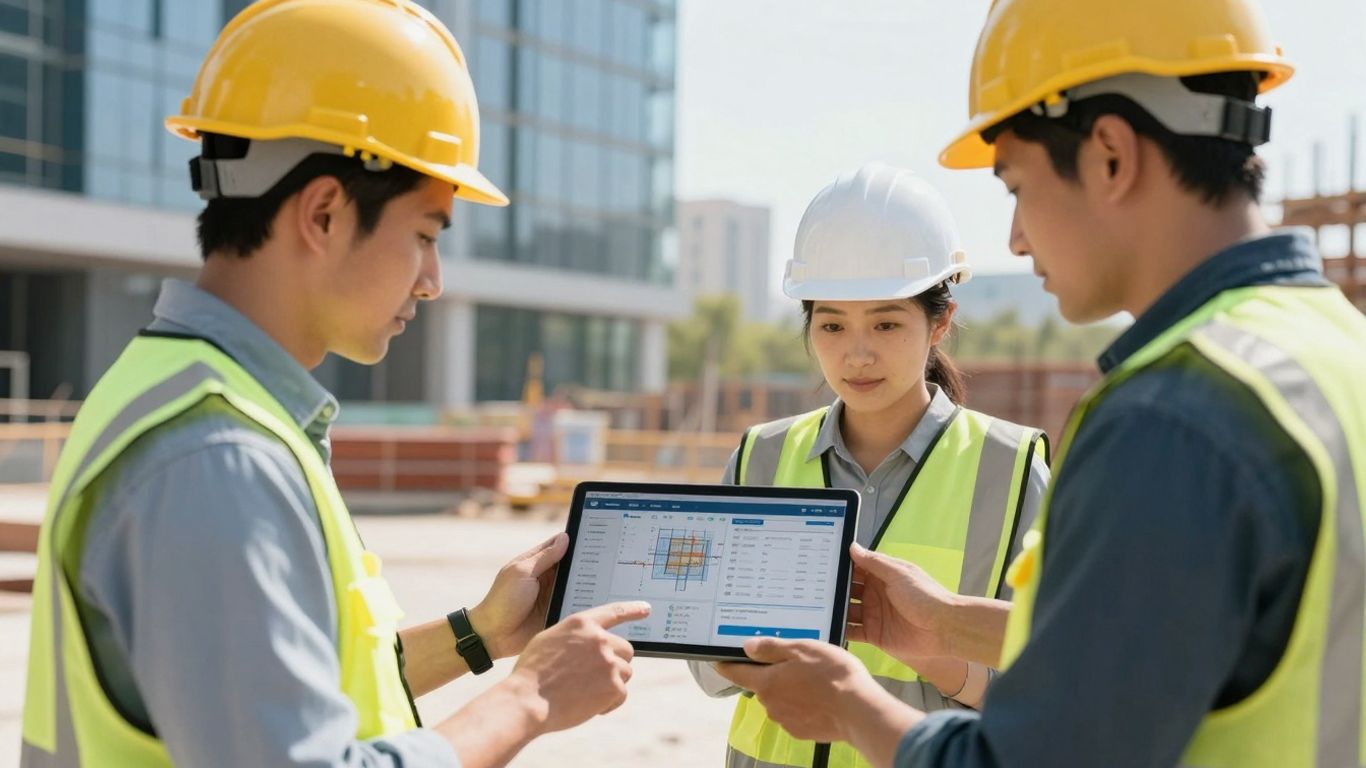
Look, managing subcontractors is a whole different ballgame than just running your own crew. You’re constantly juggling schedules that aren’t entirely yours, dealing with change orders from multiple directions, and trying to keep your own team productive without stepping on anyone else’s toes. That’s where construction project management software really steps in, especially for subcontractors.
This kind of software is built to handle the unique chaos of sub work. It’s not just about tracking tasks; it’s about centralizing everything from scheduling and dispatching to tracking labor hours, materials, and even those pesky change orders. Think of it as your command center for everything related to your involvement in a project.
Here’s what you can expect it to do:
- Real-time Updates: Your field crew can log hours, report progress, and flag issues directly from their phones. This information syncs instantly with the office, so everyone’s looking at the same, up-to-date picture. No more chasing down text messages or outdated spreadsheets.
- Better Cost Control: It helps you track labor, materials, and equipment against your budget for each job. This means you can spot potential overruns early and make adjustments before they eat into your profits.
- Streamlined Communication: Features like RFIs (Requests for Information) and submittals are managed within the system, creating a clear, documented trail. This cuts down on misunderstandings and speeds up approvals.
- Simplified Billing: By accurately tracking labor and materials tied to specific tasks and change orders, invoicing becomes much more straightforward and less prone to disputes.
When you’re a subcontractor, your margins are often tighter, and your ability to adapt quickly is key. Project management software gives you the visibility and control needed to stay ahead of problems, rather than constantly reacting to them. It’s about making sure your part of the job runs smoothly, even when the overall project hits a snag.
Choosing the right software depends on your specific trade and how you operate. Some platforms are better for commercial jobs with complex coordination, while others might focus more on financial tracking for smaller, multi-job operations. But the core benefit remains: bringing order to the complexity of working as a subcontractor.
8. Field Service Management Platforms
Field service management (FSM) platforms are a bit of a hybrid, often blending project management capabilities with tools specifically designed for service-based work. If your subcontracting business handles a mix of new construction projects and ongoing maintenance or repair contracts, these platforms can be a real game-changer. They help keep everything organized, from scheduling routine service calls to managing larger project timelines.
These systems are built to streamline operations when your team is out in the field, dealing with clients directly. They often include features like dispatching, scheduling, customer management, and mobile access for your crews. Think of it as a way to bring more structure to the often-unpredictable nature of service work.
Here’s what you can typically expect from an FSM platform:
- Scheduling and Dispatching: Assigning jobs to technicians, optimizing routes, and managing daily schedules.
- Mobile Workforce Management: Allowing field staff to access job details, update statuses, capture photos, and collect signatures from their mobile devices.
- Customer Relationship Management (CRM): Keeping track of client information, service history, and communication logs.
- Invoicing and Payments: Generating invoices directly from completed work orders and processing payments.
- Inventory Management: Tracking parts and equipment needed for service calls.
For subcontractors, especially those in trades like HVAC, plumbing, or electrical, FSM software can significantly improve efficiency. It helps reduce downtime, minimize errors, and improve customer satisfaction. You can find a lot of great options out there, with many designed to integrate with other construction software you might already be using. It’s worth exploring the top field service management software to see what fits your specific needs.
While project management software focuses on the build phase, FSM platforms excel at managing the ongoing service and maintenance aspects. They bridge the gap, ensuring that both project-based revenue and recurring service income are managed effectively. This dual capability is particularly beneficial for subcontractors looking to diversify their service offerings and secure more predictable revenue streams.
Some FSM tools also offer features for managing service agreements, which is great for locking in repeat business. This means you can track contract renewals and ensure you’re meeting all the terms without having to manually sift through piles of paperwork. It’s all about making sure you don’t miss a beat, whether it’s a big project or a small service call.
9. Permit Management Software
Even with the best subcontractor management in place, projects can hit a snag if permits aren’t handled properly. That’s where permit management software comes in. Think of it as the unsung hero that keeps your project moving forward by making sure all the necessary paperwork is filed, tracked, and approved on time.
This type of software is designed to streamline the often-complex process of obtaining and managing building permits, licenses, and other regulatory approvals. It helps you keep tabs on deadlines, submission requirements, and the status of each application. For subcontractors, this means avoiding costly delays that can arise from a forgotten inspection or an expired permit. It’s not just about avoiding problems, though; it’s also about efficiency. Imagine not having to chase down paper copies or sift through endless email threads to find out if a permit is approved. This software centralizes all that information, making it accessible to your team when and where they need it.
Key features often include:
- Automated deadline tracking: Get alerts for upcoming permit expirations or renewal dates.
- Document management: Store all permit-related documents, applications, and approvals in one secure, searchable location.
- Status monitoring: Track the progress of permit applications in real-time.
- Compliance checks: Ensure all necessary documentation and requirements are met before submission.
- Reporting: Generate reports on permit status, costs, and timelines.
When you pair this with your subcontractor management tools, you create a robust system that covers both your people and your project’s legal requirements. It’s a smart move to keep everything on track and avoid those frustrating, project-halting bureaucratic hurdles.
Managing permits might seem like a minor detail compared to the actual construction work, but overlooking it can lead to significant setbacks. A dedicated permit management system acts as a safeguard, ensuring that the administrative side of your project doesn’t become the weakest link in the chain.
10. Subcontractor Onboarding and Compliance Tracking
Getting subcontractors set up and keeping their paperwork in order can feel like a full-time job on its own. It’s not just about finding skilled workers; it’s about making sure they’re legally cleared to be on your job site. This means tracking things like their business licenses, insurance certificates (COIs), W-9 forms, and any other specific certifications they might need for the work they’re doing.
The goal here is to have a centralized system that makes this process as smooth as possible for everyone involved. When you have multiple subcontractors on a project, or even across several projects, keeping tabs on all these documents manually is a recipe for disaster. A missed expiration date on an insurance policy, for example, could halt a project and cost you a lot of money and headaches.
Here’s what you should be looking for in software to handle this:
- Document Storage: A secure place to upload and store all subcontractor documents. Think of it like a digital filing cabinet.
- Expiration Alerts: Automated notifications when a document is nearing its expiration date. This is a game-changer for staying ahead of compliance issues.
- Verification Tools: Some software can even help verify the validity of certain documents, adding an extra layer of security.
- Onboarding Checklists: Customizable checklists to ensure every new subcontractor goes through the same, thorough onboarding process.
Managing subcontractor compliance isn’t just about avoiding fines or legal trouble. It’s about building a reliable network of partners. When your subs are properly vetted and compliant, it signals professionalism and reduces risk for your entire operation. It also means your projects can move forward without unexpected delays caused by paperwork issues.
Having a system that flags expiring documents automatically is a huge relief. It means you’re not constantly digging through spreadsheets or old emails trying to remember who needs what. This proactive approach saves time and prevents those stressful last-minute scrambles that can derail a project schedule. It’s all about keeping the project moving forward without any unnecessary roadblocks.
Wrapping It Up
Look, managing subcontractors can get messy fast. You’ve got paperwork flying everywhere, schedules changing on a dime, and trying to keep everyone on the same page feels like herding cats. But honestly, using the right software makes a huge difference. It’s not just about looking fancy; it’s about making your actual workday smoother. Think less time chasing down insurance forms and more time actually getting the job done right. Picking a system that fits how you work, whether you’re a small crew or a bigger operation, means less stress and more control. So, don’t let the admin stuff bog you down. Get a tool that helps you keep projects on track and your partners happy. It’s a smart move for keeping your business running well, now and down the road.
Frequently Asked Questions
What exactly is subcontractor management software?
Think of it as a digital assistant for managing all the outside help on your construction projects. It helps you keep track of contracts, payments, schedules, and important papers for all the different companies you hire to do specific jobs, like plumbing or electrical work.
Why do I need this kind of software if I’m a small business?
Even small businesses can get overwhelmed when they start taking on more projects or working with more people. This software helps you stay organized, avoid mistakes, and makes sure you don’t miss important deadlines or payments, which can save you a lot of headaches and money as you grow.
What are the most important things to look for in this software?
You’ll want software that makes it easy to manage all the paperwork (like insurance and licenses), keeps your contracts organized, helps you schedule tasks, and allows for clear communication with your subcontractors. Being able to track payments easily is also a big plus.
Can this software help with communication?
Absolutely! Instead of relying on scattered texts and emails, this software usually has a central place where everyone can share updates, files, and messages. This keeps everyone on the same page and reduces misunderstandings.
How does this software help with payments?
Good software can connect with your accounting tools, making it simpler to track what you owe and what’s been paid. This helps prevent errors and makes sure your subcontractors get paid on time.
Is there a mobile app for using this on the job site?
Many of these software options come with mobile apps. This means your team in the field can get updates, share progress, and access important information right from their phones or tablets, even when they’re away from the office.
What’s the difference between this and general project management software?
While general project management tools are useful, subcontractor management software is built specifically for the unique needs of construction. It focuses more on managing contracts, compliance, and the specific workflows involved when working with outside trades.
How does this software help with compliance, like insurance and licenses?
It acts like a digital filing cabinet for all those important documents. You can upload everything, and the software can even alert you when an insurance policy or a license is about to expire, helping you avoid project delays.