Table of Contents
- Top 10 Best No-Code Platforms in 2026
- 1. Glide
- 2. FlutterFlow
- 3. Adalo
- 4. WeWeb
- 5. Softr
- 6. SpreadSimple
- 7. Unicorn Platform
- 8. Framer
- 9. Webflow
- 10. Bubble
- Best No-Code Platforms for Specific Use Cases
- Key Features to Look for in No-Code Platforms
- Frequently Asked Questions about Best No-Code Platforms
Best no code platforms are revolutionizing the way we think about building digital solutions, transforming app development into a task anyone can handle. For those looking to bypass traditional coding, here are a few platforms leading the charge:
- Appy Pie – Ideal for startups, cost-effective and simple. Learn more about no code web apps.
- Bubble – Popular choice with both free and scalable plans. Explore free no code platform software.
- OutSystems and Mendix – Premium options for larger enterprises seeking advanced features. Check out no code ecommerce platform.
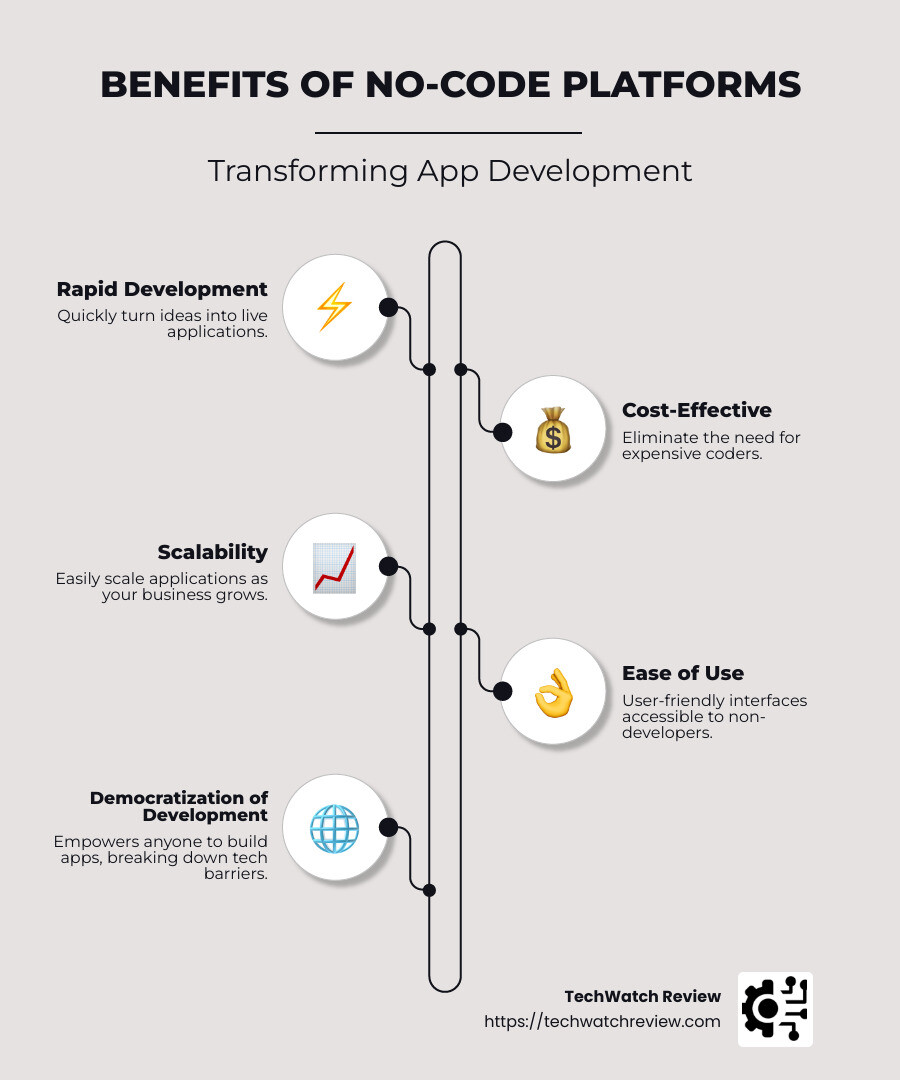
In today’s tech-driven world, no-code platforms democratize app creation. They open the door for anyone—be it entrepreneurs, small business owners, or tech professionals—to design and deploy applications swiftly and efficiently. These platforms eliminate the usual barriers of needing deep programming knowledge, offering intuitive tools like drag-and-drop interfaces and a plethora of templates to get users started.
The benefits are manifold. They enable rapid development, slashing the time from concept to market. They are cost-effective, removing the need for costly code experts, which is a game-changer for those with tight budgets. Not to mention, they allow for impressive scalability and security, as seen with trusted names in the domain.
TechWatch Review is your go-to source for staying informed about these platforms. We dig into the specifics to give you a heads-up on which platforms rise to the occasion, offering detailed comparisons and timely insights. Whether you’re building your first app or looking to scale, our reviews are custom to guide you in making the right choice.

No-code platforms are not just a trend; they’re a paradigm shift in digital innovation. As Walt Disney once hinted, understanding what people want and building it for them was never easier than with today’s no-code tools.
Top 10 Best No-Code Platforms in 2026
In the rapidly evolving world of app development, no-code platforms stand out as game-changers. They allow anyone—from tech novices to seasoned developers—to create powerful applications without writing a single line of code. Let’s explore the top 10 best no-code platforms for 2026, each offering unique features and benefits.
1. Glide
Glide is a pioneer in creating Progressive Web Apps (PWAs) that are both beginner-friendly and versatile. Its drag-and-drop interface makes it easy to integrate with various services, allowing users to build apps that can run on any device with a web browser. The platform is perfect for those looking to create simple yet functional mobile apps without the technical headache. Learn more about Glide on their official website.
2. FlutterFlow
For those interested in native mobile app development, FlutterFlow is a standout choice. It integrates seamlessly with Firebase, offering a robust backend solution. While it has a steeper learning curve compared to other platforms, its ability to produce high-quality, cross-platform apps makes it worth the effort. Discover more about FlutterFlow on their official site.
3. Adalo
Adalo is designed for creating both native mobile apps and PWAs. Its user-friendly interface allows for quick app development, making it ideal for small businesses and startups. Adalo’s community support and comprehensive tutorials ensure that users can get their apps up and running with minimal fuss. Visit Adalo’s website for more information.
4. WeWeb
When it comes to building scalable web apps, WeWeb shines. It is particularly suited for business applications and SaaS solutions. With its focus on scalability, WeWeb ensures that your app can grow alongside your business, handling increased traffic and data with ease. Check out WeWeb’s platform for more details.
5. Softr
Softr is an excellent choice for creating directories and landing pages. It integrates smoothly with Airtable, allowing users to leverage their existing data without any coding. Softr’s simplicity and efficiency make it a favorite for those looking to build data-driven applications quickly. Explore Softr’s offerings for more insights.
6. SpreadSimple
For those focused on SEO-friendly directories, SpreadSimple offers a straightforward solution. Its integration with Google Sheets means you can manage your data in a familiar environment while building a sleek, functional website. This platform is all about simplicity and effectiveness. Learn more at SpreadSimple’s site.
7. Unicorn Platform
Unicorn Platform specializes in creating landing pages, websites, and directories. Its clean design and intuitive interface make it a go-to for entrepreneurs looking to establish an online presence without the hassle of coding. Visit Unicorn Platform’s website for more information.
8. Framer
Designers will appreciate Framer for its ability to create beautiful, SEO-friendly websites with advanced prototyping capabilities. Its focus on aesthetics and functionality makes it a powerful tool for those wanting to push the boundaries of web design. Discover more on Framer’s official site.
9. Webflow
Known for its advanced design tools, Webflow is perfect for creating visually stunning websites and landing pages. It offers a high level of customization, allowing designers to bring their visions to life without constraints. Learn more about Webflow on their official website.
10. Bubble
Bubble is renowned for its flexibility and scalability, making it a top choice for building advanced web apps. It supports complex functionality and offers a wide range of integrations, making it suitable for both simple projects and large-scale applications. Visit Bubble’s site for more details.
These platforms are redefining the landscape of app development. Whether you’re a beginner or a seasoned developer, there’s a no-code platform custom to your needs. From creating simple websites to developing complex web applications, the possibilities are endless. Explore these platforms and find the one that best suits your project requirements.
1. Glide
Glide is a standout in no-code platforms, especially when it comes to creating Progressive Web Apps (PWAs). These apps are accessible on any device with a web browser, offering a seamless user experience without the need for downloads. This makes Glide an excellent choice for businesses and individuals aiming to reach a wide audience quickly and efficiently.
Beginner-Friendly
One of Glide’s most appealing features is its beginner-friendly interface. You don’t need to be a tech wizard to get started. With its intuitive drag-and-drop functionality, creating an app feels more like crafting a digital collage than coding. This simplicity empowers anyone—from small business owners to educators—to build functional apps without a steep learning curve.
Integrations Galore
Glide shines in its ability to integrate with various services, enhancing the functionality of your app. Whether you’re pulling data from Google Sheets or automating workflows with Zapier, Glide makes it easy to connect and manage different components. This flexibility allows users to create apps that are not only visually appealing but also highly functional.
For example, Glide’s integration with Zapier enables users to trigger workflows directly from their app. This means you can automate tasks like sending emails or updating databases, all without leaving the Glide platform. Additionally, you can explore more about how Glide integrates with other tools by visiting Glide’s official site.
Perfect for PWAs
Progressive Web Apps are a game-changer for those looking to create mobile apps that are lightweight and fast. As noted in a TechWatch Review article, PWAs are more affordable and quicker to market than traditional native apps. Glide leverages this technology, allowing users to build apps that perform well across devices without the hefty price tag of native app development. For more insights on PWAs, you can check out Google Developers’ guide on PWAs.
In summary, Glide is an ideal platform for beginners and seasoned developers alike who are interested in creating PWAs. Its ease of use, coupled with robust integration capabilities, makes it a top choice for anyone looking to dive into no-code app development.
Explore Glide’s potential and see how it can transform your ideas into reality without the need for complex coding skills.
2. FlutterFlow
FlutterFlow is a powerful no-code platform designed for creating native mobile apps. Built on top of the Flutter framework, it allows developers to build apps for both iOS and Android with ease. However, it’s important to note that FlutterFlow comes with a steep learning curve.
Native Mobile Apps
FlutterFlow excels at building native mobile apps, providing a seamless experience across different devices. This is particularly advantageous for developers who want to ensure their apps perform well on both iOS and Android platforms. The platform’s ability to export code means you have the flexibility to further customize your app if needed, offering a blend of no-code simplicity with the potential for deeper customization. For more insights on building native apps, you can explore Flutter’s official documentation.
Steep Learning Curve
While FlutterFlow offers robust features, it does require some time to master. The learning curve can be challenging, especially for those new to app development. Users often need to familiarize themselves with the Flutter framework and how FlutterFlow integrates with it. However, many find that the initial investment in learning pays off with the ability to create highly functional, visually appealing apps. For tips on overcoming the learning curve, check out this guide on mastering Flutter.
Firebase Integration
A standout feature of FlutterFlow is its integration with Firebase. Firebase provides essential backend services like authentication, real-time databases, and cloud functions. This integration allows developers to add powerful features to their apps without needing to build backend infrastructure from scratch. For example, using Firebase’s real-time database, you can create apps that update data instantly, enhancing user engagement. Learn more about Firebase’s capabilities here.
FlutterFlow’s integration with Firebase is particularly beneficial for those who want to implement advanced functionalities, such as data synchronization and user authentication, without delving into complex backend coding. This makes it a compelling choice for developers looking to build feature-rich apps quickly.
Explore more about FlutterFlow’s capabilities and see how it can streamline your app development process by visiting their official site.
3. Adalo
Adalo stands out in no-code platforms by providing a user-friendly experience for creating both native mobile apps and Progressive Web Apps (PWAs). It is an excellent choice for those who want to build apps without diving into complex coding, making it one of the most accessible platforms for beginners and seasoned developers alike.
Native Mobile Apps
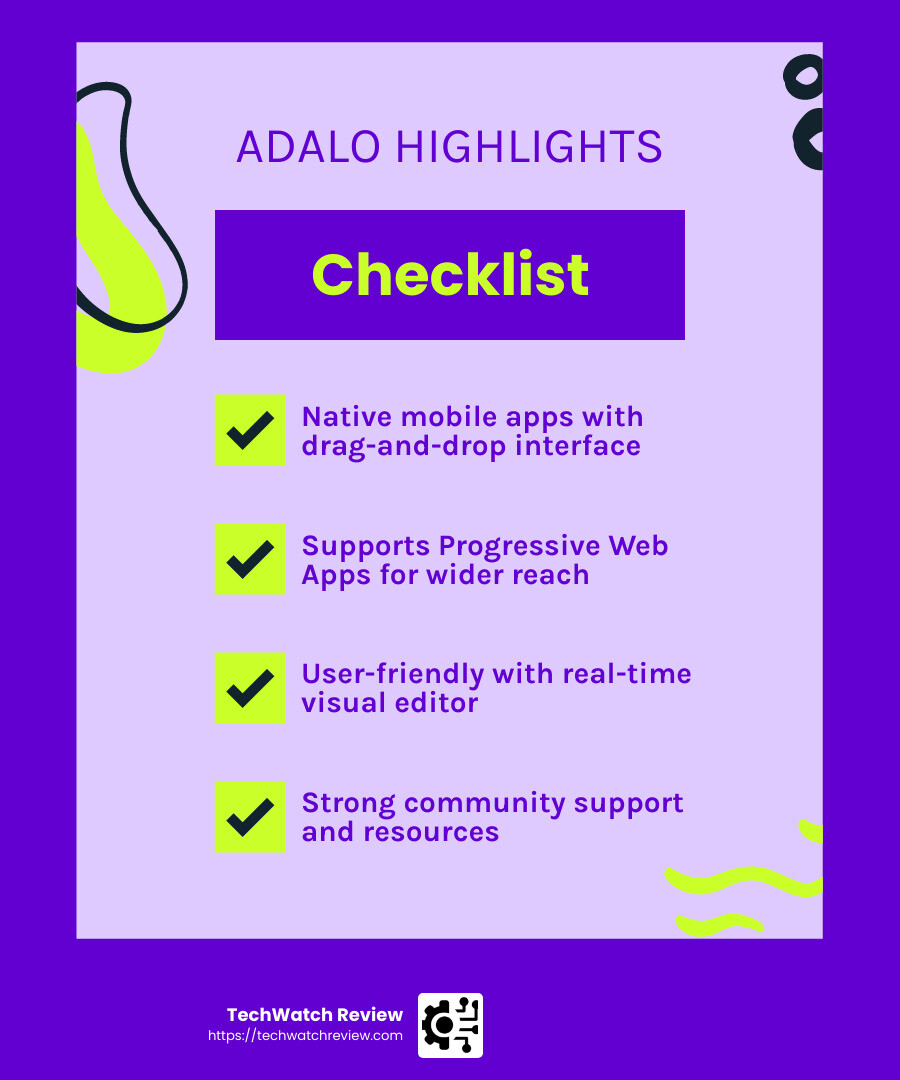
Adalo excels at enabling users to create native mobile apps for iOS and Android. With its intuitive drag-and-drop interface, you can design and launch mobile applications that look and feel native to the device’s operating system. This ensures a smooth and seamless user experience, which is crucial for retaining users and encouraging engagement.
The platform provides a range of pre-built components and templates, making it easy to add functionality to your apps, such as user authentication, data collection, and even in-app purchases. This ease of use allows you to focus on the creative aspects of app development rather than getting bogged down by technical details. For more insights on native mobile app development, you can explore this article.
PWAs (Progressive Web Apps)
In addition to native mobile apps, Adalo supports the creation of Progressive Web Apps (PWAs). PWAs combine the best features of web and mobile apps, offering a responsive design that works across different devices and platforms without the need for separate development processes. This means you can reach a broader audience with a single app build.
PWAs built with Adalo are accessible directly from the web, eliminating the need for users to download an app from an app store. This can significantly lower the barrier to entry for your users, making it easier for them to access your app and increasing the likelihood of adoption. Learn more about the benefits of PWAs in this detailed guide.
User-Friendly Interface
One of Adalo’s most notable attributes is its user-friendly interface. The platform’s visual editor allows you to see changes in real-time, making it simple to iterate and refine your app’s design. The learning curve is gentle, which means you can start building your app almost immediately, even if you have no prior experience in app development.
Adalo’s community and support resources are also a significant asset. With tutorials, forums, and customer support, you have access to the help you need as you steer the app-building process. This supportive environment empowers you to experiment and innovate without fear of getting stuck. For tips on navigating Adalo’s interface, check out this resource.
For more insights on how Adalo can transform your app development journey, check out their official website.
Adalo’s blend of user-friendliness, the ability to create both native mobile apps and PWAs, and its supportive community make it a top choice among the best no-code platforms. Whether you’re a beginner or an experienced developer, Adalo offers the tools and flexibility you need to bring your app ideas to life.
4. WeWeb
WeWeb is a powerhouse in the no-code world, especially when it comes to building scalable web apps, business apps, and SaaS solutions. Its modular approach separates the front-end from the back-end, offering users the flexibility they need to create robust applications without coding expertise.
Scalable Web Apps
One of WeWeb’s standout features is its ability to support scalable web apps. This platform is perfect for businesses that anticipate growth and need their applications to handle increasing user loads and data demands. WeWeb achieves this through its integration capabilities, allowing seamless connections with databases like Xano for back-end processing.
By using APIs, WeWeb ensures that your app can grow alongside your business. You can start small and expand the app’s capabilities over time, making it an excellent choice for startups and growing enterprises. For more insights on scalable web apps, check out this article on TechWatch Review.
Business Apps
WeWeb excels in creating business apps that meet the unique needs of different industries. Whether you need a CRM, project management tool, or an internal communication platform, WeWeb’s drag-and-drop interface allows you to customize and design applications that fit your business processes.
The platform’s focus on user experience ensures that the apps are not only functional but also intuitive and easy to use. This can lead to higher adoption rates within your organization, as employees find the tools straightforward and effective. Learn more about business app development in this TechWatch Review article.
SaaS Solutions
For those looking to develop SaaS solutions, WeWeb offers a comprehensive toolkit. Its integration with Xano enables you to manage complex business logic and data operations without writing a single line of code. This makes it easier to launch SaaS products quickly and efficiently.
WeWeb’s flexibility also means you can connect with other services and tools, enhancing your application’s features. Whether you need to incorporate analytics, payment gateways, or user authentication, WeWeb’s ecosystem supports a wide range of integrations. Discover more about SaaS solutions in this TechWatch Review post.
Why Choose WeWeb?
WeWeb’s modular architecture and integration capabilities make it a top contender among the best no-code platforms for businesses aiming to build scalable and efficient applications. Its focus on separating the user interface from the back-end logic gives you the freedom to innovate and adapt as your business needs evolve.
For more information and to see how WeWeb can support your app development, visit their official website.
WeWeb’s ability to offer scalable, business-oriented, and SaaS-ready solutions makes it a go-to platform for companies looking to harness the power of no-code development. Whether you’re building an internal tool or a full-fledged SaaS product, WeWeb provides the flexibility and scalability you need to succeed.
5. Softr
Softr is a game-changer for anyone looking to create directories and landing pages effortlessly. Its integration with Airtable makes it a popular choice among the best no-code platforms for building data-driven applications.
Directories
Creating directories with Softr is a breeze. Whether you’re building a job board, a real estate listing, or a resource library, Softr provides the tools to get it done quickly. The platform’s intuitive interface allows you to design and launch directories without writing code. With its seamless Airtable integration, you can manage your data efficiently and keep your directory updated in real-time.
Airtable’s spreadsheet-like database pairs perfectly with Softr, enabling you to easily organize and display data in a user-friendly format. This combination is especially beneficial for businesses that need to manage large datasets and present them in a structured and accessible way. For more on how Airtable can enhance your projects, visit Airtable’s official site.
Landing Pages
Landing pages are crucial for capturing leads and driving conversions. Softr excels in this area by offering a range of templates that cater to various industries and purposes. Whether you’re promoting a new product, hosting an event, or gathering newsletter sign-ups, Softr’s drag-and-drop builder simplifies the process.
The platform allows you to customize every aspect of your landing page, from the layout to the call-to-action buttons. This flexibility ensures that your landing pages align with your brand’s identity and marketing goals. Plus, with SEO-friendly features, Softr helps improve your site’s visibility and reach. For tips on optimizing your landing pages, check out this article on TechWatch Review.
Airtable Integration
Softr’s Airtable integration is a standout feature that sets it apart from other no-code platforms. By connecting Airtable to your Softr application, you can leverage Airtable’s powerful data management capabilities. This integration allows you to automate workflows, synchronize data, and ensure that your applications are always up-to-date.
The combination of Softr and Airtable is ideal for businesses that require dynamic and data-driven applications. It empowers users to create sophisticated solutions without needing technical expertise. This makes Softr a valuable tool for startups, small businesses, and teams looking to optimize their processes. Learn more about how to integrate Airtable with other tools on Airtable’s integration page.
Why Choose Softr?
Softr’s ease of use, combined with its powerful features, makes it a top choice for those seeking to build directories and landing pages. Its tight integration with Airtable offers a unique advantage for managing and displaying data seamlessly.
For more insights and to explore Softr’s capabilities, check out their official website.
With Softr, you can transform your Airtable data into functional and visually appealing applications, making it one of the best no-code platforms for data-centric projects. Whether you’re a beginner or an experienced user, Softr provides the tools you need to build and scale your applications efficiently.
6. SpreadSimple
SpreadSimple is a fantastic no-code platform for those looking to create SEO-friendly directories with ease. Its standout feature is the integration with Google Sheets, which makes managing and updating your data straightforward.
SEO-Friendly Directories
SpreadSimple excels in creating SEO-friendly directories. This is crucial for anyone looking to improve their online visibility. The platform automatically optimizes your directory for search engines, helping you attract more visitors. Whether you’re building a product catalog, a directory of services, or a real estate listing, SpreadSimple ensures your content is easy to find and browse.
The platform offers customizable templates that are designed with SEO in mind. You can adjust meta tags, URLs, and other elements to ensure your directory ranks well in search results. This focus on SEO helps your directory reach a wider audience and boosts your online presence. For more insights on SEO strategies, you can explore Moz’s SEO Guide.
Simplicity
One of the key strengths of SpreadSimple is its simplicity. You don’t need any coding skills to get started. With a few clicks, you can transform a Google Sheets spreadsheet into a fully functional website. The platform’s user-friendly interface allows you to customize your site’s appearance and layout effortlessly.
The drag-and-drop editor makes it easy to add features like search bars, filters, and sorting options. This simplicity makes SpreadSimple an excellent choice for small businesses, entrepreneurs, and anyone who wants to create a professional-looking directory without the hassle of traditional web development. For more tips on no-code development, check out TechWatch Review’s guide on no-code tools.
Google Sheets Integration
The integration with Google Sheets is what truly sets SpreadSimple apart. By linking your Google Sheets to SpreadSimple, you can manage your directory’s data in a familiar spreadsheet format. Any changes you make in Google Sheets are automatically reflected on your website, ensuring your directory is always up-to-date.
This integration is perfect for businesses that need to frequently update their listings, such as e-commerce stores, real estate agencies, or service providers. It streamlines the process of managing data and helps you maintain an accurate and current directory. For more on how to leverage Google Sheets for business, visit Google’s official documentation.
Why Choose SpreadSimple?
If you’re looking for a no-code platform that combines simplicity with powerful features, SpreadSimple is a top contender. Its ability to create SEO-friendly directories with Google Sheets integration makes it a valuable tool for businesses of all sizes.
For more information and to see SpreadSimple in action, visit their official website. With SpreadSimple, you can build and manage directories efficiently, making it one of the best no-code platforms for anyone seeking an easy way to create dynamic and searchable websites.
7. Unicorn Platform
Unicorn Platform stands out as a versatile no-code tool perfect for building landing pages, websites, and directories. Its user-friendly interface and robust features make it an ideal choice for startups and small businesses looking to establish a strong online presence without extensive coding knowledge.
Landing Pages
Unicorn Platform shines in creating stunning landing pages that convert. It offers a selection of pre-designed blocks that you can easily customize to match your brand. Whether you’re launching a new product, promoting an event, or capturing leads, Unicorn Platform provides the tools you need to create engaging and effective landing pages.
The platform’s drag-and-drop editor allows you to arrange elements effortlessly, ensuring your page looks exactly the way you envision. You can also integrate forms, countdown timers, and call-to-action buttons to boost engagement and drive conversions. For more insights on creating effective landing pages, check out this article on TechWatch Review.
Websites
Building websites with Unicorn Platform is a breeze. It offers a variety of templates that cater to different industries, from tech startups to creative agencies. These templates are fully customizable, allowing you to adjust colors, fonts, and layouts to reflect your brand’s identity.
Unicorn Platform supports responsive design, ensuring your website looks great on any device. This is crucial for providing a seamless user experience, whether your visitors are browsing on a desktop, tablet, or smartphone. Learn more about responsive design in this TechWatch Review article.
Directories
For those looking to create directories, Unicorn Platform offers specialized features that simplify the process. You can organize and display information in a clear and structured manner, making it easy for users to find what they’re looking for. Whether it’s a directory of services, a list of resources, or a portfolio showcase, Unicorn Platform provides the flexibility to design it your way.
The platform’s integration capabilities allow you to connect with various third-party services, enhancing the functionality of your directory. This makes Unicorn Platform a powerful tool for businesses that need to manage and display large amounts of data. For more on directory creation, visit this guide on TechWatch Review.
Why Choose Unicorn Platform?
Unicorn Platform is an excellent choice for anyone looking to create professional landing pages, websites, and directories without the need for coding. Its ease of use, combined with a wide range of customization options, makes it one of the best no-code platforms for startups and small businesses.
To explore Unicorn Platform and see how it can help you build your online presence, visit their official website. With Unicorn Platform, you can launch beautiful and functional sites quickly and efficiently, making it a valuable asset in your digital toolkit.
8. Framer
Framer is a standout choice among the best no-code platforms for creating beautiful websites with a focus on design and interactivity. Its intuitive interface and advanced capabilities make it a favorite for designers and developers alike.
Beautiful Websites
Framer excels at crafting visually stunning websites that capture attention. With its powerful design tools, you can create custom layouts that reflect your brand’s unique style. The platform offers a wide range of templates and design elements that are fully customizable, allowing you to build a site that stands out.
Framer’s drag-and-drop editor makes it easy to arrange elements, ensuring your site looks polished and professional. Whether you’re designing a portfolio, a business website, or a personal blog, Framer provides the tools you need to make it visually appealing.
For more insights on creating beautiful websites, check out our guide on web design trends.
SEO-Friendly
Search engine optimization (SEO) is crucial for any website, and Framer doesn’t disappoint in this area. The platform is designed to be SEO-friendly, ensuring your site can rank well in search engine results. With built-in SEO tools, you can optimize your site’s meta tags, descriptions, and keywords to improve visibility.
Framer also supports responsive design, which is essential for SEO. A responsive site adapts to different devices, providing a seamless user experience that search engines favor. This means your site will not only look great but also perform well in search rankings.
Learn more about SEO best practices in our SEO optimization article.
Advanced Prototyping
One of Framer’s standout features is its advanced prototyping capabilities. It allows you to create interactive prototypes with ease, making it ideal for testing and refining your designs. You can simulate user interactions, transitions, and animations, providing a realistic preview of how your site will function.
Framer’s prototyping tools are particularly beneficial for designers who want to experiment with different layouts and features before finalizing their designs. This flexibility allows you to iterate quickly and make informed design decisions.
Additionally, Framer’s integration with real data ensures that your prototypes are not just static mockups but dynamic representations of the final product. This makes it easier to visualize and communicate design concepts to stakeholders.
To explore Framer and see how it can lift your web design projects, visit their official website. With Framer, you can create beautiful websites that are both SEO-friendly and equipped with advanced prototyping features, making it a valuable tool for any designer or developer.
9. Webflow
Webflow stands out as a top contender among the best no-code platforms for building professional websites and landing pages with ease. Its advanced design tools make it a go-to choice for designers who want control without writing code.
Websites
Webflow is designed for those who want to craft stunning websites without the hassle of coding. Its visual editor allows you to design, build, and launch responsive sites that look great on any device. With Webflow, you can create everything from personal blogs to complex e-commerce sites.
The platform offers a wide array of templates and design elements that you can customize to suit your brand. Whether you’re a small business owner or a creative professional, Webflow gives you the tools to bring your vision to life with pixel-perfect precision.
Explore more about Webflow’s capabilities on their official website.
Landing Pages
Creating effective landing pages is a breeze with Webflow. Its intuitive drag-and-drop interface lets you quickly design pages that convert. You can experiment with different layouts and styles to find what works best for your audience.
Webflow’s landing pages are not just visually appealing; they’re also optimized for performance. The platform ensures fast loading times and smooth interactions, which are crucial for keeping visitors engaged and reducing bounce rates.
For businesses looking to generate leads or drive sales, Webflow offers integration with marketing tools like MailChimp and Google Analytics, allowing you to track and optimize your campaigns effectively.
Advanced Design Tools
Webflow offers a suite of advanced design tools that set it apart from other no-code platforms. Its CMS (Content Management System) allows you to create dynamic content-driven sites without needing to rely on developers.
The platform also supports custom animations and interactions, enabling you to add unique touches to your site. You can create animations that trigger on scroll, hover, or click, adding an extra layer of engagement for your visitors.
Webflow’s design tools are complemented by its robust hosting infrastructure, ensuring your site is secure and performs well under heavy traffic.
For designers who want more control over their projects, Webflow offers a level of flexibility that’s hard to match. It’s an ideal choice for those who want to push the boundaries of what’s possible with no-code development.
To see how Webflow can transform your web design projects, check out their official website. With Webflow, you can create websites and landing pages that are not only beautiful but also packed with advanced design tools to take your projects to the next level.
For more insights on no-code platforms, visit TechWatch Review’s article on no-code tools.
10. Bubble
Bubble is a powerhouse among the best no-code platforms for building advanced web apps. It’s known for its flexibility and scalability, making it a favorite for businesses looking to create complex applications without writing code.
Advanced Web Apps
Bubble allows you to create sophisticated web apps that can rival those built with traditional coding. Whether you’re developing a marketplace, a social network, or a CRM system, Bubble provides the tools you need to bring your ideas to life.
What sets Bubble apart is its ability to handle complex workflows and data structures. You can design intricate user interactions and automate processes with ease. This makes it ideal for entrepreneurs and businesses aiming to launch feature-rich applications quickly.
Flexibility
One of Bubble’s standout features is its flexibility. The platform offers a visual editor that lets you customize every aspect of your app, from the user interface to the back-end logic. You can create custom data types, design responsive layouts, and integrate third-party services seamlessly.
Bubble’s flexibility extends to its integration capabilities. It supports a wide range of APIs, allowing you to connect your app to external services like payment gateways, analytics tools, and more. This ensures your app can grow and adapt as your business needs change.
Scalability
Scalability is a crucial factor for any growing business, and Bubble excels in this area. The platform is designed to handle large volumes of data and users, ensuring your app remains responsive as it grows.
Bubble’s infrastructure is robust, with automatic scaling features that adjust server resources based on demand. This means you can focus on building and improving your app without worrying about performance issues.
For those concerned about security, Bubble offers enterprise-grade security features and compliance certifications, giving you peace of mind as you scale your operations.
If you’re ready to explore what Bubble can do for your business, visit their official website. With Bubble, you can build advanced web apps that are flexible and scalable, empowering you to innovate without limits.
For more insights on no-code platforms, check out our comprehensive guide on no-code development.
Best No-Code Platforms for Specific Use Cases
Best for Beginners
Bettermode is a top choice for beginners venturing into no-code development. Its intuitive interface and extensive range of templates make it incredibly user-friendly. Whether you’re creating a landing page, a client portal, or a knowledge base, Bettermode’s drag-and-drop functionality simplifies the process. With over 25 templates to choose from, users can easily customize and launch their projects without any coding knowledge. Plus, its integration with platforms like Slack and HubSpot CRM adds versatility to your creations. Small business owners and individuals will find Bettermode’s free plan exceptionally appealing. You can explore more about Bettermode’s features and pricing on their official site.
Best for Designers
For designers, Figma stands out as an ideal platform. Known for its interactive prototypes and real-time collaboration features, Figma allows designers to bring their visions to life seamlessly. Teams can work together on projects simultaneously, making it a go-to tool for collaborative design efforts. With Figma, you can create high-fidelity prototypes that not only look great but also function well. Its integration with other design tools and plugins further improves its capabilities. Learn more about Figma’s offerings on their website.
Best for Internal Tools
When it comes to building internal tools, Retool is hard to beat. Its drag-and-drop interface and pre-built components make it easy to create custom applications custom to your business needs. Retool allows you to connect with databases and APIs, enabling you to build powerful tools without writing a single line of code. Whether you’re developing dashboards, admin panels, or workflow automation tools, Retool provides the flexibility and efficiency you need. Check out more about Retool’s features and integrations on their official page.
Best for Mobile Apps
FlutterFlow is a leading no-code platform for mobile app development. With its cross-platform support, you can build apps for both iOS and Android without hassle. FlutterFlow’s one-click deployment feature makes it easy to launch your app to app stores, saving you time and effort. The platform also integrates with Firebase, allowing you to add real-time data and authentication features effortlessly. Whether you’re building a simple app or a complex mobile solution, FlutterFlow offers the tools and support you need to succeed. Find more about FlutterFlow’s capabilities on their website.
Best for Voice-Activated Technology
For those interested in voice-activated technology, Voiceflow is the platform to explore. It’s designed for creating conversational AI and chatbots, making it perfect for building voice apps for platforms like Alexa and Google Assistant. Voiceflow’s intuitive interface allows you to design and test voice interactions without any coding. You can also connect to APIs and databases to improve your voice apps with dynamic content and functionality. Voiceflow is an excellent choice for anyone looking to dive into voice technology. Find out more about Voiceflow on their official site.
Key Features to Look for in No-Code Platforms
When choosing the best no code platforms, consider specific features that cater to your project needs. Here are the key features to look for:
Drag-and-Drop Interface
A user-friendly drag-and-drop interface is the cornerstone of no-code platforms. It allows you to build applications visually, without writing a single line of code. This feature is perfect for beginners and non-technical users who want to create apps quickly and efficiently. Platforms like Bettermode excel in this area, offering intuitive interfaces that simplify the app-building process.
Integrations
Seamless integration with existing tools and systems is crucial for maintaining workflow efficiency. Look for platforms that connect easily with popular tools like Slack, HubSpot CRM, or Google Cloud. For instance, Retool offers robust integration capabilities, allowing you to link your apps with databases and APIs effortlessly.
Scalability
As your business grows, your app should be able to scale with it. Scalability ensures that your application can handle increased user loads and expanded functionalities. Platforms like Bubble are known for their scalability, making them suitable for developing complex and large-scale applications.
Templates
Having a variety of templates at your disposal can significantly speed up the development process. Templates provide a foundation that you can customize to fit your specific needs. For example, Bettermode offers over 25 templates, making it easier to create anything from landing pages to client portals.
User Management
For applications that require user interaction, effective user management is vital. This feature allows you to control user access, manage roles, and ensure data security. Platforms like FlutterFlow offer comprehensive user management tools, enabling you to build apps with robust authentication and user control features.
By focusing on these key features, you can ensure that the no-code platform you choose aligns with your project goals and offers the flexibility and functionality you need.
Frequently Asked Questions about Best No-Code Platforms
Which NoCode platform is best?
Choosing the best no-code platform depends on the specific needs of your project. However, some platforms consistently stand out in different areas.
-
FlutterFlow is highly regarded for building native mobile apps, particularly for those who want to leverage Firebase integration. It’s ideal if you’re looking for cross-platform support with a more technical edge. Learn more about FlutterFlow.
-
Voiceflow is perfect for those interested in voice-activated technology. It excels in creating conversational AI and chatbots, making it a go-to for projects focusing on voice interactions. Explore Voiceflow.
-
Framer is celebrated for crafting beautiful websites with advanced prototyping features. It’s a favorite among designers aiming to create visually stunning and SEO-friendly sites. Discover Framer.
Each of these platforms offers unique strengths, so the best choice will align with your specific project requirements and skill level.
What is the #1 low-code platform?
When it comes to low-code platforms, several names frequently come up due to their robust capabilities and enterprise-level support.
-
Salesforce Lightning is renowned for its seamless CRM integration and drag-and-drop interface, making it a top choice for businesses looking to improve their customer relationship management systems. Find out more about Salesforce Lightning.
-
Mendix offers a comprehensive suite of tools for agile development, making it highly scalable and suitable for large enterprises. Learn about Mendix.
-
Pega is known for its strong focus on business process management and automation, providing extensive support for complex workflows. Explore Pega.
Each of these platforms offers unique advantages, but they all share a common goal: to simplify app development while allowing for complex functionality and integrations.
Are no-code platforms worth it?
Absolutely. No-code platforms offer significant advantages, especially in terms of speed and accessibility.
-
Fast Products: With no-code tools, you can quickly bring products to market. The visual interfaces and pre-built templates allow for rapid prototyping and deployment.
-
Complex Functionality: Despite their simplicity, many no-code platforms can handle complex functionalities. For example, platforms like Bubble and Adalo offer advanced features that can support sophisticated app logic.
-
Integrations: Seamless integrations with existing tools are a hallmark of no-code platforms. This ensures that your apps can work harmoniously within your existing tech ecosystem.
No-code platforms democratize app development, enabling anyone with an idea to create a functioning application without the need for extensive programming knowledge. This accessibility and efficiency make them an invaluable asset in today’s digital landscape.
The no-code revolution is reshaping the landscape of app development, making it accessible to everyone, from seasoned developers to complete beginners. As we navigate through the myriad of options available, choosing the right platform becomes crucial. Each platform offers unique features and caters to different needs, whether it’s building mobile apps, crafting stunning websites, or developing internal tools.
At TechWatch Review, we understand the importance of making informed decisions. Our aim is to provide comprehensive insights and expert reviews to help you explore the vast world of no-code platforms with confidence. By staying updated with the latest trends and tools, we empower you to make the best choices for your projects.
Choosing the Right Platform: The key to selecting the best no-code platform lies in understanding your specific project requirements and aligning them with the capabilities of the platform. Whether you need robust mobile app features, seamless voice-activated technology, or advanced design tools, there’s a platform ready to meet your needs.
The Future of No-Code Platforms: The future holds exciting possibilities as no-code platforms continue to evolve. We can expect more advanced features, better integrations, and increased support for complex applications. The lines between low-code and no-code are blurring, offering users more flexibility and power.
As these tools continue to democratize technology, we at TechWatch Review are committed to keeping you informed and equipped to harness the full potential of no-code platforms. Stay connected with us for more insights and updates on this dynamic and ever-changing field. For more detailed articles on no-code platforms, check out our latest reviews and in-depth guides.