Table of Contents
- The No-Code Revolution: Empowering Innovation
- What are No-Code Tools?
- 18 Best Free No-Code Platform Software for 2026
- 1. Webflow
- 2. Bravo
- 3. Mailchimp
- 4. Parabola
- 5. Voiceflow
- 6. Bubble
- 7. Makerpad
- 8. Airtable
- 9. Coda
- 10. Gumroad
- 11. Landbot
- 12. Zapier
- 13. Thunkable
- 14. Typeform
- 15. Glide
- 16. Adalo
- 17. Softr
- 18. Draftbit
- Frequently Asked Questions about Free No-Code Platform Software
The No-Code Revolution: Empowering Innovation
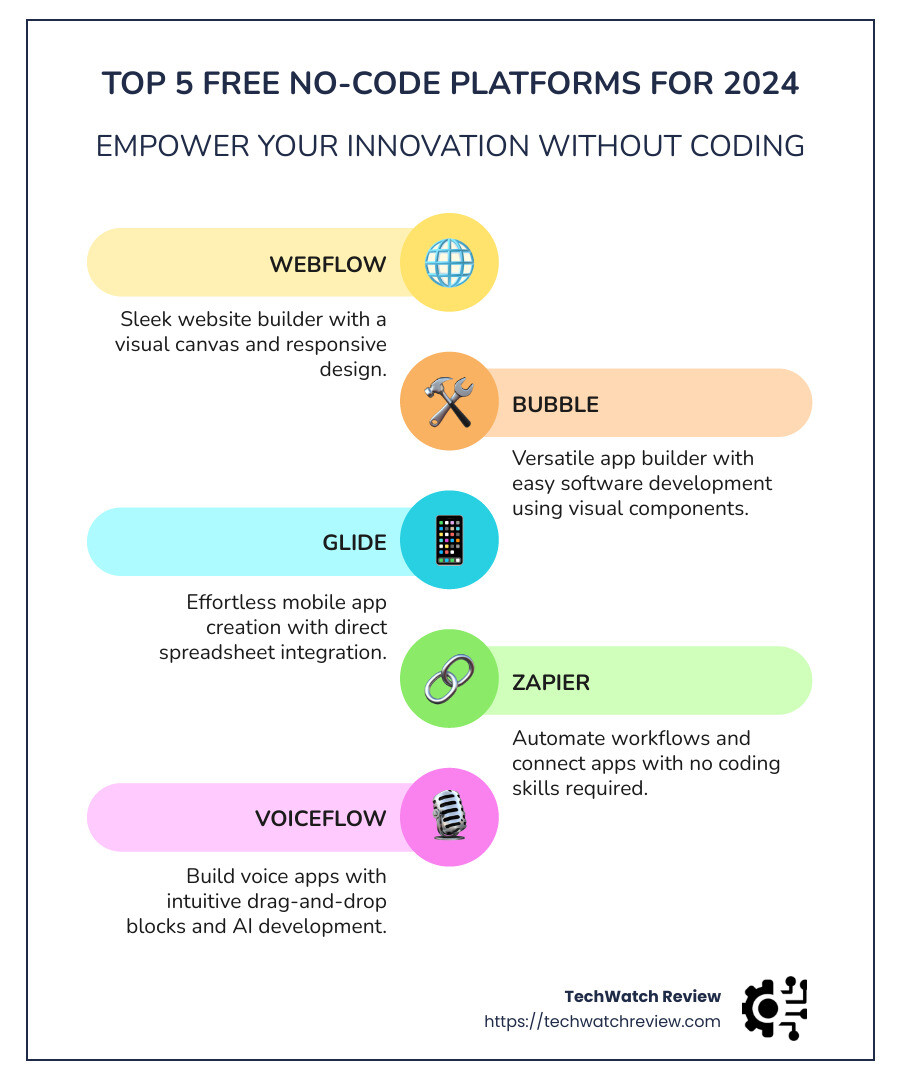
Free no code platform software is changing the way we build apps and websites, making it accessible to everyone, not just programmers. Here’s a quick list to get you started with the best free no-code solutions in 2026:
- Webflow: A sleek website builder with a visual canvas and responsive design.
- Bubble: A versatile app builder that allows easy software development with visual components.
- Glide: Create simple mobile apps effortlessly, integrating directly with spreadsheets.
- Zapier: Automate workflows and connect apps without any coding skills.
Imagine crafting your dream app or setting up a stunning website without writing a single line of code. No-code platforms, which include app builders, website builders, and automation tools, have opened up endless possibilities. They allow creators, entrepreneurs, and businesses to innovate rapidly, reducing dependence on vast development teams. Using these platforms, users are empowered to focus more on their ideas rather than mastering complex coding skills.
With platforms like Bubble and Webflow, you don’t need any programming background to bring your project to life. These tools use intuitive drag-and-drop interfaces and templates to make app and website creation a breeze. Whether you’re a seasoned professional or just starting, no-code platforms offer ways to experiment, iterate, and expand your capabilities.
As these tools evolve, they’re not only simplifying digital creation but also democratizing it, allowing anyone with a vision to innovate. There’s a lot more to explore and find about these game-changing technologies, and this list will guide you through the very best options available for free.

Terms related to free no code platform software:
What are No-Code Tools?
No-code tools are transforming the software development landscape by enabling anyone to create apps and websites without writing a single line of code. These platforms are designed with graphical user interfaces (GUIs), making them accessible to non-programmers and empowering a broader range of people to bring their digital ideas to life.
Understanding No-Code Apps
No-code apps are built using platforms that replace traditional coding with intuitive visual programming. This means you can develop functional software by simply dragging and dropping elements into place. Imagine putting together a puzzle—each piece is a component of your app, and you just need to fit them together. This approach opens up app development to individuals who may not have technical backgrounds, like small business owners, marketers, and creatives.
Graphical User Interfaces: The Heart of No-Code
The core of no-code tools lies in their graphical user interfaces. These interfaces allow users to interact with the software visually, making complex tasks simple. By using visual cues, users can manage databases, design user interfaces, and set up app logic without needing to understand programming languages.
For example, platforms like Bubble and Webflow offer drag-and-drop features that simplify the process of building apps and websites. This visual approach is akin to arranging blocks in a sandbox, where you can see how changes affect your project in real-time.
Revolutionizing Software Development
No-code tools have revolutionized software development by making it more inclusive and efficient. Traditionally, creating software required extensive coding knowledge and a team of developers. Now, anyone with an idea can use no-code platforms to prototype, test, and launch their products quickly.
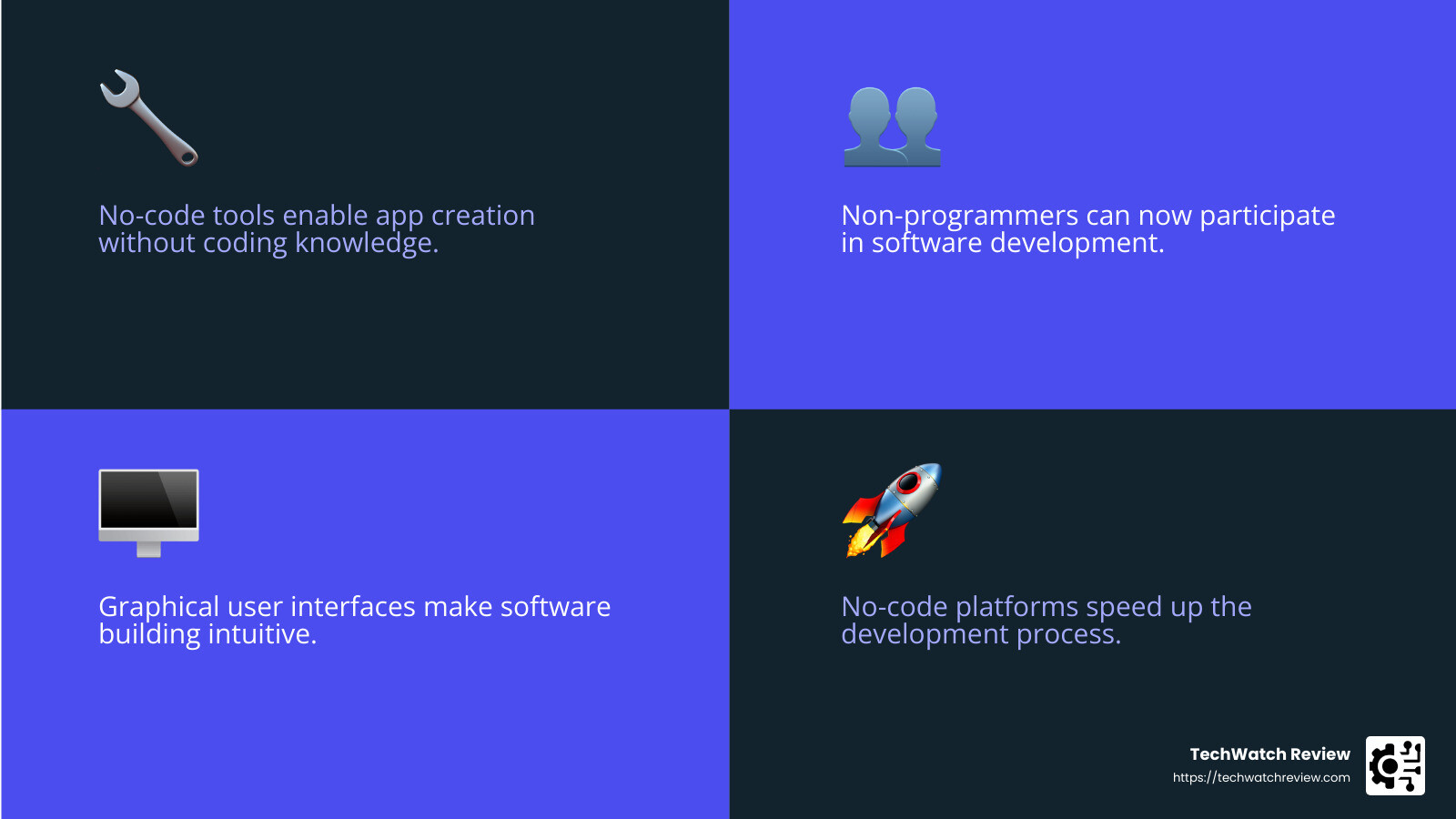
This shift has democratized technology, enabling more people to participate in digital innovation. As a result, businesses can iterate faster, reduce costs, and focus more on creative solutions rather than technical problems.
A Game-Changer for Non-Programmers
For non-programmers, no-code tools are a game-changer. They eliminate the steep learning curve associated with coding, allowing users to concentrate on their projects and ideas. Whether you’re a freelancer looking to expand your offerings or a startup founder with a vision, no-code platforms provide the tools you need to succeed.
Platforms like Glide and Zapier are perfect examples of how non-programmers can automate workflows and create apps without technical expertise. These tools are designed to be user-friendly, offering templates and pre-built components that simplify the creation process.
In conclusion, no-code tools are breaking down barriers in the tech world, making software development accessible to everyone. They empower individuals to innovate and create, regardless of their technical background. As these platforms continue to evolve, they will undoubtedly play a crucial role in shaping the future of digital creation.
18 Best Free No-Code Platform Software for 2026
1. Webflow
Webflow is a standout in website building, offering a visual canvas that allows users to create stunning, responsive websites without touching a single line of code. With its array of templates and a highly customizable design interface, Webflow empowers users to bring any website concept to life. Whether you’re crafting a portfolio, a blog, or an e-commerce site, Webflow’s platform is both intuitive and robust.
Check out Webflow’s range of templates to kickstart your design journey.
2. Bravo
For those looking to turn their design files from Figma or Adobe XD into native mobile apps, Bravo is the go-to tool. It’s a favorite among designers because it bridges the gap between design and functionality. Bravo allows you to connect your designs to databases and APIs, ensuring your app is as functional as it is beautiful.
Learn more about Bravo’s capabilities here.
3. Mailchimp
Mailchimp is not just an email marketing tool; it’s a comprehensive marketing platform that helps businesses grow by understanding and engaging with their audience. With features like customer segmentation, social media campaigns, and integration with platforms like Square, Mailchimp is essential for startups looking to automate their marketing efforts.
Explore Mailchimp’s features here.
4. Parabola
Parabola offers a unique approach to data automation and API integration through its drag-and-drop tools. It’s perfect for businesses that need to automate complex data workflows without writing code. Parabola makes it easy to connect various data sources and streamline processes, saving time and effort.
Find more about Parabola’s automation tools here.
5. Voiceflow
If you’re interested in creating voice apps, Voiceflow is the ideal platform. It simplifies AI development with drag-and-drop blocks, allowing users to design, prototype, and launch voice apps for platforms like Alexa and Google Assistant without any coding.
Check out Voiceflow’s features here.
6. Bubble
Bubble is a versatile app builder known for its visual components and extensive resources, making it a popular choice for both prototypes and full-fledged applications. With Bubble, you can design, develop, and launch apps that are scalable and adaptable to your business needs.
Explore Bubble’s app-building capabilities here.
7. Makerpad
Makerpad is a treasure trove for anyone interested in no-code education. It offers tutorials, tools, and case studies that make learning how to use no-code platforms easy and effective. It’s a community-driven platform that supports users in their no-code journey.
Learn more about Makerpad here.
8. Airtable
Combining the power of spreadsheets and databases, Airtable is a project management tool that is both flexible and user-friendly. It allows users to organize data in a way that suits their workflow, making it a favorite for teams looking to collaborate effectively.
Find Airtable’s functionalities here.
9. Coda
Coda transforms the way teams collaborate with its all-in-one doc platform. It combines documents, spreadsheets, and powerful integrations into a single workspace, making it an essential tool for businesses looking to streamline their operations.
Explore Coda’s collaborative workspace here.
10. Gumroad
For creators looking to sell their work online, Gumroad is a straightforward e-commerce platform. It allows users to sell digital products, memberships, and more without the need for a full-fledged online store setup.
Learn more about Gumroad here.
11. Landbot
Landbot is a chatbot builder that improves customer interactions with conversational prompts and WhatsApp integration. It allows businesses to automate customer service and engage with users in a more personalized way.
Explore Landbot’s chatbot solutions here.
12. Zapier
Zapier is a workflow automation tool that connects apps and services to streamline business processes. With its visual interface, users can create bespoke automations without any coding, saving time on repetitive tasks.
Find how Zapier can automate your workflows here.
13. Thunkable
Thunkable is a platform for building mobile apps using a drag-and-drop interface. It supports open-source projects, making it a great tool for developers looking to create apps with native functionality.
Learn more about Thunkable here.
14. Typeform
Typeform revolutionizes how businesses collect information with its engaging forms and surveys. It’s ideal for lead generation and enhancing user experience through interactive, visually appealing forms.
Explore Typeform’s solutions here.
15. Glide
With Glide, you can turn spreadsheets into powerful progressive web applications. It’s perfect for creating mobile apps for internal business processes, such as inventory management or employee directories.
Find Glide’s app-building capabilities here.
16. Adalo
Adalo enables users to create web and mobile apps with interactive features using a simple drag-and-drop interface. It’s designed for those who want to build apps without traditional coding.
Learn more about Adalo here.
17. Softr
Softr is known for its ease of use in creating web apps that integrate with Airtable. It’s perfect for building membership sites and apps quickly, even for those with no coding experience.
Explore Softr’s web app solutions here.
18. Draftbit
For users looking to create mobile apps, Draftbit offers a visual development platform with pre-built components. It’s ideal for beginners wanting to design and publish apps without extensive coding knowledge.
Learn more about Draftbit here.
No-code platforms are reshaping how we approach digital creation, making it more accessible and efficient for everyone. Whether you’re a beginner or a seasoned creator, these tools offer the flexibility and functionality needed to bring your ideas to life.
1. Webflow
Webflow is a powerful website builder that empowers users to create professional websites without writing code. Its standout feature is the visual canvas—a user-friendly interface that lets you design directly on the page. This means you can see changes as you make them, offering a real-time preview of your work.
Webflow offers a wide range of templates to kickstart your project. Whether you’re building a personal blog or a complex ecommerce site, there’s a template to suit your needs. Plus, each template is fully customizable, allowing you to tweak every detail to match your brand’s aesthetic.
One of Webflow’s key strengths is its focus on responsive design. With more and more users accessing websites on mobile devices, having a site that looks great on any screen size is crucial. Webflow ensures your design is responsive by default, adapting seamlessly to different devices without additional work.
For those who like to dig deeper, Webflow provides the option to explore the underlying code. This makes it a versatile tool for both beginners and those with some coding knowledge.
Webflow’s approach to web design is not just about aesthetics. It’s about building sites that are functional, fast, and easy to maintain. This makes it a top choice for startups and small businesses looking to establish a strong online presence without the hefty price tag of hiring a developer.
Find more about Webflow here.
For more insights on no-code platforms, you might want to check out this article on TechCrunch or explore G2’s reviews on no-code development platforms.
2. Bravo
Bravo is a standout app builder that bridges the gap between design and functionality. It’s a favorite among designers who use Figma or Adobe XD to create stunning visuals. Bravo takes these designs and transforms them into fully functional native apps for iOS and Android.
Bravo’s approach is simple: bring your design, and it will handle the rest. This “bring your own design” philosophy allows designers to focus on what they do best—designing—while Bravo takes care of the technical aspects of app development.
Once your design is ready, Bravo makes it easy to connect with various databases or APIs. This means you can power your app with dynamic content and features without writing a single line of code. Whether it’s pulling data from a spreadsheet or integrating with a third-party service, Bravo has you covered.
One of Bravo’s standout features is its ability to test apps directly within the platform. You can see how your app will look and function before it goes live, and even share it with colleagues for feedback. This streamlines the development process and ensures your app is polished and ready for users.
When it’s time to launch, Bravo simplifies the publishing process. You can push your app directly to the Apple App Store and Google Play Store, all from within the Bravo interface. No need to steer complex developer consoles or hire a developer to do it for you.
Bravo’s focus on design integration and ease of use makes it an excellent choice for creatives looking to enter the app market. It democratizes app development, allowing anyone with a vision to bring their ideas to life.
Learn more about Bravo and start building your app here.
3. Mailchimp
Mailchimp is a powerful marketing platform that helps businesses manage their customer information and execute effective social media campaigns. Known for its user-friendly interface, Mailchimp allows users to create, send, and analyze email campaigns with ease.
One of Mailchimp’s key strengths is its robust integration capabilities. It connects seamlessly with popular platforms like WordPress, Shopify, and more, making it easier for businesses to synchronize their marketing efforts across various channels. This integration ensures that your marketing data is centralized, allowing for more cohesive and informed decision-making.
Mailchimp’s intuitive dashboard provides users with a comprehensive view of their marketing activities. From tracking subscriber growth to analyzing campaign performance, you can access all the data you need to refine your strategies. This data-driven approach helps businesses tailor their messages to better engage their audience, ultimately driving higher conversion rates.
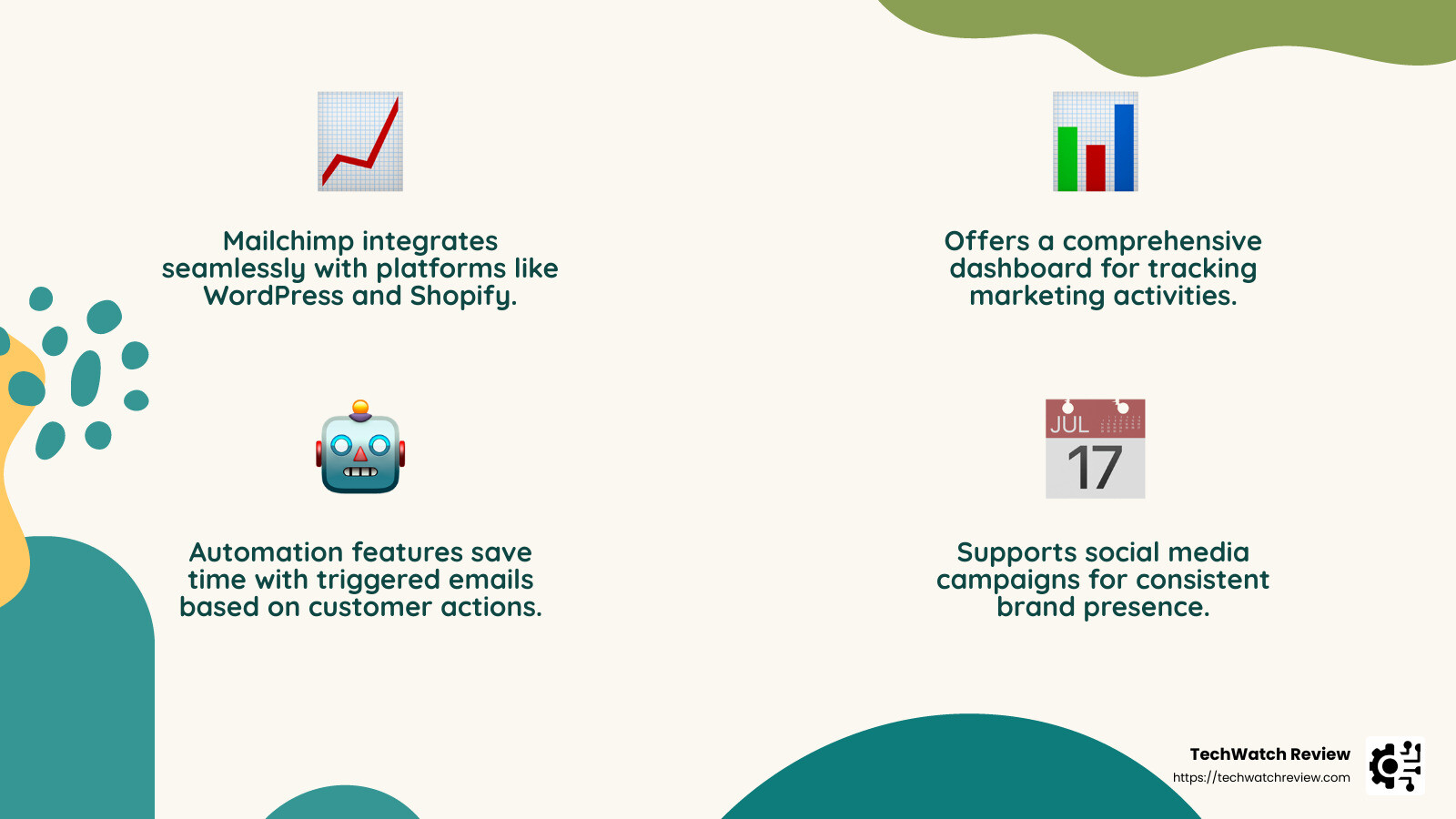
The platform also offers a range of automation features. For example, you can set up automated welcome emails for new subscribers or trigger emails based on specific customer actions. This automation not only saves time but also ensures that your audience receives timely and relevant content.
In addition to email marketing, Mailchimp supports social media campaigns. You can create and schedule posts for platforms like Facebook and Instagram directly from the Mailchimp interface. This multi-channel approach allows businesses to maintain a consistent brand presence across different platforms.
Mailchimp offers a free plan, which is perfect for small businesses or startups looking to get started with email marketing. As your business grows, you can explore their paid plans for more advanced features and support.
For businesses seeking a comprehensive marketing solution that integrates email, social media, and customer data management, Mailchimp is a top choice. Explore more about Mailchimp’s features and get started on your marketing journey here.
4. Parabola
Parabola is a game-changer in the field of data automation and API integration. It’s designed to simplify the complex task of connecting and automating data workflows, making it accessible even to those without technical expertise.
At its core, Parabola offers a drag-and-drop interface that empowers users to build custom workflows with ease. Think of it as a visual playground where you can manipulate data from various sources like Salesforce, Mailchimp, and Shopify without writing a single line of code. This visual approach not only improves productivity but also democratizes data management, enabling non-programmers to create sophisticated data processes.
Parabola shines when it comes to API integration. It allows businesses to connect to external APIs effortlessly, streamlining the flow of data between different systems. Whether you’re pulling data from an external database or pushing it to another platform, Parabola handles the intricacies for you. This capability is particularly invaluable for ecommerce businesses, where seamless data exchange is crucial for operations.
One of the standout features of Parabola is its ability to automate repetitive tasks. By setting up workflows that run on a schedule, businesses can save countless hours that would otherwise be spent on manual data handling. Imagine automating the process of updating inventory levels across multiple platforms or generating daily sales reports—tasks that Parabola can handle with ease.
For startups and small businesses looking to optimize their operations, Parabola offers a free plan. This plan provides access to essential features, allowing users to explore and understand the platform’s capabilities without a financial commitment. As your business scales, you can consider upgrading to a paid plan that offers more advanced functionalities.
When data is king, having a tool like Parabola can give your business a competitive edge. By automating data processes and integrating seamlessly with other platforms, Parabola helps you focus on what truly matters—growing your business. Find more about how Parabola can transform your data management here.
5. Voiceflow
Voiceflow is revolutionizing the way we create voice apps. Imagine building apps that can talk back, help users, and even carry on a conversation—all without writing a single line of code. That’s the power of Voiceflow.
With the rise of voice-activated tech like Siri and Alexa, more businesses want to tap into this trend. Voiceflow makes it possible for anyone, regardless of technical skills, to design and develop these apps using a simple drag-and-drop interface.
Drag-and-Drop Blocks
At the heart of Voiceflow’s platform are drag-and-drop blocks. These blocks allow users to visually arrange the flow of the app, setting up how it will interact with users. This means you can design the entire conversation, including prompts, responses, and even complex logic, just by moving blocks around on your screen. It’s like building with LEGO bricks, but for voice apps.
AI Development
Voiceflow integrates AI development seamlessly into its platform. This means your apps can be more than just simple question-and-answer tools. They can understand user intent, handle complex requests, and even learn over time. You can create sophisticated voice interactions that feel natural and intuitive, enhancing the user experience.
Whether you’re looking to build a voice assistant for Google Home, an in-car assistant, or a chatbot for customer service, Voiceflow provides the tools you need to bring your ideas to life.
Real-World Applications
Consider this: a small business wants to create a voice app that helps customers find products in their store. With Voiceflow, they can design an app that guides users through their inventory, answers questions, and even suggests related items—all without hiring a developer. This kind of accessibility is what makes Voiceflow a game-changer.
For more insights on how Voiceflow is democratizing voice app development, check out their website here.
Voiceflow isn’t just about building apps; it’s about empowering everyone to be part of the voice revolution. Whether you’re a marketer, a designer, or just someone with a great idea, Voiceflow gives you the tools to make it happen.
For additional resources on no-code platforms, you might want to explore Bubble or Adalo, which offer similar drag-and-drop functionalities for app development.
6. Bubble
Bubble is a standout in no-code app builders. It enables you to create fully functional web applications without needing to know any programming languages. This tool is perfect for anyone with a great idea who wants to bring it to life quickly and efficiently.
Visual Components
Bubble’s strength lies in its visual components. The platform provides a wide array of pre-built elements that you can drag and drop to design your app’s interface. Think of it like arranging puzzle pieces to create a complete picture. You can customize buttons, forms, and other elements to fit your vision, making it easy to build anything from simple apps to complex dashboards.
Software Development for Everyone
One of Bubble’s key appeals is its ability to democratize software development. By removing the barriers of traditional coding, it allows creatives, entrepreneurs, and businesses to develop apps without hiring a developer. This opens up opportunities for innovation and experimentation, as you can easily test and iterate on your ideas.
Advanced Logic and Customization
While Bubble is accessible to beginners, it also offers powerful tools for more advanced users. You can set up complex workflows and logic to dictate how your app behaves. For example, you can automate actions based on user interactions, manage data dynamically, and integrate with external services through APIs. This flexibility makes Bubble suitable for a wide range of applications, from CRMs to social networks.
Real-World Success
Many startups and businesses have successfully launched apps using Bubble. For instance, a small team could develop a marketplace app that connects local artisans with buyers, all without a single line of code. This ability to quickly prototype and deploy apps is why Bubble is a favorite among entrepreneurs.
For those interested in exploring Bubble’s capabilities, you can start with their Bubble Academy or check out their three-hour crash course to get up to speed.
Bubble is more than just an app builder; it’s a gateway for anyone to turn ideas into reality, no matter their technical background.
Next, let’s dive into Makerpad, a platform that offers tutorials and resources to help you steer the no-code landscape.
7. Makerpad
Makerpad is a treasure trove for anyone eager to explore no-code education. It’s not just a platform; it’s a community and a learning hub for creators of all skill levels. Whether you’re a newbie looking to dip your toes into no-code or a seasoned builder aiming to refine your skills, Makerpad has something for everyone.
Tutorials Galore
The strength of Makerpad lies in its extensive collection of tutorials. These guides cover a wide range of topics, from building simple automations to crafting complex web applications. Each tutorial is designed to be easy to follow, with step-by-step instructions that make learning a breeze. If you’re ever stuck, the Makerpad community is there to help, offering support and advice to keep you moving forward.
Tools and Resources
Makerpad isn’t just about learning; it’s also about doing. The platform provides access to a variety of tools that can help you create and launch your projects. Whether you’re interested in building a website, an app, or an automation, you’ll find the right tools to get the job done. Makerpad even offers a curated list of no-code tools, helping you find the best fit for your project needs.
Real-Life Case Studies
One of the most inspiring aspects of Makerpad is its collection of case studies. These stories showcase real-world examples of how individuals and businesses have used no-code tools to solve problems and create innovative solutions. From launching startups to automating business processes, these case studies demonstrate the power and potential of no-code development.
A Hub for No-Code Education
At its core, Makerpad is dedicated to no-code education. It offers courses and workshops that dig deeper into specific topics, allowing you to expand your knowledge and skill set. Whether you’re interested in learning how to automate your workflow with Zapier or build a chatbot with Landbot, Makerpad provides the educational resources you need to succeed.
For anyone looking to explore the possibilities of no-code, Makerpad is an invaluable resource. It’s a place where you can learn, create, and connect with others who share your passion for building without code.
Next, we’ll explore Airtable, a platform that combines the simplicity of spreadsheets with the power of databases.
8. Airtable
Airtable is a standout in free no-code platform software, offering a unique blend of spreadsheets and databases. It’s designed for those who love the simplicity of a spreadsheet but need the capabilities of a database to manage complex projects.
More Than Just a Spreadsheet
At first glance, Airtable looks like a regular spreadsheet. But it’s much more. You can use it to organize anything from a simple to-do list to a complex project management system. With real-time collaboration and the ability to attach files, Airtable transforms your data into a dynamic workspace. It’s like having a boostd spreadsheet that can handle more than just numbers.
Powerful Database Features
Airtable shines with its database features. You can link records between tables, create custom views, and use advanced filtering and sorting options. This makes it easy to track and analyze data across different projects or departments. Whether you’re managing a content calendar, tracking sales leads, or planning an event, Airtable helps you stay organized and on top of your tasks.
Project Management Made Easy
For project management, Airtable offers a flexible solution. You can customize it to fit your workflow, whether you’re working solo or with a team. Use it to assign tasks, set deadlines, and monitor progress. The visual interface makes it easy to see where everything stands at a glance. Plus, with the ability to automate repetitive tasks, you can save time and reduce errors.
Integration and Collaboration
Airtable integrates with popular apps like Slack and Google Calendar, which means you can streamline your workflow and keep all your tools connected. With real-time collaboration, team members can work together seamlessly, ensuring everyone is on the same page.
A Versatile Tool for All
Whether you’re a small business owner, a project manager, or a creative professional, Airtable offers the flexibility and power you need. It’s a tool that grows with you, adapting to your needs as your projects evolve.
Next up, we’ll dive into Coda, a platform that brings everything together in one collaborative workspace.
9. Coda
Coda is a powerhouse in the field of free no-code platform software, designed to unify your workflow in a single, collaborative workspace. Imagine a place where your documents, spreadsheets, and apps converge into one seamless experience. That’s Coda.
Coda Docs: Your Central Hub
At the heart of Coda are Coda docs. These aren’t your average documents. Each doc is a dynamic space where you can add tables, charts, and even interactive elements. It’s like having a document that thinks like an app. You can start with a blank canvas and build something as simple as a to-do list or as complex as a project management system.
Seamless Integrations
One of Coda’s standout features is its ability to integrate with other tools. Whether you’re using Slack for team communication or Google Calendar for scheduling, Coda connects effortlessly with these platforms. This means you can pull in data, automate tasks, and keep everything in sync without juggling multiple apps.
Streamlined Collaboration
Coda shines in its collaborative capabilities. Team members can work together in real-time, making edits and updates that everyone can see immediately. It’s perfect for teams that need to stay aligned and work efficiently. Plus, with Coda’s commenting and notification features, you can have discussions right where the work is happening.
Customizable Workflows
Every team works differently, and Coda understands that. You can customize your docs to fit your unique workflow. Whether you’re managing a product launch, tracking sales leads, or planning a marketing campaign, Coda adapts to your needs. Use templates to get started quickly, or build from scratch for a tailor-made solution.
A Platform for Everyone
Coda is versatile enough for everyone, from small startups to large enterprises. It empowers non-technical users to create solutions without writing a single line of code. Whether you’re a project manager, a marketer, or an entrepreneur, Coda provides the tools you need to bring your ideas to life.
Next, we’ll explore Gumroad, a platform that empowers creators to turn their passions into businesses.
10. Gumroad
Gumroad is a standout in free no-code platform software for creatives looking to monetize their talents. It’s not just an ecommerce platform; it’s a gateway for artists, writers, and educators to turn their creativity into a thriving business.
Release Your Creativity
Gumroad is perfect for creators who want to sell digital products. Whether you’re an illustrator, musician, or course creator, Gumroad provides the tools to showcase and sell your work. You can easily upload your digital goods, set prices, and start selling without any technical problems.
Selling Online Courses
One of Gumroad’s popular features is its ability to host online courses. If you’ve got knowledge to share, Gumroad lets you package it into a course and sell it to a global audience. It’s a simple way to reach students and earn money from your expertise.
Easy Ecommerce
Setting up an online store can be daunting, but Gumroad simplifies the process. With its user-friendly interface, you can create a storefront in minutes. There’s no need for complex coding or web design skills. Just upload your products, write descriptions, and you’re ready to go.
Building a Creative Business
Gumroad empowers creators to become entrepreneurs. It offers features like discount codes, subscription models, and analytics to help you grow your business. You can even integrate with Zapier to automate workflows and connect with other tools you use.
Community and Support
Gumroad isn’t just a platform; it’s a community. Creators can connect, share ideas, and support each other. Plus, Gumroad offers resources and guides to help you succeed, whether you’re selling your first product or scaling your business.
Next, we’ll dive into Landbot, a platform that makes building custom chatbots a breeze.
11. Landbot
Landbot is a powerful tool in the field of free no-code platform software aimed at businesses looking to improve customer interaction through chatbots. This platform allows you to create custom chatbots that engage users and streamline communication.
Build Engaging Chatbots
Creating chatbots with Landbot is as easy as pie. Using a simple drag-and-drop interface, you can build chatbots that greet visitors, answer questions, and even collect leads. These chatbots aren’t just static; they are designed to engage users with personalized conversation prompts.
Conversation Prompts
One of Landbot’s standout features is its ability to create dynamic conversation prompts. These prompts guide users through a conversation, ensuring they find the information they need. You can customize these prompts to reflect your brand’s voice, making each interaction unique and memorable.
WhatsApp Integration
Landbot doesn’t stop at web-based chatbots. With its seamless WhatsApp integration, you can reach your audience where they are most active. This means you can engage with customers directly on WhatsApp, providing support and information in a channel they already use and trust.
Easy Workflow
Landbot’s workflow is intuitive, allowing you to connect various parts of a conversation effortlessly. This ensures that your chatbot conversations are smooth and logical, providing a positive user experience.
Lead Generation
Beyond customer service, Landbot is a valuable tool for lead generation. By engaging users in meaningful conversations, your chatbots can collect valuable information that your sales team can follow up on. This makes Landbot not only a communication tool but also a strategic asset for your business.
Integration with Other Tools
To improve its functionality, Landbot can be integrated with other tools like Zapier or Google Sheets. This allows you to automate workflows and manage data efficiently, making Landbot a versatile choice for businesses looking to optimize their processes.
In the next section, we’ll explore Zapier, an automation platform that connects your favorite apps and simplifies your workflow.
12. Zapier
Zapier is a game-changer in free no-code platform software, especially for those looking to automate workflows, integrate apps, and manage data seamlessly. It acts as a bridge between your favorite apps, allowing them to communicate and work together without any coding required.
Workflow Automation
Imagine a world where repetitive tasks are handled automatically. That’s what Zapier offers. By setting up “Zaps”—automated workflows that consist of triggers and actions—you can save time and reduce manual work. For instance, when a new lead comes in through a form, Zapier can automatically add it to your CRM and notify your sales team.
App Integration
Zapier supports integration with over 2,000 apps, including popular ones like Slack, Gmail, and Salesforce. This means you can connect almost any tool you use in your business to create a unified system. Whether it’s linking your project management tool with your time tracker or syncing data between your e-commerce platform and accounting software, Zapier makes it easy.
Data Management
Keeping data consistent and error-free across platforms can be a headache. Zapier solves this by ensuring data synchronization between apps. This reduces errors and improves data accuracy, making it a reliable choice for businesses that need robust data management solutions. For example, you can automate the transfer of sales data from your online store to your accounting software, ensuring that your financial records are always up to date.
Customizable Triggers and Actions
The flexibility of Zapier lies in its customizable triggers and actions. You can tailor automation to fit specific business needs. For instance, set a trigger to start an email sequence when a customer performs a particular action, like downloading a whitepaper or attending a webinar.
Increased Collaboration
Zapier also improves team collaboration by automating information sharing. This means your team can stay informed and work together more efficiently. For example, when a new sales lead is captured, Zapier can instantly share this information with your sales team, ensuring they can act quickly.
Time-Saving
By automating data entry and other repetitive tasks, Zapier allows your staff to focus on more strategic activities. This not only saves time but also reduces the likelihood of human errors, ensuring that data is transferred accurately between business applications.
Scalability
As your business grows, Zapier scales with you. Its adaptable workflows support business expansion without adding complexity. You can easily add new tools and expand automation processes as needed, making it a future-proof solution for growing businesses.
Notifications and Alerts
Stay informed with Zapier’s notification and alert features. Set conditions to receive alerts for important events, like new customer sign-ups or support tickets. This keeps your team in the loop and ready to respond when needed.
Next, we’ll dive into Thunkable, a platform that empowers you to create mobile apps using a simple drag-and-drop interface.
13. Thunkable
Thunkable shines in the field of free no-code platform software by making mobile app development accessible to everyone. With its user-friendly drag-and-drop interface, you can build robust mobile apps without writing a single line of code.
Mobile Apps Made Easy
Thunkable allows you to create mobile apps that work seamlessly on both iOS and Android. This cross-platform capability means you can reach a wider audience with less effort. Whether you’re building an app for a small business, a school project, or just for fun, Thunkable provides the tools you need to bring your ideas to life.
Drag-and-Drop Interface
The beauty of Thunkable lies in its intuitive drag-and-drop interface. You simply select components and place them where you want on the app screen. Need a button, a text box, or an image? Just drag it over. This visual approach to app building makes it easy for anyone to get started, even if you’ve never coded before.
Open Source Projects
Thunkable also supports open source projects, allowing you to tap into a community of creators. You can explore a variety of open source templates and projects to get inspiration or even use them as a starting point for your own app. This collaborative environment fosters innovation and learning, making it perfect for both beginners and experienced developers.
Extensive Functionality
Despite its simplicity, Thunkable doesn’t skimp on functionality. You can integrate device features like GPS, camera, and push notifications. This means your app can do everything from tracking location to sending alerts, providing a rich user experience.
Logic Blocks
Thunkable’s use of logic blocks lets you implement complex functionalities with ease. You can create advanced user flows by connecting blocks that define how your app behaves. This visual logic system is both powerful and easy to understand, making it possible to build sophisticated apps without traditional programming.
Community and Resources
The Thunkable community is a great resource for learning and support. With tutorials, forums, and case studies, you have access to a wealth of knowledge and experience. Whether you’re troubleshooting an issue or looking for new ideas, the community is there to help.
Real-World Applications
Many have used Thunkable to create apps that solve real-world problems. For instance, educators have built apps to engage students, while entrepreneurs have launched apps to support their businesses. This versatility makes Thunkable a valuable tool for various projects.
Free and Accessible
Thunkable offers a free plan, making it accessible to anyone with an internet connection. This democratizes app development, allowing anyone with an idea to bring it to life without financial barriers.
Next, we’ll explore Typeform, a platform that excels in creating engaging forms and surveys with an exceptional user experience.
14. Typeform
Typeform stands out in free no-code platform software by revolutionizing the way we create forms and surveys. It’s not just about collecting data; it’s about creating a user experience that feels engaging and personal.
Engaging Forms and Surveys
Typeform is designed to make every interaction feel like a conversation. Instead of overwhelming users with a long list of questions, Typeform presents one question at a time. This approach keeps users engaged and increases completion rates. Whether you’re gathering feedback, conducting research, or generating leads, Typeform ensures your audience stays interested.
Lead Generation with Style
For businesses, generating leads is crucial. Typeform offers a variety of templates to help you create forms that capture attention and collect valuable information. With features like conditional logic, you can personalize the experience based on user responses, making your forms smarter and more effective.
Exceptional User Experience
One of Typeform’s greatest strengths is its focus on user experience. The platform’s clean and intuitive design makes it easy for anyone to create beautiful forms without any design skills. You can customize colors, fonts, and backgrounds to match your brand, ensuring a seamless experience for your users.
Powerful Integrations
Typeform doesn’t work in isolation. It integrates with a wide range of apps and services, like Zapier, Slack, and Google Sheets, to automate workflows and manage data efficiently. This connectivity means you can easily sync responses with your existing systems, saving time and reducing manual data entry.
Personalized Question Paths
With Typeform Professional, you can create personalized question paths using logic jumps. This means you can tailor the survey experience to each respondent, asking follow-up questions based on their previous answers. This level of personalization not only improves the quality of the data collected but also improves the overall user experience.
Community and Resources
Typeform provides extensive resources to help you get started. From tutorials to webinars, you have access to a wealth of information. The Typeform community is also active and supportive, offering tips and sharing best practices to help you make the most of the platform.
Versatile Use Cases
Typeform is used by businesses, educators, and researchers worldwide. Whether you’re conducting market research, gathering feedback, or creating quizzes, Typeform offers the flexibility to meet a wide range of needs. Its engaging format makes it a favorite for anyone looking to collect data in a more human way.
Free to Get Started
Typeform offers a free plan that lets you create and share forms with basic features. This makes it accessible to individuals and small businesses, allowing them to leverage powerful form-building tools without breaking the bank.
Next, we’ll dive into Glide, a platform that transforms spreadsheets into beautiful, functional apps with ease.
15. Glide
Glide is a standout in the field of free no-code platform software. It empowers anyone with basic spreadsheet skills to turn data into functional, visually appealing apps without writing a single line of code.
Transform Spreadsheets into Apps
At its core, Glide uses spreadsheet integration to power app creation. Whether you’re using Google Sheets or Excel, Glide pulls data directly from your spreadsheets. This means you can leverage your existing data to build apps that streamline processes like inventory management or sales tracking.
Progressive Web Applications Made Easy
Glide excels in creating progressive web applications (PWAs). These apps work seamlessly across devices, offering a native app-like experience right from your browser. This is perfect for businesses looking to deploy internal tools quickly and efficiently. Plus, you can install these apps on your computer or smartphone with just a few clicks, making them easily accessible for testing and sharing.
Ready-to-Use Templates
For those new to app development, Glide offers a variety of templates to kickstart your project. Whether you need a marketplace, directory, or employee directory, Glide’s templates provide a solid foundation. These templates are designed to be intuitive and ready to use, so you can focus on customizing them to suit your specific needs.
Automate and Integrate
Glide’s integration with Zapier allows you to automate workflows directly from your app. This means you can set up triggers and actions that connect your app with other tools, streamlining your business processes even further. Additionally, Glide’s AI features let you add text or image generation capabilities to your app effortlessly, enhancing functionality without the complexity of API setups.
Learn and Grow with Glide University
If you’re new to no-code development, Glide University is a fantastic resource. It offers a range of high-quality videos and tutorials that guide you through the app-building process. You’ll learn not just how to use Glide, but also gain insights into best practices for app development.
Cost Considerations
While Glide offers a free plan for individuals, accessing more advanced features requires a paid subscription starting at $60/month. This pricing structure makes it accessible for small businesses and individual entrepreneurs looking to create powerful apps without a hefty investment.
Next, we’ll explore Adalo, a platform that allows you to create interactive web and mobile apps with ease.
16. Adalo
Adalo is a versatile tool in free no-code platform software. It empowers users to create both web and mobile apps using a simple drag-and-drop interface, making app development accessible to everyone, regardless of coding experience.
Build Web and Mobile Apps Easily
Adalo allows you to design and deploy web and mobile applications without writing code. Whether you’re aiming to create a business app or a personal project, Adalo’s platform supports both iOS and Android, ensuring your app reaches a wide audience. This cross-platform capability is especially beneficial for businesses looking to maintain a consistent presence across multiple devices.
Intuitive Drag-and-Drop Interface
One of Adalo’s standout features is its intuitive drag-and-drop interface. This user-friendly design means you can easily add buttons, forms, and other elements to your app by simply dragging them into place. This approach not only speeds up the development process but also makes it more enjoyable, allowing you to focus on creativity rather than technical details.
Interactive Features for Engaging Apps
Adalo is not just about static designs. It offers a range of interactive features that bring your app to life. You can integrate databases, set up user authentication, and even include payment gateways, all without touching a line of code. This interactivity is crucial for creating apps that engage users and provide a seamless experience.
Publish Directly to App Stores
Once your app is ready, Adalo makes it easy to publish directly to the Apple App Store and Google Play Store. This streamlined publishing process means you can get your app into the hands of users quickly, without navigating the complexities of coding and deployment.
Extensive Component Marketplace
Adalo’s component marketplace offers additional elements to extend your app’s functionality. Whether you need advanced forms, charts, or third-party integrations, the marketplace provides a variety of components to improve your app. This flexibility allows you to tailor your app to meet specific needs, ensuring it stands out in a competitive market.
Learning and Support
Adalo provides a wealth of resources to support your app-building journey. From tutorials to community forums, there’s plenty of help available to guide you through the process. This support network is invaluable for beginners and experienced developers alike, ensuring you can troubleshoot issues and gain new skills as you build your app.
Cost and Accessibility
Adalo offers a free plan that lets you explore its features and create basic apps. For more advanced functionalities and unlimited app building, paid plans start at $50/month. This pricing model makes Adalo an attractive option for small businesses and entrepreneurs who want to develop high-quality apps without significant financial outlay.
Next, we’ll dive into Softr, a platform known for its seamless integration with Airtable and ease of use in creating web apps.
17. Softr
Softr is a standout in the field of free no-code platform software, particularly when it comes to creating web apps and membership sites. Its integration with Airtable makes it a compelling choice for those who want to leverage database capabilities without diving into complex coding.
Effortless Web App Creation
Creating web apps with Softr is as easy as pie. It offers a user-friendly interface that welcomes beginners with open arms. You can start building your app in minutes, thanks to its intuitive drag-and-drop design. Whether you’re crafting a personal project or a business solution, Softr provides the tools to bring your ideas to life.
Seamless Airtable Integration
Softr shines with its seamless integration with Airtable. This feature allows you to use Airtable as the backend for your web apps, turning your spreadsheets into dynamic, data-driven applications. You can manage and display your data effortlessly, making it ideal for businesses that rely on organized and accessible information.
Building Membership Sites
If you’re looking to create a membership site, Softr has you covered. It provides simple yet powerful tools to set up user management and subscription features. This makes it easy to offer exclusive content or services to your users, enhancing their experience and engagement with your platform.
A Wealth of Templates
Softr offers a variety of templates to kickstart your project. Whether you need a CRM, a directory, or a simple landing page, there’s a template to suit your needs. These templates not only save time but also provide a solid foundation to customize and expand upon as your project grows.
User-Friendly Customization
Customization in Softr is straightforward. You can tweak the layout, design, and functionality of your app with ease. This flexibility allows you to tailor your app to meet specific requirements, ensuring it aligns with your brand and goals. Plus, you can preview changes in real time, making the development process smooth and efficient.
Connectivity and Automation
Softr doesn’t stop at Airtable; it also connects with other tools and platforms like Zapier, enabling automation and integration with various services. This connectivity is perfect for streamlining workflows and enhancing the capabilities of your app, all without writing a line of code.
Pricing and Accessibility
Softr offers a free plan that allows you to explore its core features. For those who need more advanced functionalities, paid plans start at $59/month. This pricing structure makes Softr an accessible option for startups and small businesses looking to build robust web apps and membership sites without breaking the bank.
Next, let’s explore Draftbit, a platform known for its visual development capabilities in creating mobile apps.
18. Draftbit
Draftbit is a powerful tool for creating mobile apps using a visual development approach. It stands out in the field of free no-code platform software by offering a user-friendly interface that allows you to build apps without writing code.
Visual Development Made Easy
Draftbit provides an intuitive visual interface, perfect for those who want to design mobile apps quickly. You can drag and drop components to build your app’s layout, making the process straightforward and accessible even if you’re new to app development. This visual approach means you can see your app come to life in real-time, allowing for immediate adjustments and refinements.
Pre-Built Components
One of Draftbit’s strongest features is its collection of pre-built components. These components serve as building blocks for your app, saving you time and effort. Whether you need buttons, forms, or navigation menus, Draftbit has you covered. These pre-built elements are designed to be customizable, ensuring your app retains a unique look and feel.
Flexible Mobile App Creation
Draftbit offers flexibility in app creation, allowing you to build both simple and complex mobile applications. You can start with a basic structure using pre-built templates and then expand upon it as your app’s requirements evolve. This flexibility is particularly beneficial for startups and small businesses that need to scale their apps as they grow.
Collaborative Development
Draftbit also supports collaborative development, making it easy for teams to work together on app projects. By inviting team members, you can ensure that everyone is on the same page and contribute to the development process. This feature is essential for businesses looking to streamline their app-building efforts and improve productivity.
Real-Time Testing and Deployment
With Draftbit, you can test your app in real-time, directly on your mobile device. This immediate feedback loop helps identify issues early, ensuring a smoother development process. Once your app is ready, Draftbit allows for easy deployment to both iOS and Android platforms, making it accessible to a wide audience.
Pricing
Draftbit offers a free plan that lets you explore its core features, with paid plans starting at $29/month for more advanced options. This pricing structure makes Draftbit an attractive option for developers and businesses looking to create mobile apps without a significant upfront investment.
For more insights into no-code platforms, you might want to explore Bubble or Adalo, which also offer robust tools for app development. Additionally, check out our article on Top No-Code Tools for 2026 for a comprehensive guide.
Frequently Asked Questions about Free No-Code Platform Software
Are No-Code Platforms Free?
Yes, many no-code platforms offer free plans or trials, making them accessible to everyone. For instance, Flipabit and Wix provide free versions that allow you to explore their features without any cost. These free plans are great for beginners who want to try building apps or websites without a financial commitment.
Flipabit is particularly known for its user-friendly interface that enables anyone to create mobile apps quickly. Meanwhile, Wix offers a comprehensive website building experience, complete with an automatic website builder powered by artificial intelligence. This AI-driven tool helps you design a website by simply answering a few questions about your preferences and needs.
What is the Best Free No-Code Tool for Websites?
When it comes to building websites without coding, several platforms stand out. Wix is a popular choice due to its ease of use and extensive template library. It allows users to create beautiful websites effortlessly with its drag-and-drop editor.
For those looking for more specialized tools, platforms like Xano, Appian, Nintex, Appsmith, and Mendix offer unique features for different needs. For example, Xano provides a robust backend solution that integrates seamlessly with various front-end builders, making it a powerful choice for creating dynamic web applications.
Appian and Nintex are excellent for process automation and workflow management, while Appsmith and Mendix offer tools for building enterprise-level applications. Each of these platforms provides a free tier, allowing users to explore their capabilities before committing to a paid plan.
Is There a Free App Maker Without Coding?
Absolutely! There are several app makers that allow you to create apps without writing a single line of code. Thunkable is one such platform that offers a free plan. It uses a drag-and-drop interface to build mobile apps, making it accessible to users of all skill levels.
Another notable mention is Adalo, which provides tools for creating both web and mobile apps. It offers a free plan that lets you publish apps with limited features, perfect for testing and prototyping.
Moreover, Wix is not just limited to websites. It also has capabilities for building simple apps, leveraging its artificial intelligence for automatic app creation. This feature is particularly useful for those who want to develop basic apps quickly and without any coding expertise.
These platforms make it easier than ever to bring your app ideas to life, even if you’re just starting out in digital creation.
Next, we’ll explore the latest trends and innovations in the no-code space, providing insights into how these platforms are evolving to meet the demands of modern users.
The no-code revolution is reshaping the landscape of software creation, making it accessible to everyone, regardless of technical expertise. At TechWatch Review, we are committed to shedding light on how these platforms are democratizing software development, allowing anyone with an idea to bring it to life without the need for coding skills.
TechWatch Review is dedicated to providing you with the latest insights and reviews on no-code development tools. Our goal is to empower creators by highlighting the potential of these platforms to transform ideas into reality. Whether you’re a budding entrepreneur or a seasoned developer, no-code tools offer a way to quickly prototype, iterate, and deploy applications with ease.
The beauty of no-code development lies in its ability to break down the barriers traditionally associated with software creation. By leveraging visual programming and drag-and-drop interfaces, these platforms enable users to focus on innovation and creativity rather than technical complexities. This shift is not only empowering individuals but also fostering a new wave of digital innovation across industries.
As we look to the future, the evolution of no-code platforms promises even more robust features and integrations, further blurring the lines between low-code and no-code solutions. This progression will undoubtedly continue to democratize the tech industry, opening doors for more diverse voices and ideas to flourish.
For a deeper dive into no-code platforms and to stay updated on the latest developments, be sure to explore our TechWatch Review resources. We’re here to guide you through the exciting journey of no-code development and beyond.