Table of Contents
- The Rise of No-Code App Builder Software
- What is No-Code App Builder Software?
- Top 10 No-Code App Builder Software in 2026
- 1. Appy Pie
- 2. Zoho Creator
- 3. Glide
- 4. Adalo
- 5. Bubble
- 6. Webflow
- 7. Bravo
- 8. Airtable
- 9. Thunkable
- 10. Softr
- Benefits of Using No-Code App Builder Software
- How to Choose the Best No-Code App Builder Software
- Frequently Asked Questions about No-Code App Builder Software
The Rise of No-Code App Builder Software
In today’s digital world, no code app builder software is revolutionizing how we create applications. Gone are the days when building an app required extensive coding knowledge. Now, anyone with an idea can bring it to life without writing a single line of code. This democratically opens up app development to non-technical users, enabling faster, more affordable solutions.
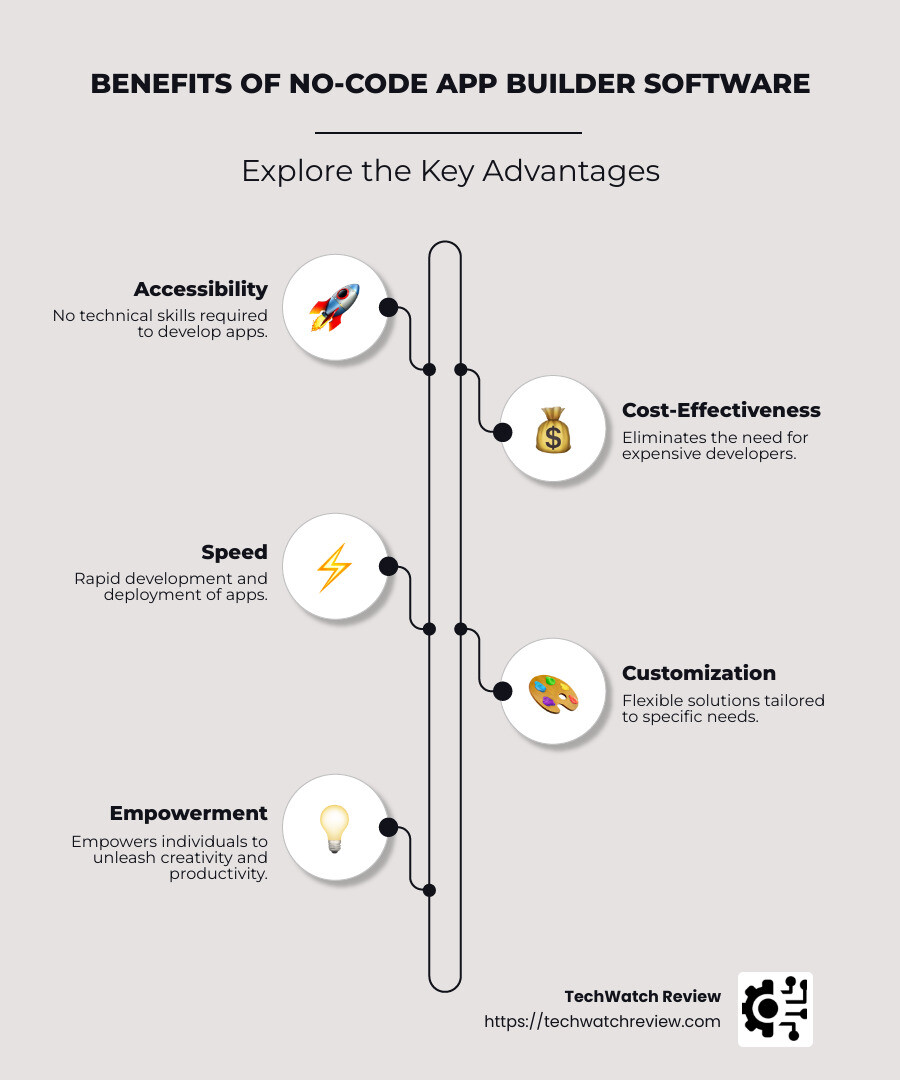
Here’s why no code app builder software can benefit everyone:
- Accessibility: No technical skills required.
- Cost-Effectiveness: Reduces the need for expensive developers.
- Speed: Develop and deploy apps rapidly.
- Customization: Tailor solutions to precise needs using intuitive drag-and-drop interfaces.
Whether you’re a small business owner, a creative professional, or just someone with a great idea, this software is for you. No-code platforms empower individuals to create powerful tools and automate processes, releasing creativity and enhancing productivity across all sectors. These tools are trusted by thousands of companies and individuals to streamline operations and bring innovations to market in record time.
For more insights on revolutionizing app development, explore TechWatch Review’s blog resources on no-code web apps, best no code app development platform, and no code ecommerce platform.

What is No-Code App Builder Software?
No-Code App Builder Software is a tool that allows anyone to create applications without writing traditional code. It uses a visual user interface where users can drag and drop pre-built components to design their app. This approach makes app development accessible to everyone, regardless of their technical skills.
Visual User Interface
The core feature of no-code platforms is their visual user interface. This interface simplifies the complex process of coding by allowing users to build applications using visual elements, much like creating a presentation in PowerPoint or designing graphics in Canva. Users can see their changes in real-time, making it easier to understand how the app will function.
Pre-Built Components
No-code platforms come with a library of pre-built components. These components are the building blocks of your app, including buttons, forms, and data tables. By using these pre-built elements, users can quickly assemble an app that meets their needs without starting from scratch.
Top 10 No-Code App Builder Software in 2026
No-code app builder software has revolutionized the way we create applications. With intuitive interfaces and versatile components, these platforms empower anyone to develop apps without writing code. Here’s a look at the top 10 no-code app builders for 2026.
1. Appy Pie
Appy Pie is a popular choice for building mobile apps without coding. Its drag-and-drop editor simplifies the process, allowing users to design, customize, and publish apps to Google Play and the Apple App Store. This platform is ideal for small businesses, offering features like chatbots and AI integration. Learn more about Appy Pie on their official website.
2. Zoho Creator
Zoho Creator provides a flexible app development environment with its drag-and-drop interface. It’s perfect for businesses looking to automate tasks like sales management or recruitment tracking. Zoho Creator supports integration with apps like PayPal and Google Workspace, enhancing its functionality. Visit Zoho Creator for more details.
3. Glide
Glide is known for its seamless integration with spreadsheets, making it easy to create custom workflows. Users can transform data from Google Sheets into interactive mobile apps, perfect for managing projects or organizing events. Check out Glide for more information.
4. Adalo
Adalo specializes in creating custom responsive web apps. Its visual editor allows users to build apps with ease, similar to designing slides in PowerPoint. Adalo’s component marketplace extends app functionality, making it a favorite among the no-code community.
Explore more about Adalo on their website.
5. Bubble
Bubble offers a powerful visual programming platform for building complex web applications. It provides extensive options for functional customization, allowing users to create everything from social networks to CRMs. Bubble is a go-to choice for those seeking robust app development tools. Visit Bubble to learn more.
6. Webflow
Webflow empowers users to design professional websites without coding. With a visual canvas and a variety of templates, users can quickly bring their ideas to life. Webflow is ideal for creating stunning, fully functional websites that are easy to customize. Discover more on Webflow’s website.
7. Bravo
Bravo stands out for its integration with Figma and Adobe XD, enabling designers to convert their creations into native apps for iOS and Android. This “bring your own design” approach simplifies the transition from concept to app, making Bravo popular among designers. Learn more about Bravo on their official site.
8. Airtable
Airtable combines the functionality of spreadsheets and databases in a modular system. It’s perfect for organizing information, whether it’s a project calendar or a customer list. Airtable’s versatility and ease of use make it a standout choice for businesses. Visit Airtable for more information.
9. Thunkable
Thunkable is designed for building mobile applications with drag-and-drop functionality. It supports cross-platform development, allowing users to create apps for both Android and iOS. Thunkable is user-friendly, making it accessible for beginners and professionals alike. Check out Thunkable for more details.
10. Softr
Softr is a beginner-friendly platform that integrates seamlessly with Airtable. It allows users to build web apps with no prior coding knowledge. Softr’s simplicity and effectiveness make it an excellent choice for those new to no-code development. Learn more about Softr on their website.
These top 10 platforms highlight the versatility and power of no-code app builder software. Whether you’re a business professional or an aspiring developer, these tools provide everything you need to bring your app ideas to life. Explore more about no-code platforms on TechWatch Review.
1. Appy Pie
Appy Pie is a standout in the field of no-code app builder software, particularly for mobile app development. Its intuitive drag-and-drop editor makes app creation accessible to everyone, regardless of technical expertise. This feature allows users to effortlessly add and arrange components, making the process as simple as assembling a puzzle.
Key Features
-
User-Friendly Interface: Appy Pie’s editor is designed to be straightforward, enabling users to design apps visually without needing to understand complex coding languages.
-
Mobile App Development: The platform excels in creating mobile apps for Android and iOS, making it a go-to choice for small businesses and entrepreneurs looking to reach a wide audience.
-
Integration of Advanced Features: Beyond basic app functionalities, Appy Pie offers the ability to incorporate advanced features like chatbots, AI, and augmented reality. This flexibility allows businesses to create apps that are not only functional but also innovative.
-
Cross-Platform Publishing: Once an app is developed, users can easily publish it to both Google Play and the Apple App Store. This streamlines the process of reaching users across different platforms without additional hassle.
Why Choose Appy Pie?
Appy Pie is particularly beneficial for small businesses, restaurants, and personal projects. It provides a cost-effective way to develop apps, eliminating the need for hiring expensive development teams. The platform’s versatility is evident in its ability to cater to various business needs, from creating a simple informational app to developing a complex interactive experience.
For those looking to dive into app development without the steep learning curve, Appy Pie offers a welcoming entry point. Its combination of ease-of-use and powerful features makes it an attractive option for anyone eager to transform their app ideas into reality.
Explore more about Appy Pie and other no-code platforms on TechWatch Review. For additional insights, you can also check out Appy Pie’s official website.
2. Zoho Creator
Zoho Creator is a versatile player in the no-code app builder software landscape, offering a flexible approach to app development. It is designed to empower businesses and individuals to create custom applications without the need for extensive coding knowledge.
Key Features
-
Flexible App Development: Zoho Creator provides a robust platform for building applications custom to specific business needs. Whether you’re looking to manage sales, track inventory, or streamline HR processes, Zoho Creator offers the tools to build apps that align with your goals. For more details, visit Zoho Creator’s official site.
-
Drag-and-Drop Interface: At the heart of Zoho Creator is its intuitive drag-and-drop editor. This feature simplifies the app-building process, allowing users to visually design their applications by arranging elements on a canvas. This approach eliminates the complexity of traditional coding, making app development accessible to everyone.
-
Customizable Templates: The platform includes a variety of pre-built templates that users can customize to fit their specific requirements. These templates serve as a starting point, enabling users to quickly develop applications without starting from scratch. Explore more about these templates on Zoho’s template page.
-
Integration Capabilities: Zoho Creator excels in integrating with other applications, enhancing its utility for businesses. It supports connections with popular services like PayPal, Twilio, and Google Workspace, allowing for seamless data flow and automation across platforms. Learn more about these integrations on Zoho’s integration page.
Why Choose Zoho Creator?
Zoho Creator is ideal for businesses seeking to automate and simplify their operations. Its flexibility allows users to create applications that address unique business challenges, from sales management to event planning. The platform’s ease of use, combined with its powerful features, makes it a valuable tool for businesses of all sizes.
Moreover, Zoho Creator’s ability to integrate with other apps improves its functionality, making it a comprehensive solution for businesses looking to streamline their processes. With pricing starting at $20 per user per month, it offers an affordable entry point for companies seeking to leverage no-code app development.
For more insights into Zoho Creator and other no-code platforms, visit TechWatch Review’s blog and explore additional resources.
3. Glide
Glide stands out in the no-code app builder software field by transforming spreadsheets into powerful web apps. If you are familiar with Excel or Google Sheets, Glide offers an accessible way to create custom apps without writing a single line of code.
Key Features
-
Spreadsheet Integration: Glide seamlessly connects with popular spreadsheet platforms like Excel and Google Sheets. This integration allows users to pull data directly from their existing spreadsheets, turning them into dynamic web applications. It’s perfect for businesses that rely heavily on spreadsheets for operations like inventory management, sales tracking, and more. For more details on how this integration works, visit Glide’s integration page.
-
Custom Workflows: Glide excels in enabling users to create custom workflows. Whether you need to manage customer information, track project progress, or visualize key performance indicators (KPIs), Glide offers the flexibility to design workflows that fit your specific needs. The platform’s drag-and-drop interface makes it easy to add visual components and automate repetitive tasks, enhancing productivity and efficiency. Learn more about creating workflows on Glide’s workflow guide.
-
User-Friendly Design: Glide’s intuitive interface is designed for users with no coding experience. With a variety of templates and pre-built components, users can quickly create apps that are both functional and visually appealing. This ease of use allows businesses to focus on optimizing their processes rather than getting bogged down by technical details. Check out some examples of user-friendly designs on Glide’s template gallery.
Why Choose Glide?
Glide is an ideal choice for businesses looking to streamline their operations using their existing data. By leveraging spreadsheet integration, companies can quickly develop apps that improve their workflows and improve data accessibility. This makes Glide especially useful for small to medium-sized enterprises seeking to digitize their processes without the need for extensive development resources.
Moreover, Glide’s ability to create apps that work seamlessly on both desktop and mobile devices ensures that your business tools are accessible wherever you are. This flexibility, combined with its integration capabilities with tools like Zapier, allows for further automation and connectivity across platforms.
For more information on how Glide can transform your business operations, explore their offerings on Glide’s website and check out additional insights on TechWatch Review’s blog.
4. Adalo
Adalo is a standout in no-code app builder software, offering users the ability to create custom responsive web apps with ease. Whether you’re building a mobile app or a web application, Adalo’s intuitive platform empowers you to bring your ideas to life without needing to write a single line of code.
Key Features
-
Custom Responsive Web Apps: Adalo excels in creating web apps that are responsive by default. This means your app will look great and function seamlessly on any device, whether it’s a smartphone, tablet, or desktop. This is particularly beneficial for businesses aiming to provide a consistent user experience across different platforms.
-
Drag and Drop Interface: The drag-and-drop interface is at the heart of Adalo’s design philosophy. It allows users to effortlessly design their app by arranging components visually. This approach makes it accessible for users with no technical background to build sophisticated apps. You can customize everything from the layout to the functionality, ensuring your app meets your exact specifications.
-
Component Marketplace: Adalo offers a rich component marketplace where you can find additional elements to improve your app’s functionality. From maps and video players to payment systems and social media integrations, the marketplace provides both free and premium components that you can easily incorporate into your app.
Why Choose Adalo?
Adalo is ideal for businesses and individuals who want to create professional-grade apps quickly and efficiently. Its flexibility allows you to manage your business data within Adalo or connect to external data sources like Airtable or Xano. This makes it a versatile tool for a wide range of applications, from inventory management systems to customer relationship management (CRM) platforms.
Moreover, Adalo’s ability to publish apps directly to app stores like Apple and Google Play, as well as custom domains, ensures that you can reach your audience wherever they are. This feature, combined with its integration capabilities with platforms like Zapier, allows for seamless automation and data synchronization across your business tools.
For those looking to scale and grow their business, Adalo offers built-in features to monetize your app, increase user engagement, and drive business growth. To explore more about how Adalo can help you build the perfect app for your needs, visit Adalo’s website and find additional resources on TechWatch Review.
5. Bubble
Bubble stands out in the landscape of no-code app builder software with its unique approach to visual programming and functional customization. It’s a platform designed for those who want to build complex web applications without writing code.
Visual Programming
Bubble provides a visual programming environment that allows users to construct applications by manipulating elements on a graphical interface. This approach makes it accessible for non-technical users to create sophisticated applications by assembling pre-built components. Users can design user interfaces by dragging and dropping elements like buttons, forms, and images, making the development process intuitive and straightforward.
One of Bubble’s key strengths is its ability to create dynamic applications. Using workflows, users can define actions and logic visually. For instance, you can set up a workflow that triggers when a user clicks a button, such as opening a pop-up or sending data to a database.
Functional Customization
Functional customization is where Bubble truly shines. It offers a wide range of options to tailor your app’s functionality to meet specific needs. Users can integrate APIs, connect to external databases, and implement complex logic without needing to write a single line of code. This flexibility is ideal for creating apps like CRMs, marketplaces, or social networks, where unique functionality is often required.
Bubble also supports advanced features like user authentication, data privacy settings, and responsive design, ensuring that your app is both secure and user-friendly. The platform’s extensive plugin marketplace further expands its capabilities, allowing users to add features like payment processing, analytics, and more.
Why Choose Bubble?
Bubble is perfect for entrepreneurs, startups, and businesses looking to create powerful web applications quickly and affordably. Its combination of visual programming and functional customization enables users to build apps that are both robust and scalable.
For those interested in getting started, Bubble offers a range of resources, including the Bubble Academy and a supportive community forum, where users can find tutorials, case studies, and tips to improve their app-building journey. Additionally, Bubble’s integration with Zapier allows for seamless connectivity with thousands of other apps, further extending its functionality.
To learn more about how Bubble can help you bring your app ideas to life, visit Bubble’s website and explore additional insights on TechWatch Review’s blog.
6. Webflow
Webflow is a standout in the field of no-code app builder software, offering a robust platform for creating professional websites without the need for coding expertise.
Professional Websites
Webflow empowers users to create high-quality, professional websites with ease. It’s designed for those who want to build visually appealing and fully functional websites that meet modern standards. The platform provides a variety of templates and design tools that cater to different industries and purposes, from e-commerce sites to portfolio pages.
One of Webflow’s key features is its ability to produce responsive websites that look great on any device. This ensures that your site will provide an excellent user experience, whether accessed from a desktop, tablet, or smartphone. The platform also supports SEO best practices, allowing you to optimize your site for search engines and improve its visibility online.
Webflow’s hosting service is reliable and secure, offering features like SSL certification and fast page load times. This makes it a great choice for businesses looking to establish a strong online presence without worrying about technical details.
Visual Canvas
At the heart of Webflow is its visual canvas, which allows users to design websites in a highly intuitive manner. The visual canvas functions as a powerful design tool, enabling users to drag and drop elements like text, images, and videos directly onto their page. This approach demystifies the web design process, making it accessible to users without technical backgrounds.
Webflow’s visual canvas is not just about aesthetics; it also provides full control over the structure and functionality of your site. Users can customize every aspect of their website’s layout, ensuring that it aligns perfectly with their brand identity. Additionally, Webflow’s CMS (Content Management System) allows for easy content updates, making it simple to keep your site fresh and relevant.
For those with some coding knowledge, Webflow offers the option to add custom code snippets to further improve the site’s functionality. This flexibility makes Webflow suitable for both beginners and more experienced developers looking for a streamlined workflow.
Why Choose Webflow?
Webflow is ideal for designers, marketers, and entrepreneurs who want to create professional websites quickly and efficiently. Its combination of a visual canvas and powerful design tools makes it possible to bring complex ideas to life without needing technical skills.
For those interested in exploring Webflow further, the platform offers a wealth of resources, including Webflow University, which provides tutorials and guides to help users maximize the platform’s capabilities. You can also find insights and case studies on TechWatch Review, showcasing how businesses have successfully used Webflow to achieve their goals.
Whether you’re looking to launch a new business website or revamp an existing one, Webflow offers the tools and flexibility to create a site that stands out in today’s digital landscape.
7. Bravo
Bravo is a standout player in the realm of no-code app builder software, offering a unique solution for designers eager to transform their creative visions into fully functional native apps.
Figma Integration
Bravo excels with its seamless integration with popular design tools like Figma and Adobe XD. This feature is particularly advantageous for designers who are already familiar with these platforms for crafting their app designs. With Bravo, you can effortlessly import your Figma or Adobe XD designs directly into the app builder, eliminating the need to recreate designs from scratch. This not only saves time but also minimizes errors.
Once your design is imported, Bravo enables you to connect it to various databases or APIs. This capability allows you to animate your static designs by incorporating dynamic content and functionalities, such as user authentication and data fetching. This integration ensures that your app not only looks visually appealing but also operates smoothly.
Native Apps
Bravo is adept at creating native apps for both iOS and Android platforms. This means that apps built with Bravo can fully leverage the device’s features, offering an enhanced user experience. Native apps are renowned for their performance and reliability, making them a preferred choice for many businesses.
Publishing your app is a straightforward process with Bravo. Once your app is ready, you can publish it directly to the Apple App Store and Google Play Store from within the Bravo interface. This streamlines the process and quickly delivers your app to users.
Bravo’s approach to app building is perfect for designers who wish to see their creations come to life without diving into complex coding. Its emphasis on design integration and native app development makes it a top choice for those looking to build high-quality apps efficiently.
For more information about Bravo and how it can transform your app development process, check out their official website. Additionally, explore user reviews on TechWatch Review and other articles on TechWatch Review for further insights.
8. Airtable
Airtable is a standout in the field of no-code app builder software. It combines the simplicity of spreadsheets with the power of databases, offering a versatile and user-friendly platform for managing data.
Spreadsheets and Databases
Airtable allows you to organize information in a familiar spreadsheet format while also providing the advanced features of a database. This makes it an excellent choice for users who want more than just a traditional spreadsheet. You can easily create tables, link records, and automate workflows, all without writing a single line of code.
Many businesses use Airtable to manage a variety of tasks, from project planning to customer relationship management. Its flexibility allows you to customize your workspace to fit your specific needs, making it a popular choice for teams across different industries.
For more insights into how Airtable can improve your data management, visit their official website.
Modular System
One of Airtable’s key features is its modular system, which allows for extensive customization. You can add fields, views, and integrations to your tables, tailoring them to suit your unique requirements. This modularity means you can start with a simple setup and gradually expand as your needs grow.
For instance, you can start with a basic project tracker and then add features like calendar views, forms, and even integrations with other apps like Slack and Google Calendar. This adaptability makes Airtable a powerful tool for both small teams and large organizations.
Airtable also offers a wide range of templates to help you get started quickly. Whether you’re managing a content calendar or tracking sales leads, there’s likely a template that fits your needs. You can customize these templates further to align with your specific workflows.
Explore more about no-code app builder software and how it can benefit your business by checking out our comprehensive guide on TechWatch Review.
9. Thunkable
Thunkable is a leading platform in no-code app builder software, designed to help you create mobile applications without writing a single line of code.
Mobile Applications
Thunkable empowers creators to build fully functional mobile applications for both iOS and Android platforms. Whether you’re an entrepreneur with a business idea or an educator looking to build a learning app, Thunkable provides the tools you need to bring your vision to life. It allows you to design apps that are not only visually appealing but also capable of operating offline and adapting to user preferences and locations.
One of Thunkable’s standout features is its ability to publish directly to the Apple App Store and Google Play Store. This seamless publishing process helps you get your app into the hands of users quickly and efficiently. For those interested in web apps, Thunkable also supports publishing to the mobile web, expanding your app’s reach even further.
Drag-and-Drop Functionality
At the heart of Thunkable’s user-friendly interface is its drag-and-drop functionality. This feature allows anyone, regardless of technical expertise, to design and develop mobile apps. You can easily add components like buttons, maps, and video players to your app by simply dragging them into place. This intuitive interface makes app development accessible to everyone, from students learning programming basics to businesses looking to create custom solutions.
Thunkable also incorporates logic blocks, which let you define the app’s behavior. By clicking together these blocks, you can set up actions such as navigation, data integration, and user interactions. This visual programming approach simplifies the process of adding complex functionalities to your app without needing to write traditional code.
For educators, Thunkable offers a unique opportunity to teach coding fundamentals in a hands-on way. Students can create apps as part of their learning process, gaining practical experience and a tangible outcome.
To explore more about Thunkable and start building your own mobile applications, visit their official website. For further insights, check out user experiences on TechWatch Review.
10. Softr
Softr is a popular choice for beginners venturing into no-code app builder software. It’s especially known for its simplicity and seamless integration with Airtable, making it an excellent tool for creating web apps without any coding experience.
Beginner-Friendly
Softr stands out for its user-friendly design, which allows even those with no technical background to build functional web apps quickly. The platform offers an intuitive drag-and-drop interface, enabling users to create apps by stacking pre-built blocks. These blocks can be easily customized to match your app’s needs without requiring you to dive into complex coding.
The platform provides a wide range of templates that cater to different use cases, from personal blogs to business directories. This variety ensures that beginners can find a starting point that aligns with their project goals. Softr’s interface is designed to guide users through the app-building process, reducing the learning curve and enabling rapid development.
Airtable Integration
A key feature of Softr is its seamless integration with Airtable, a powerful spreadsheet-database hybrid. This integration allows users to leverage Airtable’s data management capabilities to power their web apps. By connecting to Airtable, you can easily manage and display data within your app, whether it’s for a membership site, a CRM, or a product catalog.
Softr’s integration with Airtable simplifies the process of creating dynamic apps that respond to real-time data changes. This makes it an ideal choice for projects where data needs to be regularly updated or shared across teams. Additionally, Softr has expanded its integration options to include platforms like Xano and monday.com, broadening its utility for various business applications.
For those interested in exploring Softr further, you can start building your app for free and upgrade as needed. To learn more about how Softr can help you create powerful apps without coding, visit their official website. For additional insights, check out user experiences on TechWatch Review.
Benefits of Using No-Code App Builder Software
Accessibility
No-code app builder software democratizes app development, making it accessible to everyone. Whether you’re a small business owner, a student, or a creative professional, these tools allow you to bring your ideas to life without needing a technical background. Platforms like Bubble and Thunkable are designed with user-friendly interfaces, empowering individuals to create apps independently.
Cost-Effectiveness
Traditional app development can be costly, involving expenses for hiring developers and designers. No-code platforms like Appy Pie and Jotform offer free plans and affordable pricing tiers, significantly reducing these costs. This makes them an attractive option for startups and small businesses looking to develop apps on a budget.
Rapid Development
Speed is a major advantage of no-code platforms. With their intuitive drag-and-drop interfaces, you can build functional apps in a matter of hours or days. Tools like Glide and Adalo offer pre-built components that streamline the development process, allowing you to focus on refining and launching your app quickly.
Customization
No-code platforms offer extensive customization options to make your app unique. From design tweaks to functional improvements, tools like Zoho Creator and Webflow provide the flexibility to tailor your app to your specific needs. You can adjust layouts, integrate third-party services, and implement complex functionalities without writing a single line of code.
By leveraging these benefits, you can efficiently create powerful apps that meet your personal or business requirements. This ease of use and flexibility opens up new possibilities for innovation and growth.
How to Choose the Best No-Code App Builder Software
Choosing the right no-code app builder software can be a game-changer for your project. Here are some key factors to consider:
User Interface
A user-friendly interface is crucial, especially if you’re new to app development. Look for platforms with intuitive drag-and-drop features, like Adalo or Glide, which make the design process straightforward. A clean and easy-to-steer interface allows you to focus on creativity rather than technical details.
Integration Capabilities
Your app will likely need to connect with other tools and services. Check if the platform offers robust integration capabilities. For instance, Zapier Interfaces is known for its automation-first approach, allowing seamless connections with thousands of apps. Similarly, Airtable integrates well with various services, making data management a breeze.
Scalability
Consider the future growth of your app. Will the platform support increased data loads and more complex functionalities as your user base grows? Platforms like Bubble provide advanced features and customization options, making them suitable for scaling up. Ensure that the app builder can accommodate your evolving needs.
Pricing
Budget is always a consideration. Many no-code platforms offer free plans with basic features, which is great for testing the waters. However, as your app grows, you might need to upgrade to paid plans. Compare pricing structures and determine which offers the best value for your needs. For instance, Softr and Appy Pie offer competitive pricing tiers that cater to different levels of app development.
By evaluating these factors, you can select a no-code app builder that aligns with your project goals and budget. This will ensure a smooth development process and a successful app launch.
Frequently Asked Questions about No-Code App Builder Software
Can you build apps without coding?
Absolutely! No-code app builder software allows you to create apps without writing a single line of code. These platforms use visual interfaces and pre-programmed templates to make app development accessible to everyone. For instance, tools like Appy Pie and Thunkable offer drag-and-drop functionality, enabling users to build mobile applications effortlessly. Customization is key, with platforms providing a variety of components to tailor apps to specific needs, whether it’s a business app or a personal project.
Are no-code app builders any good?
Yes, no-code app builders are not only user-friendly but also powerful. They democratize the app development process, allowing individuals without technical skills to bring their ideas to life. Platforms like Bubble and Webflow offer rich features with visual programming capabilities and functional customization. This means you can create complex applications with ease. The pre-built components available in these platforms simplify the process, making it possible to design professional-grade apps quickly and efficiently.
What is the best low-code app builder?
When it comes to low-code app builders, several platforms stand out due to their versatility and ease of use. Mendix is known for its Agile development capabilities, making it a top choice for businesses looking to streamline workflows. Appsmith offers rapid development with a drag-and-drop interface, perfect for building web applications. Meanwhile, Power Apps by Microsoft integrates seamlessly with other Microsoft products, providing a comprehensive solution for enterprise applications. Other noteworthy mentions include Caspio, which excels in customer service applications, and WaveMaker, ideal for cloud-native development. Each of these platforms offers unique strengths, catering to different business needs and technical requirements.
The world of no-code app builder software has revolutionized the way we approach app development. By providing intuitive visual interfaces and pre-built components, these platforms have made it possible for anyone, regardless of technical expertise, to create sophisticated applications. This democratization of technology means that more people can bring their ideas to life quickly and cost-effectively.
At TechWatch Review, we are committed to keeping you informed about the latest trends and tools in the tech industry. Our comprehensive guides and reviews aim to help you make informed decisions about the best no-code platforms to suit your needs. Whether you’re a beginner or a seasoned developer, our resources are designed to help you steer the evolving landscape of no-code software. For more insights and updates, be sure to explore our TechWatch Review blog.
The rise of no-code platforms is not just a temporary trend; it represents a fundamental shift in how applications are developed. As these tools continue to evolve, they are becoming more powerful and versatile, offering advanced features and better integrations. This means that the lines between low-code and no-code are blurring, providing users with more flexibility and control over their projects.
No-code platforms are here to stay, and they are changing the way we create and innovate. At TechWatch Review, we’re excited to see how these tools will continue to empower creators and shape the future of technology. For more detailed analysis and expert opinions, visit our TechWatch Review blog. Additionally, explore our articles on no-code development trends and top no-code tools to stay updated on the latest advancements.